Chapter 6 Network 97
Configuration procedure
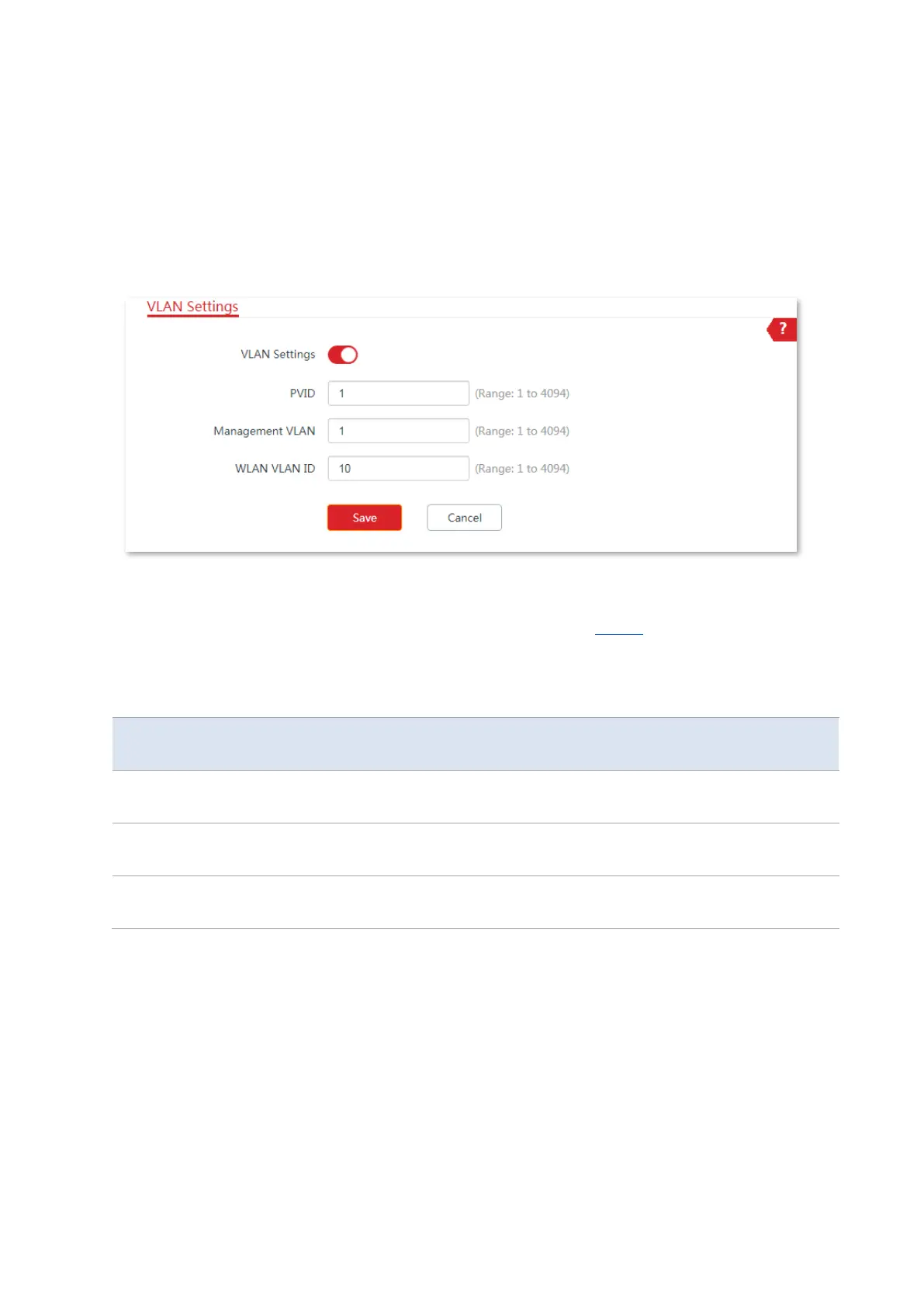
1. Set up CPE1.
(1) Log in to the web UI of CPE1, and choose Network > VLAN Settings.
(2) Enable the function.
(3) Set WLAN VLAN ID to 10.
(4) Click Save.
(5) Click OK on the pop-up window, and wait until the CPE1 completes reboot.
2. Set the WLAN VLAN ID of CPE2 to 20 according to the steps in Step 1.
3. Set up the switch as shown in the following table.
The following table shows the configuration on the switch.
VLAN ID (Allow the packets belonging to
the following VLANs to access)
Uplink port (Connected
to a router)
Port 1 (Connected to
CPE1)
Port 2 (Connected to
CPE2)
Keep the default settings for the parameters which are not mentioned here. Refer to the user
guide of the switch for details.
The following form shows the configuration on the router:
Enables two DHCP servers on the router, and assign them to VLAN10 and VLAN20 respectively.



 To Next Page