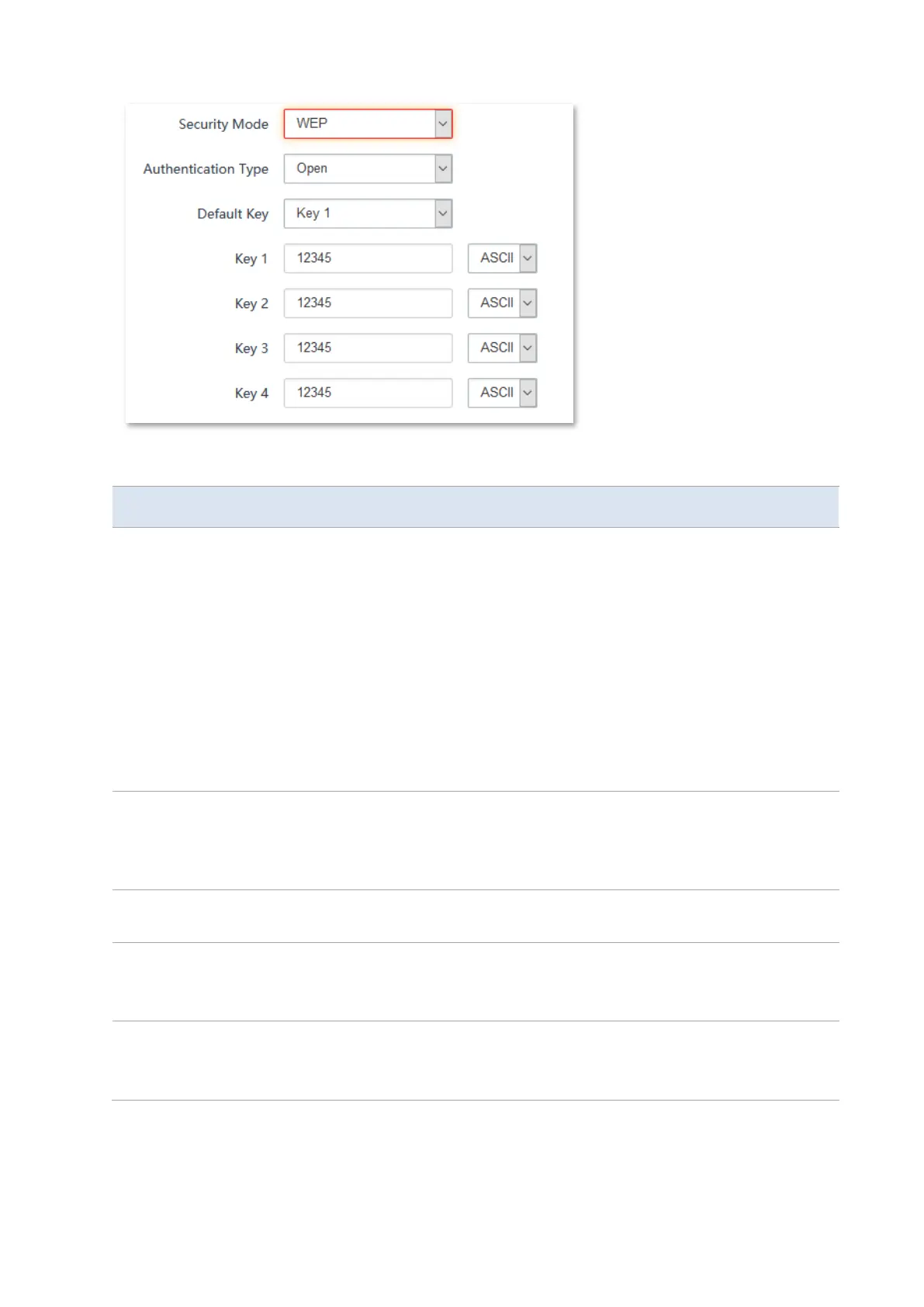
It specifies the authentication type for the WEP security mode. The options
include Open and Shared. The options share the same encryption process.
−
Open: It specifies that authentication is not required and data exchanged is
encrypted using WEP. In this case, a wireless client can connect to the
wireless network corresponding to the selected SSID without being
authenticated, and the data exchanged between the client and the network
is encrypted in WEP security mode.
−
Shared: It specifies that a shared key is used for authentication and data
exchanged is encrypted using WEP. In this case, a wireless client must use a
preset WEP key to connect to the wireless network corresponding to the
selected SSID. The wireless client can be connected to the wireless network
only if they use the same WEP key.
It specifies the WEP key for the Open or Shared encryption type.
For example, if Default Key is set to Security Key 2, a wireless client can connect to
the wireless network corresponding to the selected SSID only with the password
specified by Security Key 2.
It indicates that a key selected for the Open or Shared authentication type
contains hexadecimal characters.
5 or 13 ASCII characters are allowed in the key.
It indicates that a key selected for the Open or Shared authentication type
contains hexadecimal characters.
10 or 26 hexadecimal characters (range: 0-9, a-f, and A-F) are allowed in the key.



 To Next Page