Chapter 4 Quick setup 29
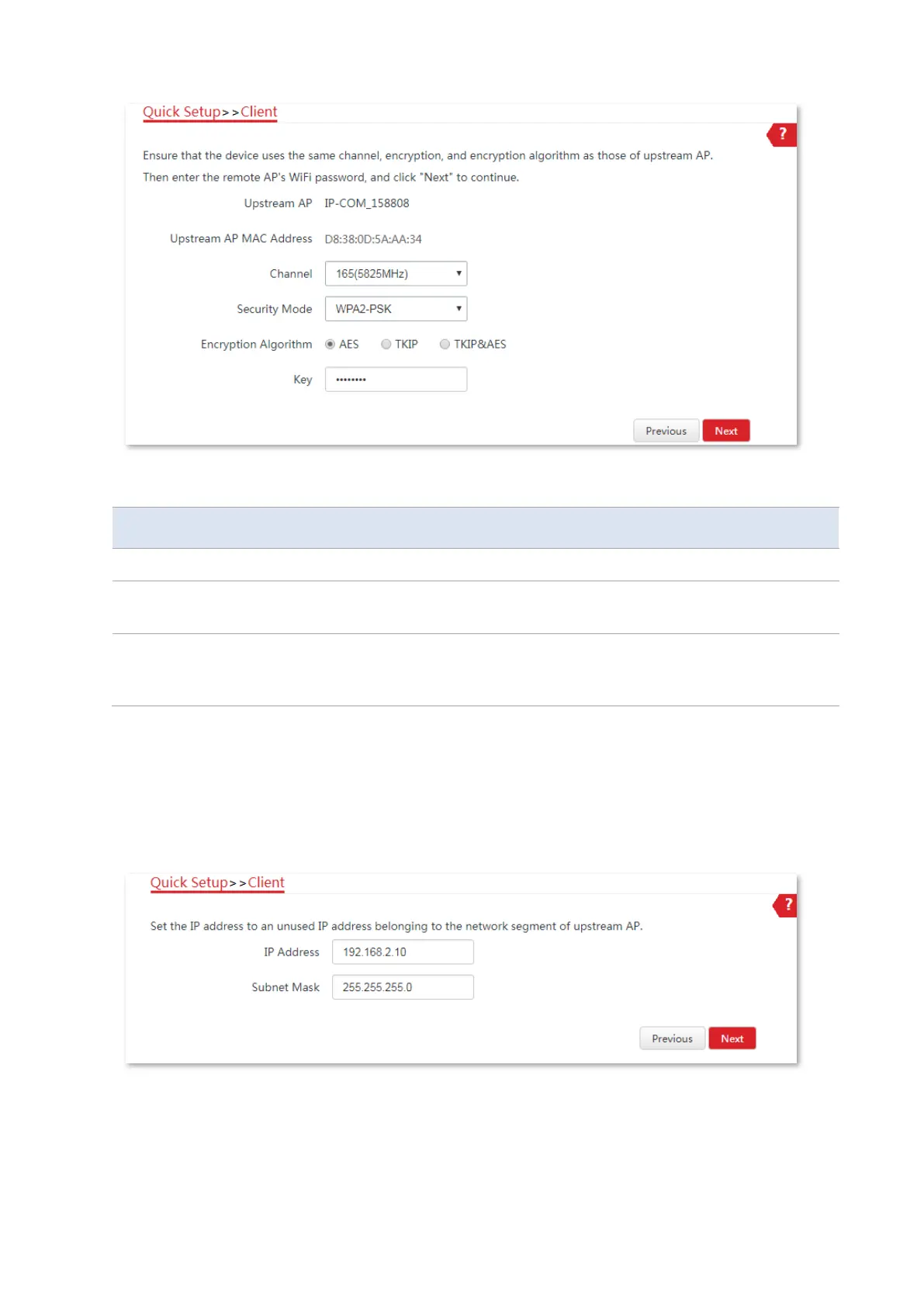
Parameters description
It specifies the wireless network name (SSID) of the upstream AP.
It specifies the operating channel of the WiFi network to be bridged. It will be
automatically populated when you select an SSID to bridge.
It specifies the security mode of the WiFi network to be bridged. It will be
automatically populated when you select an SSID to bridge. If the WiFi network to
be bridged has a WiFi password, you need to enter the password manually.
5. Set the IP address to an unused IP address belonging to the same network segment as that of
the upstream AP. Then set the Subnet Mask to the same one of the upstream AP, and click
Next.
For example, if the IP address of the peer device is 192.168.2.1, you can set the IP address of
this device to 192.168.2.X (X ranges from 2 to 254).
6. Click Save, and wait until the CPE reboots to activate the settings.



 To Next Page