Chapter 4 Quick setup 33
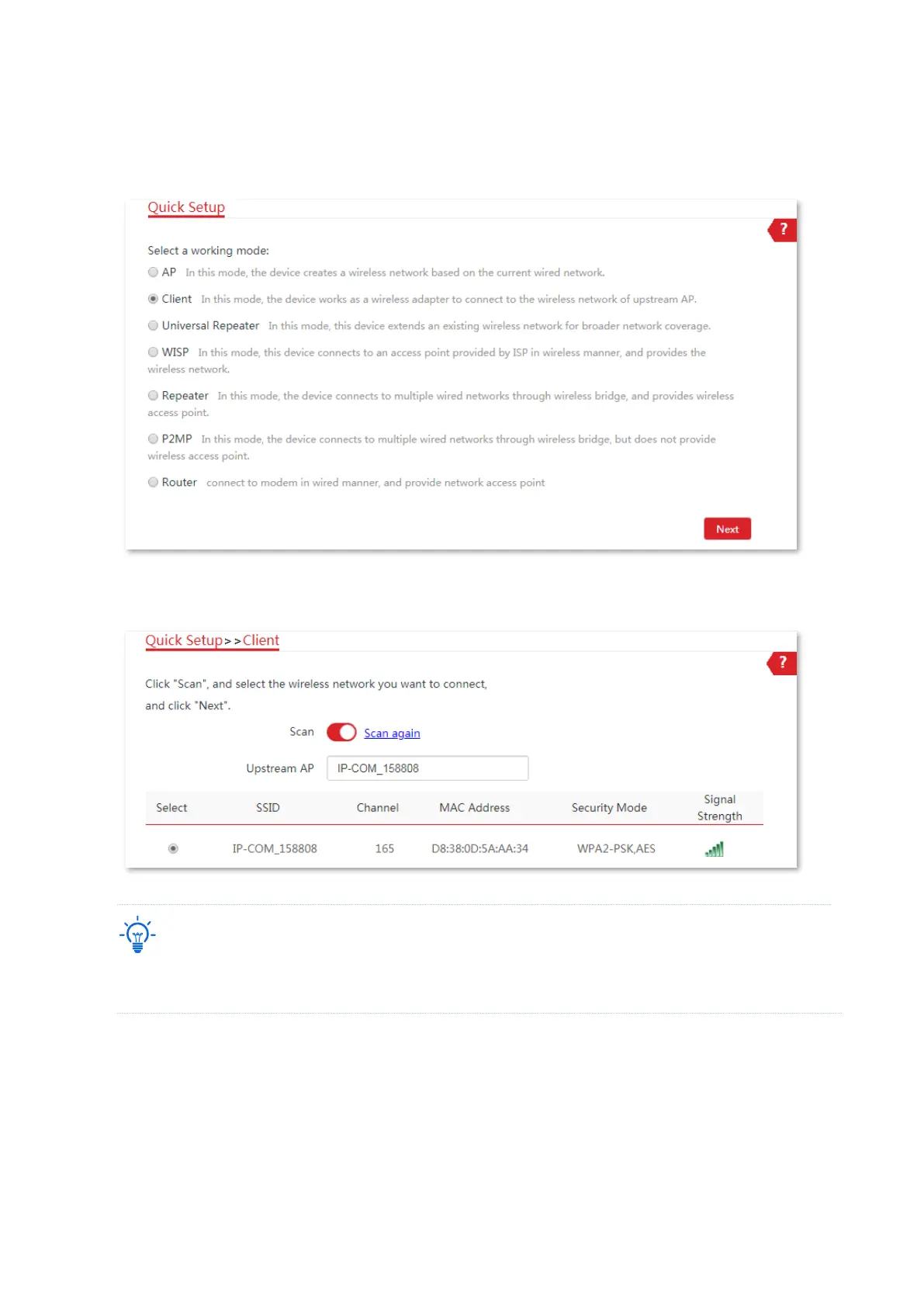
2. Set CPE2 to Client mode.
(1) Log in to the web UI of CPE2 and choose Quick Setup to enter the configuration page.
(2) Select Client, and click Next.
(3) Select the SSID of the CPE1, which is IP-COM_158808 in this example, and click Next at
the bottom of the page.
If you cannot find the SSID of the CPE1 from the list, adjust the direction of CPE2, and move it close to the
CPE1.



 To Next Page