Chapter 4 Quick setup 41
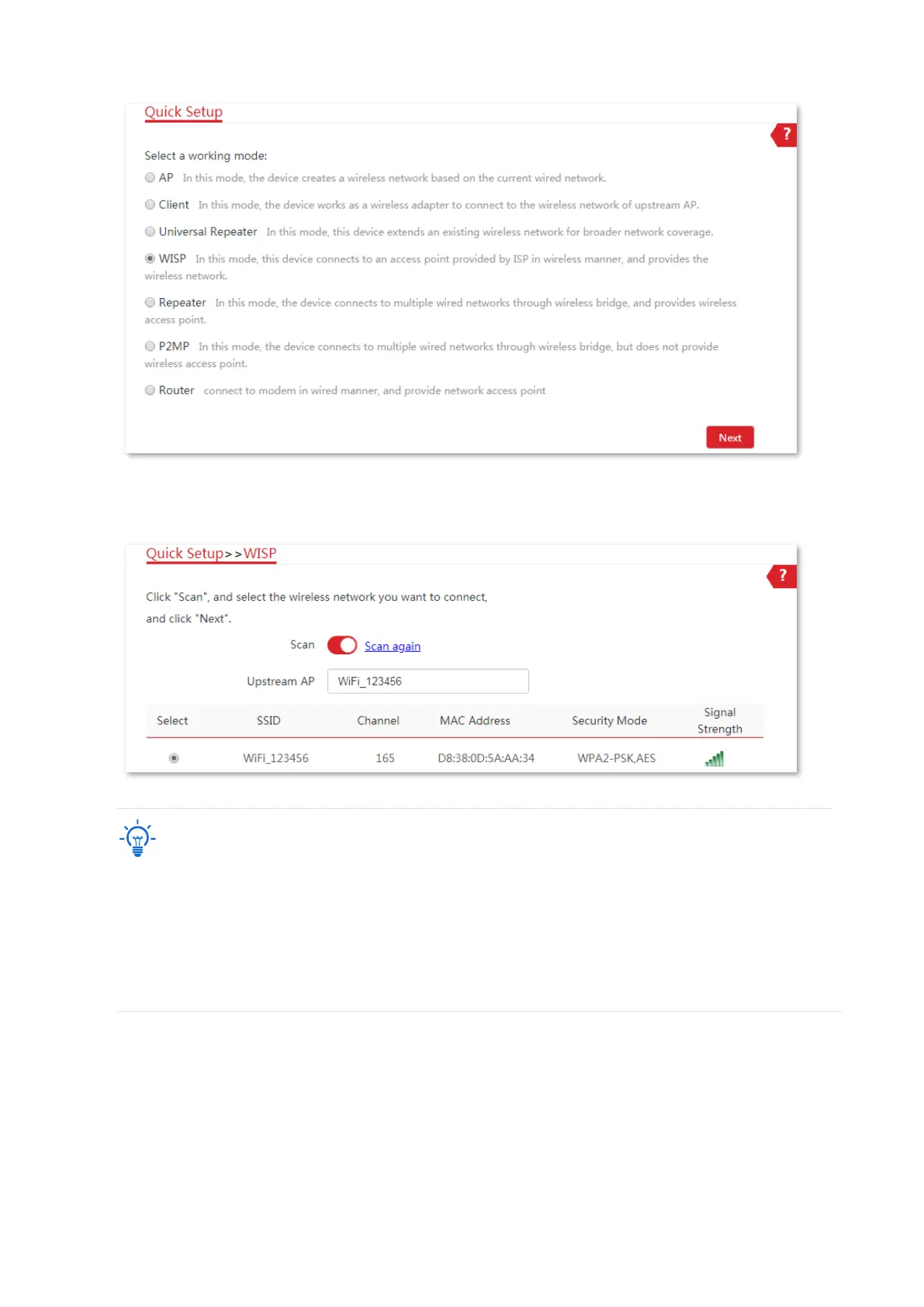
3. Select the SSID of upstream AP, which is WiFi_123456 in this example, and click Next at the
bottom of the page.
If you cannot find any SSID from the list, navigate to the Wireless > Basic page and enable the wireless
function. Then try again.
If you cannot find the SSID of the upstream AP from the list:
− Ensure that the WiFi network of the upstream AP is enabled. Only the WiFi networks at the same band
as that of the CPE will be displayed in the list.
− Adjust the direction of the CPE, and move it closer to the upstream AP.
4. Enter the WiFi password of the upstream AP in the Key text box, and click Next.



 To Next Page