Chapter 4 Quick setup 53
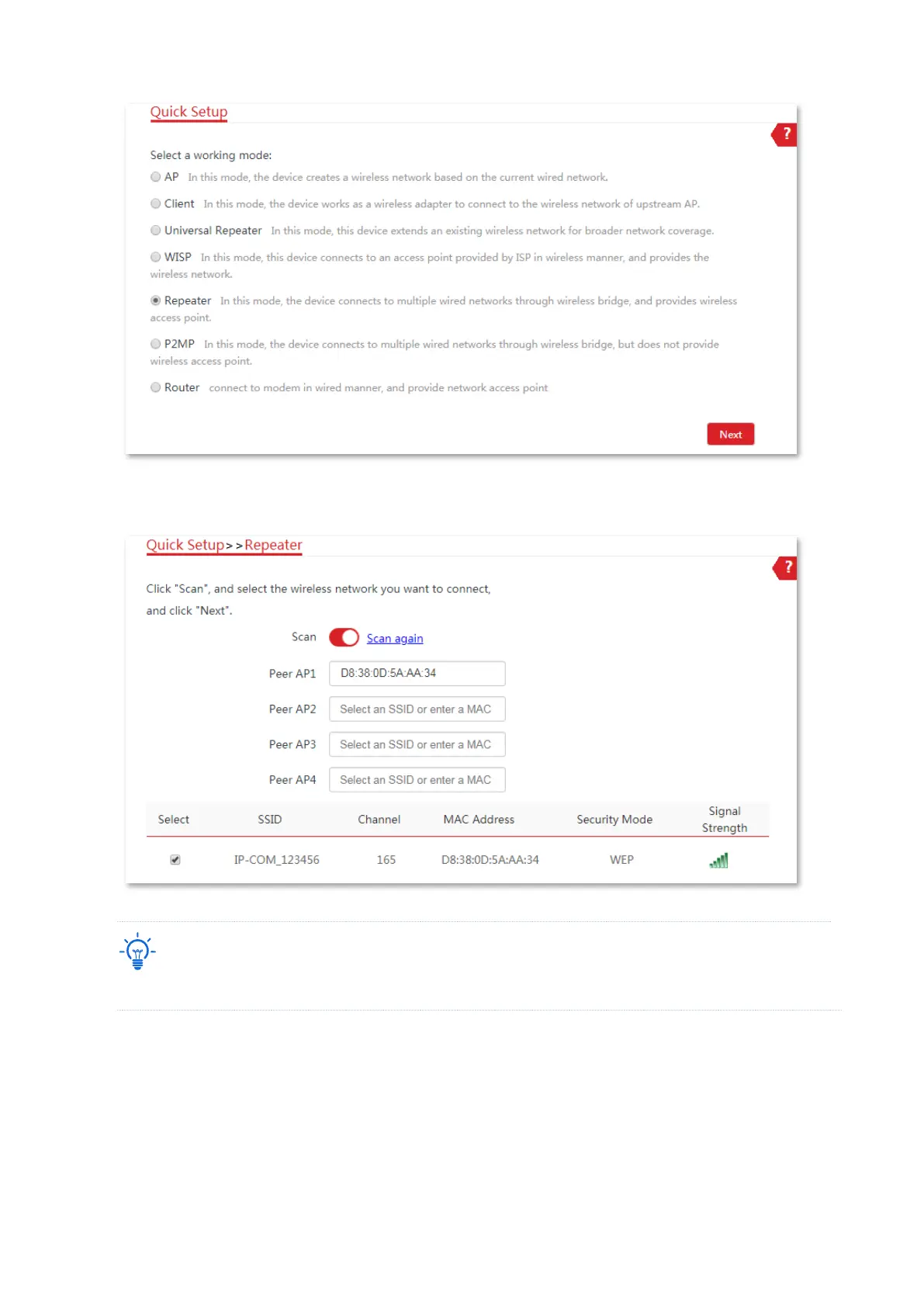
(4) Select the SSID of CPE1 from the list, which is IP-COM_123456 in this example, and click
Next at the bottom of the page.
Only the WiFi networks whose Security Modes are None or WEP can be displayed on the list.
(5) Set the Authentication Type and Default Key to the same as those of CPE1, which are
Shared and Key 1 in this example, enter the Key 1, Key 2, Key 3 and Key 4, and click Next.



 To Next Page