Chapter 4 Quick setup 64
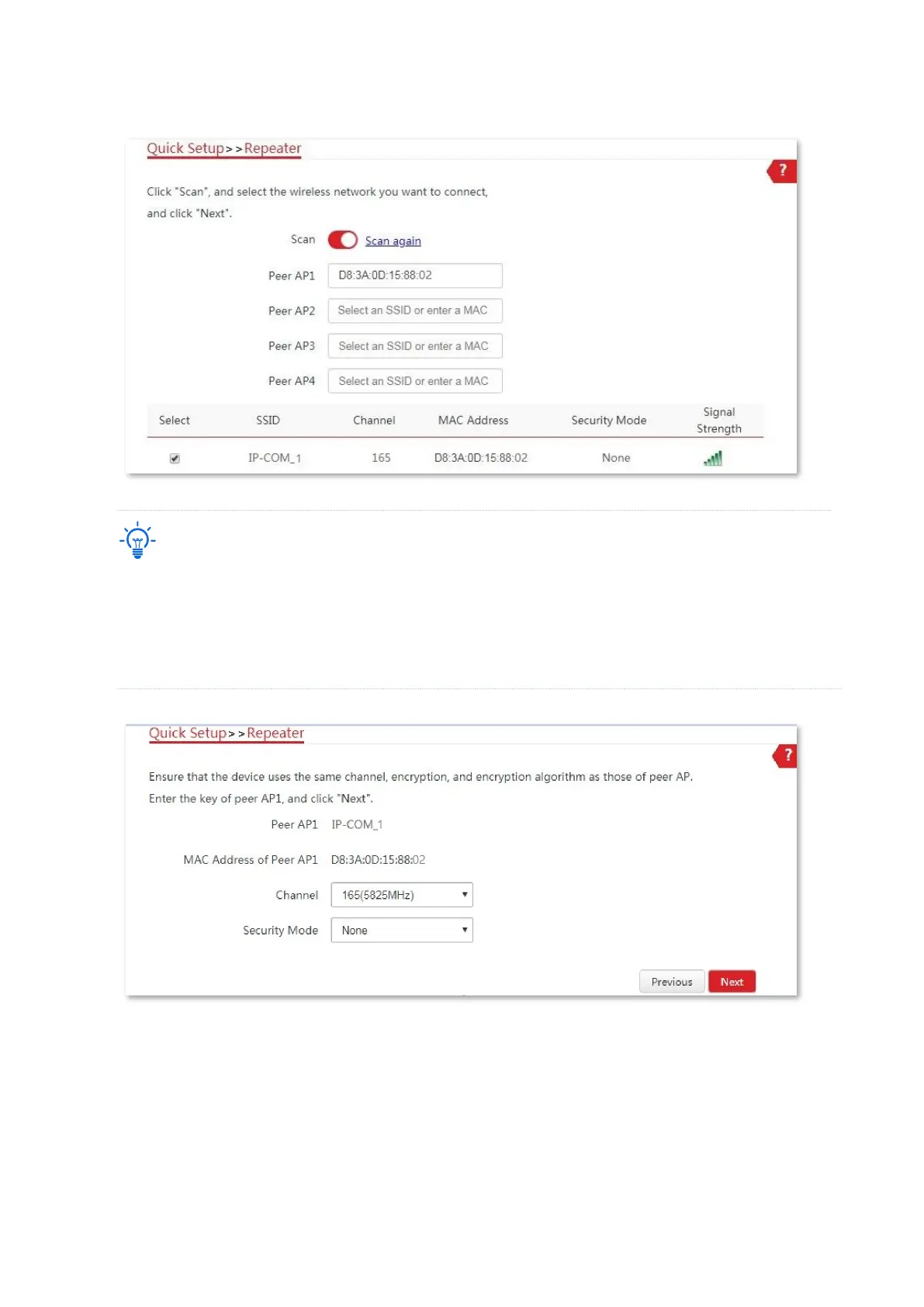
(2) Select the SSID of CPE1, which is IP-COM_1 in this example, and click Next.
− If you cannot find any SSID from the list, choose Wireless > Basic and enable the wireless function. Then
try again.
− If you cannot find the SSID of CPE1 from the list, adjust the direction of CPE2, and move it close to the
CPE1.
− The repeater mode only supports None and WEP security modes.
(3) Click Next on the following page.
(4) Set the IP address to an unused IP address belonging to the same network segment as
that of CPE1. For example, if the IP address of CPE1 is 192.168.2.1, you can set the IP
address of the device to 192.168.2.X (X ranges from 2 to 254). Then click Next.



 To Next Page