Chapter 4 Quick setup 65
(5) Click Save, and wait until the device reboots to activate the settings.
2. Perform Step 1 to set the CPE3, CPE4 and CPE5 to Repeater mode, and bridge to the CPE1.
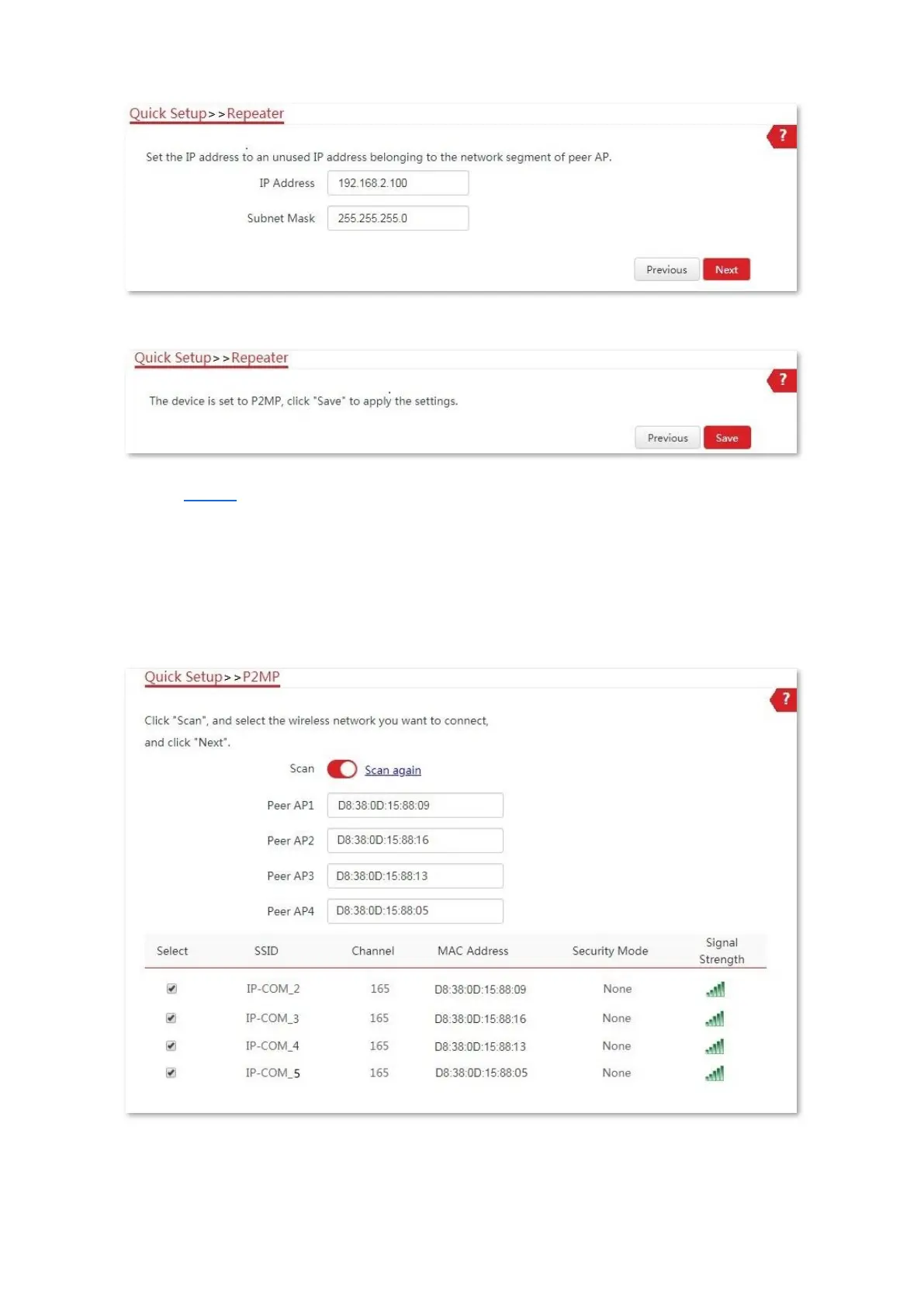
3. Set CPE1 to P2MP mode and bridge to CPE2, CPE3, CPE4 and CPE5.
(1) Log in to the web UI of CPE1, and choose Quick Setup to enter the configuration page.
(2) Select P2MP mode, and click Next.
(3) Select the SSID of CPE2, CPE3, CPE4 and CPE5, which are IP-COM_2, IP-COM_3, IP-COM_4
and IP-COM_5 in this example, and click Next.
(4) Click Next on the following page.



 To Next Page