Chapter 4 Quick setup 69
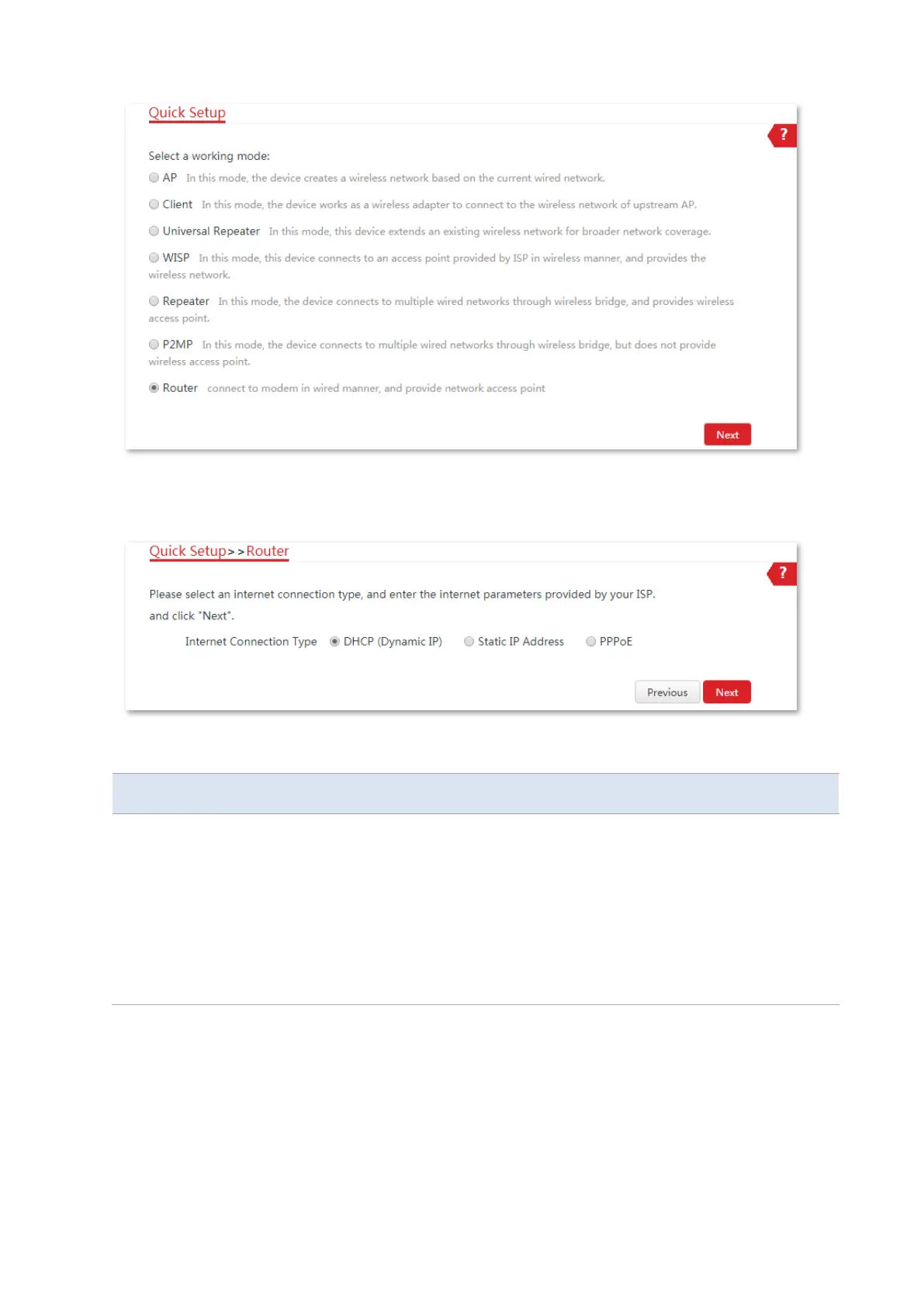
3. Select your internet connection type, and set the related parameters. Take DHCP as an
example here. Select DHCP (Dynamic IP) and click Next.
Parameters description
The device in Router mode supports three internet connection types:
−
DHCP (Dynamic IP): The device obtains the IP address and other parameters
from the DHCP server of upstream device for internet access.
−
Static IP Address: The device accesses the internet using the IP address,
subnet mask, default gateway and DNS server IP addresses provided by your
ISP.
−
PPPoE: The device accesses the internet using the PPPoE user name and
password provided by the ISP.
4. Set wireless parameters of the CPE, and click Next.
(1) Customize a SSID, which is IP-COM_123456 in this example.
(2) Select a Security Mode, which is WPA2-PSK in this example.
(3) Set a Key for the wireless network.



 To Next Page