01 Getting started | 9
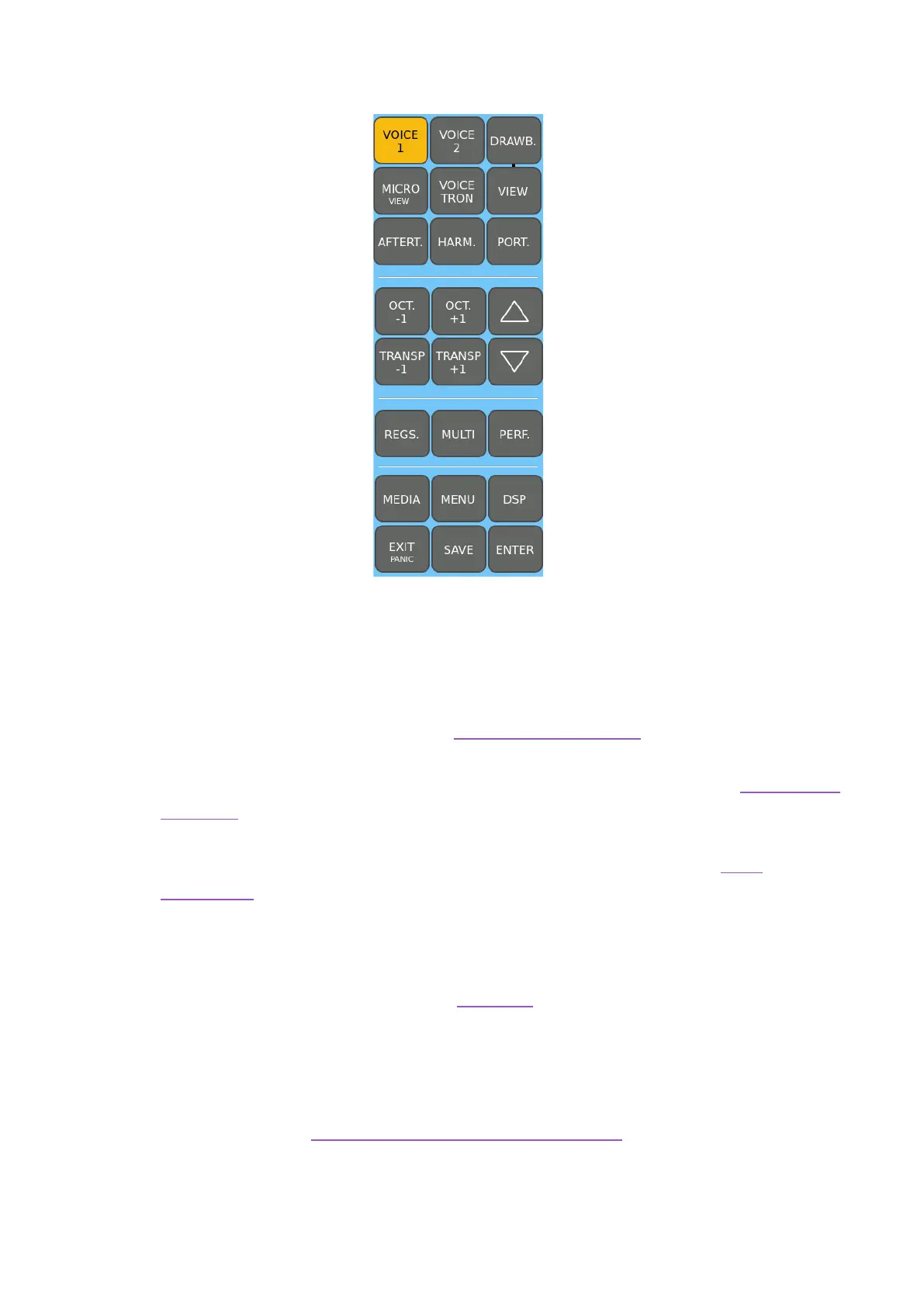
3. Control area to the right of the screen
From left to right and top to bottom:
• VOICE 1: Switch on or off VOICE 1’s sound.
• VOICE 2: Switch on or off VOICE 2’s sound.
• DRAWB: Switch on or off the Drawbar sound.
• VIEW: press this button to manage Drawbar organ sounds.
• MICRO (VIEW): Press this button to turn on the microphone connected to the
MICRO input. By holding it down for a few moments, you access the Microphone
Edit page.
• VOICETRON: Press this button to turn on the vocal harmonizer for MICRO. By
holding it down for a few moments, you access the edit page of the vocal
harmonizer.
• AFTERT.: Press this button to enable Aftertouch on the keyboard (affects VOICE
1). It works according to the parameter (LFO, Soft LFO, BEND, Off) stored in the
Edit Voice.
• HARM.: Press this button to enable Harmony mode.
• PORT.: Press this button to enable “Portamento” already assigned within the
Voice.
• OCT. -1 e OCT. +1: This pair of keys allows you to simultaneously transpose the
VOICE 1 and VOICE 2 parts up or down one or two octaves.
• TRANSPOSE +/-: Manage the pitch with the Transposer
Here you find two buttons that you will use very often:



 To Next Page