Specifying default settings
8
8-38 Konica Minolta 240f
8.2
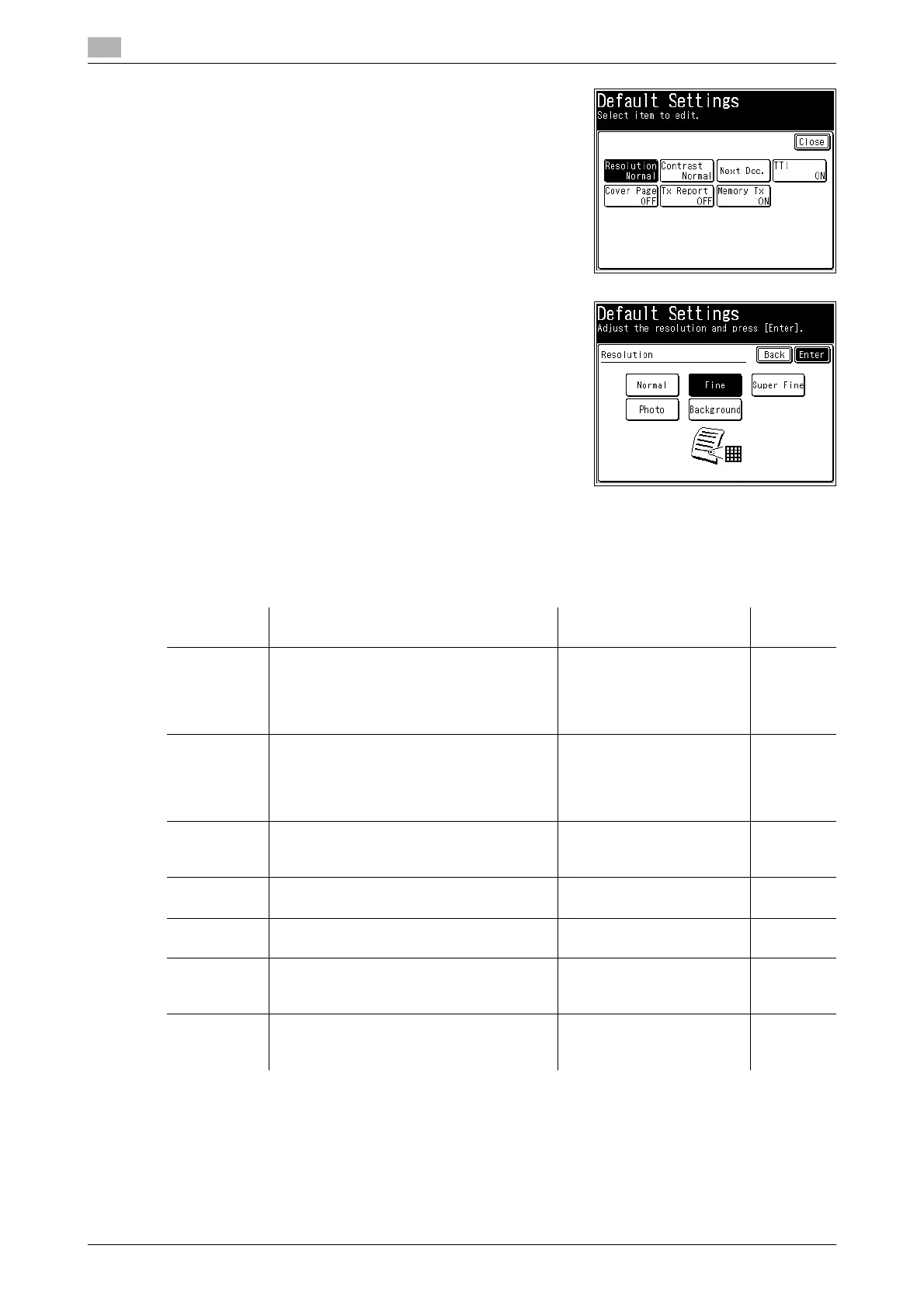
5 Select the function to set.
In this example, [Resolution] is selected.
6 Select the default value, and press [Enter].
In this example, [Fine] is selected.
7 Press [Close].
% To continue to change other default values, repeat steps 4 to 7 of the operation.
List of default transmission settings
d
Highlighted values are the default settings specified at the time of shipment.
For details on these settings, refer to page 8-37.
Function Description Settings Refer-
ence page
Resolution This sets the default resolution when a doc-
ument is scanned.
Normal
Fine
Super Fine
Photo
Background
p. 4-18
Contrast This sets the default contrast when a docu-
ment is scanned.
Lightest
Lighter
Normal
Darker
Darkest
p. 4-19
Next Doc. You can scan a series of separate docu-
ments and transmit them as a single docu-
ment.
ADF: ON,
OFF
FBS:
ON
, OFF
p. 5-6
TTI The sender name printed at the top of a
document received at the destination.
ON
OFF
p. 5-7
Cover Page A cover page containing a simple message
can be attached to the documents.
ON
OFF
p. 5-8
Tx Report The transmission result is printed. Or can
be checked via e-mail.
OFF
Print
e-mail
p. 7-3
Memory Tx This sets whether to give the priority to
memory transmission or to real-time trans-
missions when sending faxes.
ON
OFF
p. 4-21














 To Next Page