4 Operation
18 of 212
PumpDrive 2
Table15: Example of status of digital outputs (1-2-4-7). The following is reported via relay output 1: General fault
message (configurable)
Optional IO card Standard
Digital output R8 R7 R6 R5 R4 R3 DO2 D01 R2 R1
Bit pattern on
display
0 0 0 0 0 0 0 0 0 I
4.1.2.2 Menu: Diagnosis
In the Diagnosis section, the user is provided with information about faults and
warning messages that pertain to the pump set or process. The frequency inverter
can be in fault (standstill) or warning (operational) status. The user can also find
previous messages in the history.
Messages
All monitoring and protective functions trigger warnings or alerts. These are
signalled via the amber or red LED of the LED traffic light function.
A corresponding message is output on the control panel display. If more than one
message is output, the last one is displayed. Alerts have priority over warnings.
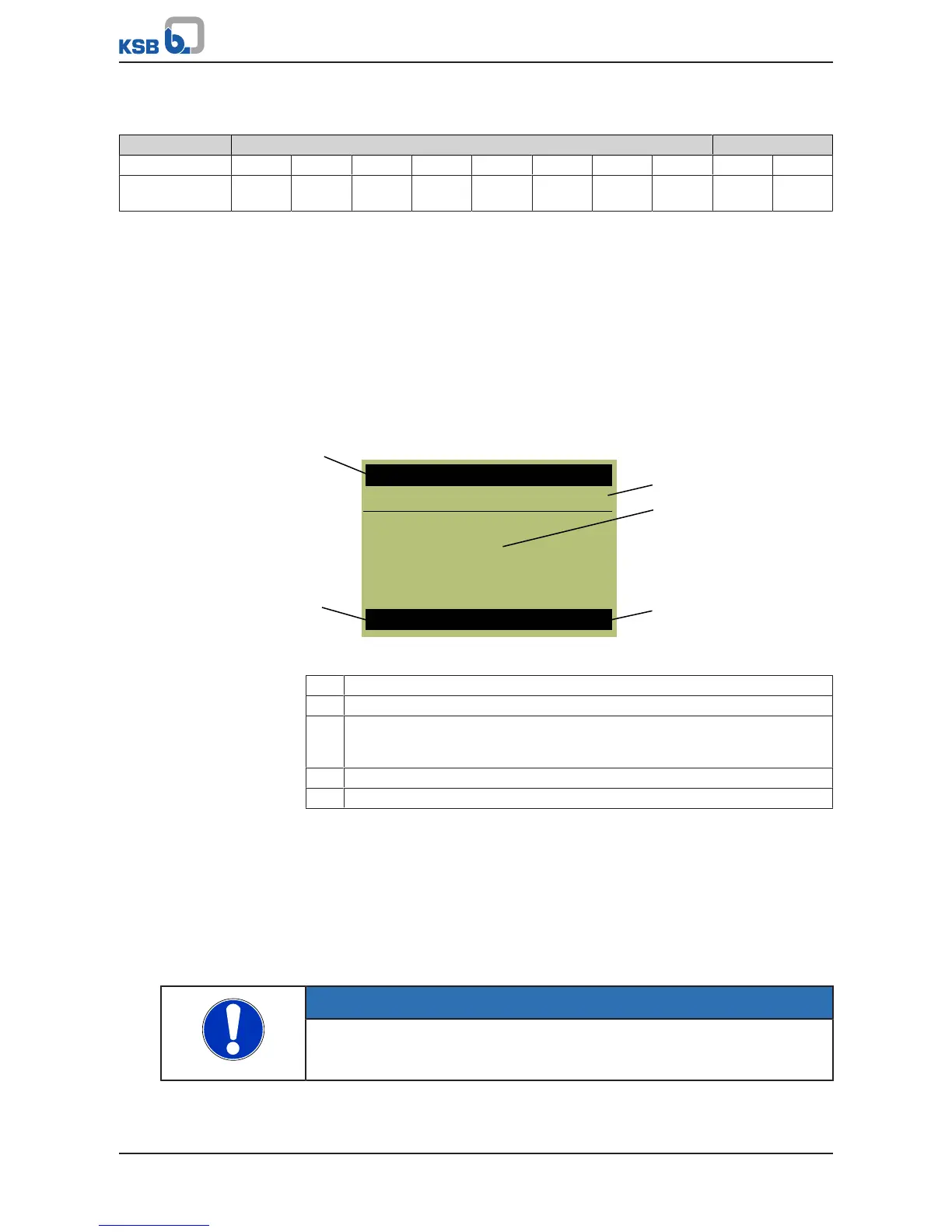
Fig.9: Message display
1 Name of the message displayed in the centre
2 Display of the master and login level
3 Display of the message: The most recently received message is displayed in
large format on the main screen. Three operating values are displayed in small
format.
4 Display of operating status
5 Displays the current operating mode
Pending messages
If a message has occurred and been acknowledged but has not gone, this message
will be listed in the Pending Messages menu. All current messages can be displayed in
the Diagnosis menu under Pending Messages (2-1). Active warnings and alerts can
also be connected to the relay outputs.
Message history
Only messages that have come, been acknowledged, and gone are listed in the
message history. The message history can be viewed by selecting the Message History
parameter 2-2. The last 100 messages are listed here. You can use the arrow keys and
the OK key to select an entry from the list.
Acknowledging and resetting messages
NOTE
Depending on the combination of settings, the frequency inverter could
conceivably restart automatically after acknowledgement/reset or when the cause
of the malfunction or fault has been eliminated.
Acknowledgement
You can acknowledge the message once the cause has been rectified. Messages can
be acknowledged separately in the Diagnosis menu. A message can also be
acknowledged via a digital input. Digital input 2 is defaulted for this purpose.



 To Next Page