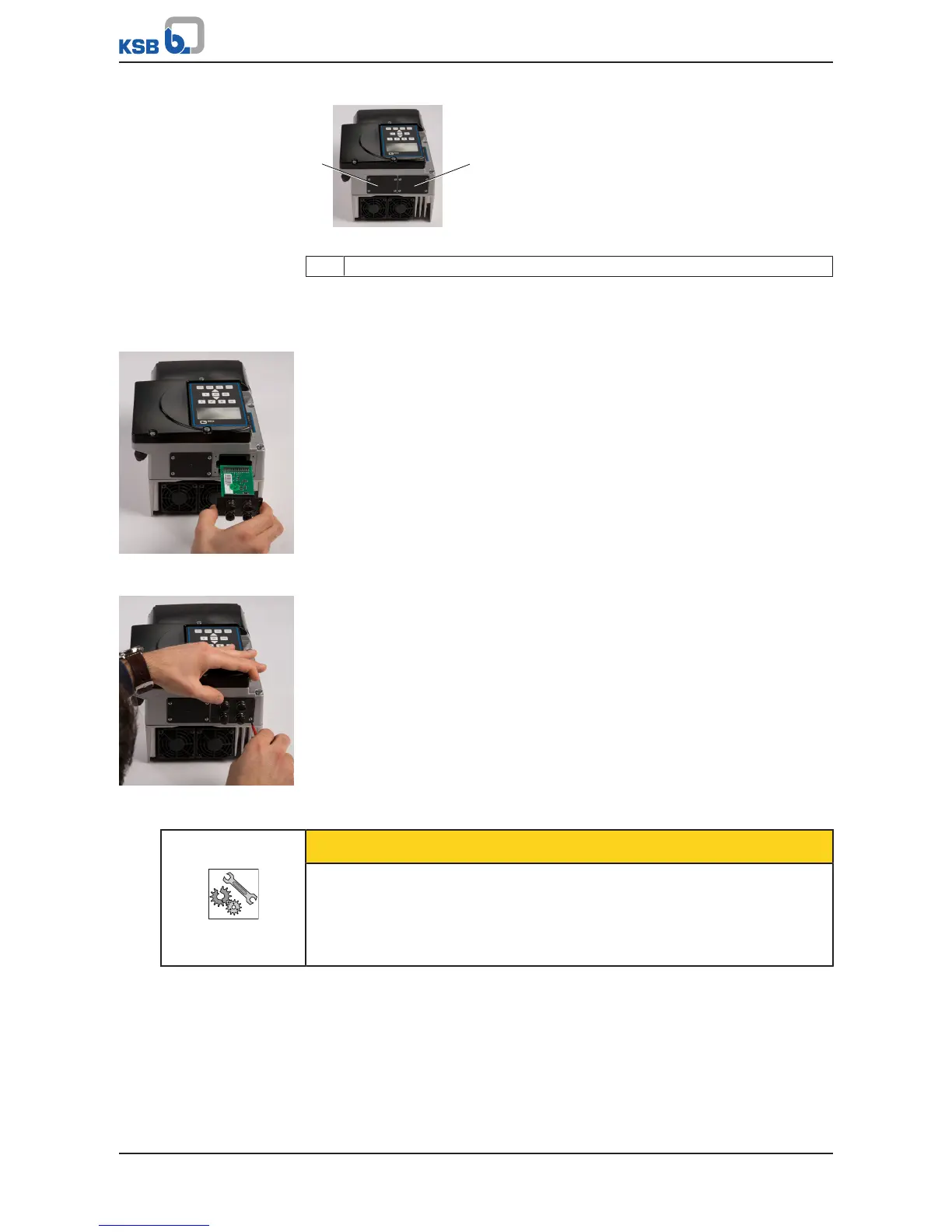
Fig.46: Blind cover
1 Blind cover
1. Unscrew the cross recessed head screws in the blind cover.
2. Remove the blind cover.
Field bus module
Fig.47: Inserting the field
bus module
1. Carefully insert the field bus module into the open slot. The plug-in module is
guided on rails until it engages in the contact.
Fig.48: Securing the M12
module
2. Secure the field bus module using the 4 cross recessed head screws. IP55
enclosure protection is not provided until the screws have been tightened.
CAUTION
Incorrect assembly
Impairment of protection provided by the enclosure (protection may be
compromised)!
▷ Cover unused M12 sockets of the M12 module with a cap (included in the scope
of supply).



 To Next Page