Taking pictures
[Panorama Shot] mode
- 106 -
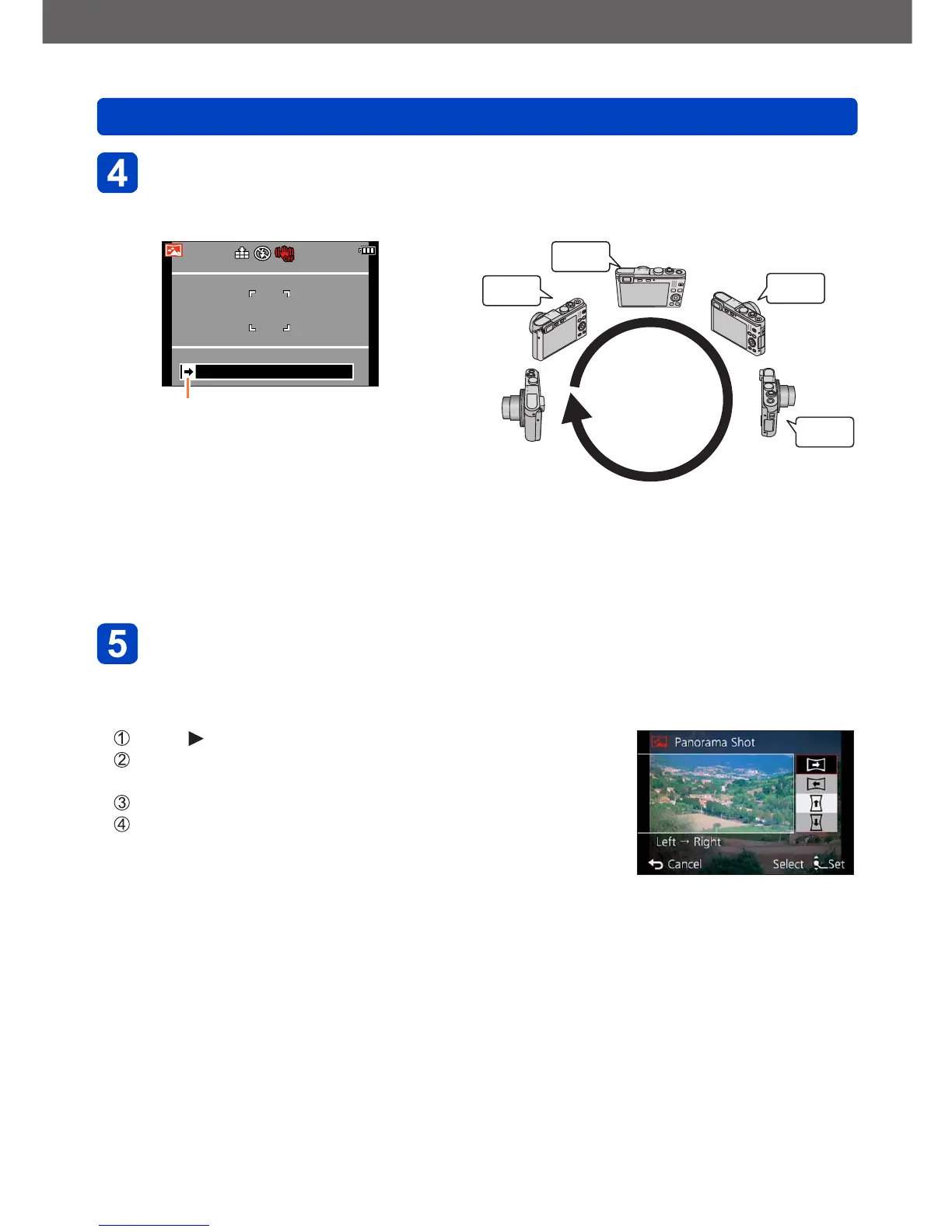
Press the shutter button fully and pan the camera in a small
circular motion in the selected direction to start recording
• Taking pictures from left to right
Recording direction and progress status
(approximation)
1 sec.
2 sec.
3 sec.
4 sec.
• Pan the camera so that you make a complete circle in approx. 8 seconds
- Pan the camera at a constant speed.
- You may not be able to take pictures successfully if you move the camera too
quickly or too slowly.
- Pan the camera in a small circular motion.
Press the shutter button fully again to end recording
• You can also end recording if you stop panning the camera while taking pictures.
■
Changing the recording direction or picture effects
Press
Use the cursor buttons to select the recording direction
to change
Press [MENU/SET]
Use the cursor buttons to select the picture effect and
press [MENU/SET]



 To Next Page