Basics
Menu control
- 52 -
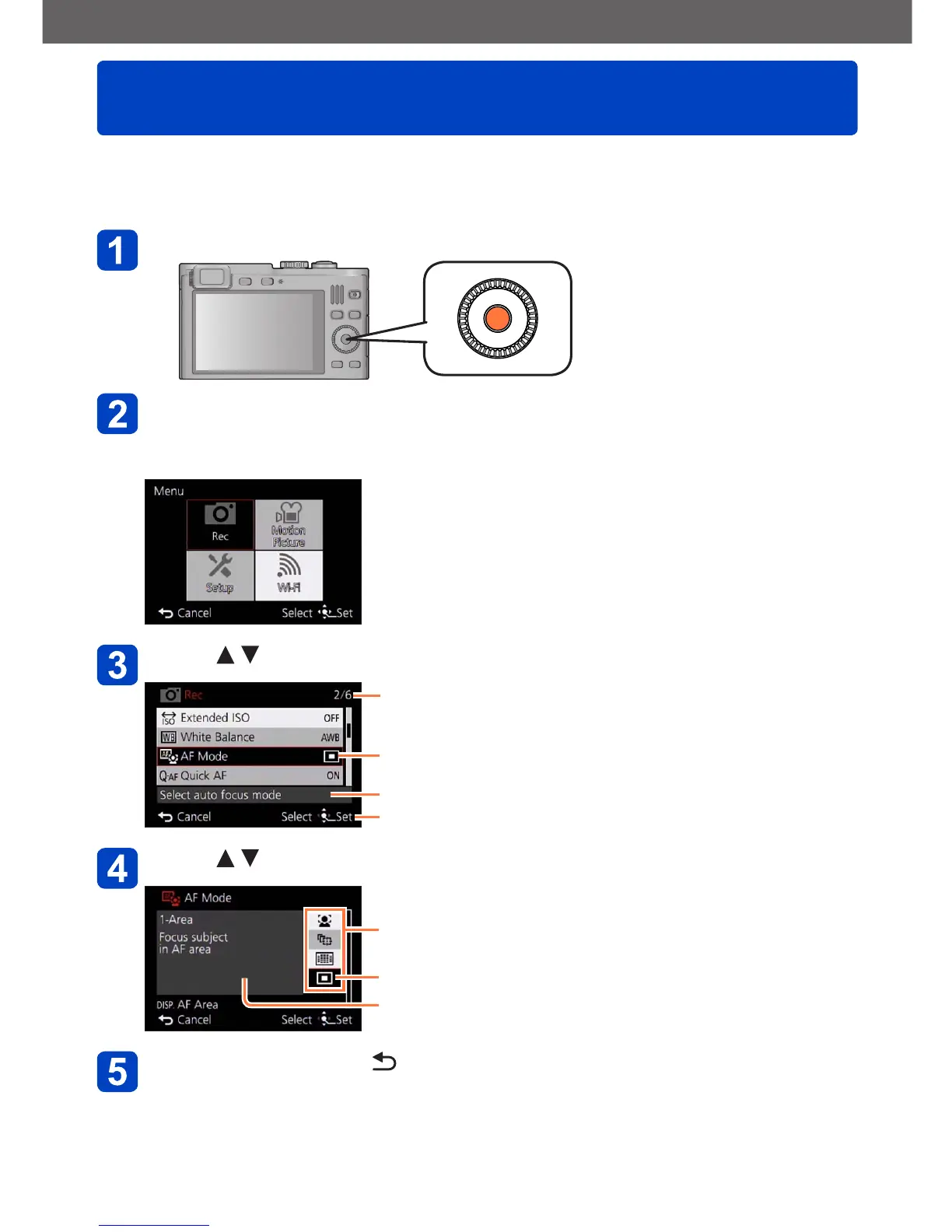
Refer to the procedure below for an example on how to operate the menus.
Example: Changing [AF Mode] in the [Rec] menu in [Program AE] mode
Press [MENU/SET]
Use the cursor buttons to select [Rec] menu, and then press
[MENU/SET]
• Items can also be selected by turning the control dial.
Press to select [AF Mode], and then [MENU/SET]
Pages (The pages can also be selected with the zoom lever.)
Menu items
Menu description
Operation guide
Press to select a setting, and then [MENU/SET]
Setting items that can be selected
Selected setting
Setting description
Press the [Q MENU/ ] button several times
The menu closes and the monitor returns to the previous screen.
• In recording mode, the menu screen can also be exited by pressing the shutter
button halfway.



 To Next Page