Playback
Different playback methods
- 145 -
Recorded pictures can be played back in a variety of ways.
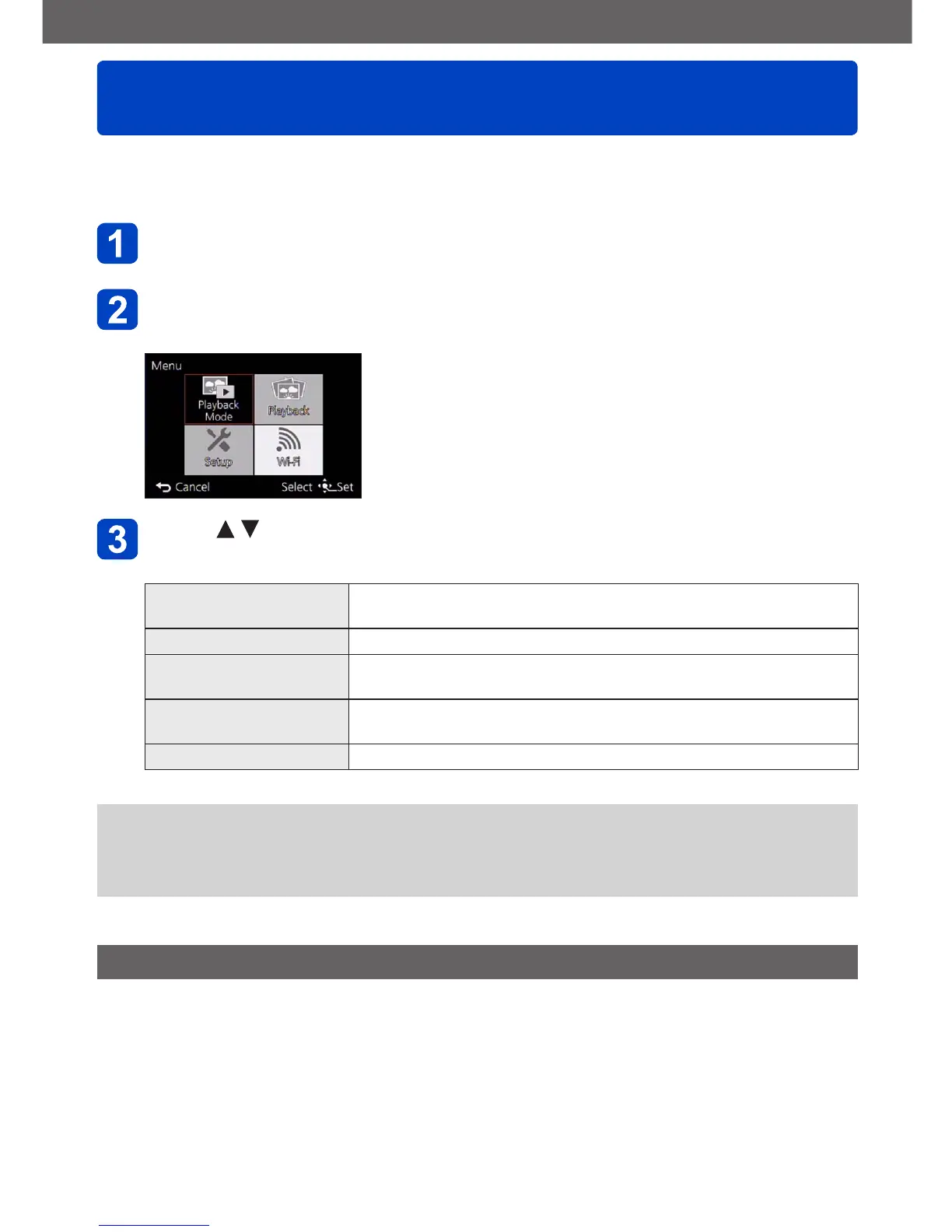
To change the Playback mode, refer to and perform the following steps.
Press [MENU/SET] in playback mode
The menu selection screen is displayed.
Use the cursor buttons to select [Playback Mode] menu, and
then press [MENU/SET]
Press to select the Playback mode, and then press
[MENU/SET]
[2D/3D Settings] Switches the output format between 2D and 3D pictures. (Only
available during HDMI output.) (→205)
[All] Plays back all pictures. (→44)
[Slide Show] Automatically plays back recorded pictures, one after another.
(→150)
[Filtering Play] Plays back the pictures after narrowing them down according to
various conditions. (→146)
[Calendar] Displays pictures by date of recording. (→152)
●
If the pictures displayed with [Slide Show] or [Filtering Play] are the those selected,
selecting [All] will cancel the filtering.
●
The playback method automatically becomes [All] when the camera is turned on, or
when switching from [Rec] mode to [Playback Mode].
[2D/3D Settings]
• For switching the [Playback Mode] (above)
The playback method for the 3D pictures can be switched. This menu is only displayed
during HDMI output. For the procedure for playing back a 3D still picture (→205).



 To Next Page