Playback
Retouching pictures
- 154 -
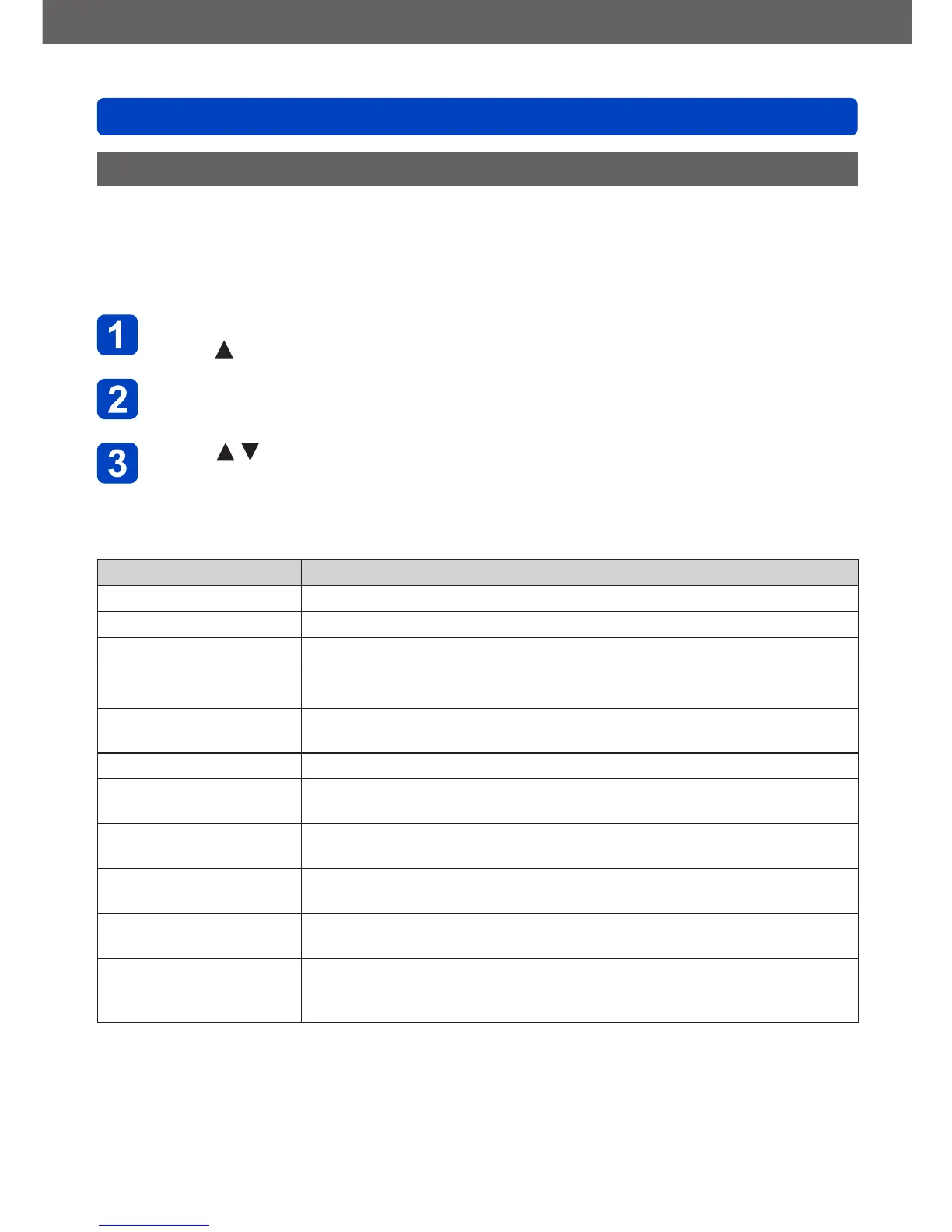
[Creative Retouch]
This mode allows you to retouch recorded still pictures by selecting the effect that you
want to apply.
• New pictures are created after editing pictures with [Creative Retouch]. Before starting
to edit, make sure that there is enough free space in the built-in memory or the memory
card.
Select a still picture to retouch during playback, and then
press
Use the cursor buttons to select [Creative Retouch], and then
press [MENU/SET]
Press to select effect
• The picture retouched with the selected effect is displayed.
• When [No Effect] is selected, you can restore a picture to its original condition
(before retouching).
Setting Effect
[Expressive] This effect creates a pop art style picture that enhances the color.
[Retro] This effect creates the soft appearance of a tarnished picture.
[Old Days] This effect adds a bright, soft and nostalgic feel to the overall image.
[High Key]
This effect creates a brighter and lighter toned appearance for the entire
picture.
[Low Key]
This effect creates a darker somber appearance for the entire picture to
emphasize the bright sections.
[Sepia] This effect creates a picture with sepia tone.
[Dynamic Monochrome]
This effect creates a monochromatic picture with a higher contrast and
more dramatic atmosphere.
[Impressive Art]
An effect with strong contrast that illustrates a surreal and dramatic
atmosphere.
[High Dynamic]
This effect creates a picture with a well-balanced brightness for the entire
picture (from dark areas to bright areas).
[Cross Process]
This effect creates a unique atmosphere with surprising colors.
• Use the cursor buttons to adjust coloring, then press [MENU/SET].
[Toy Effect]
This effect creates a picture that resembles pictures taken by a toy
camera with a reduced amount of peripheral light.
• Use the cursor buttons to adjust coloring, then press [MENU/SET].
(Continued on the next page)



 To Next Page