- 12 -
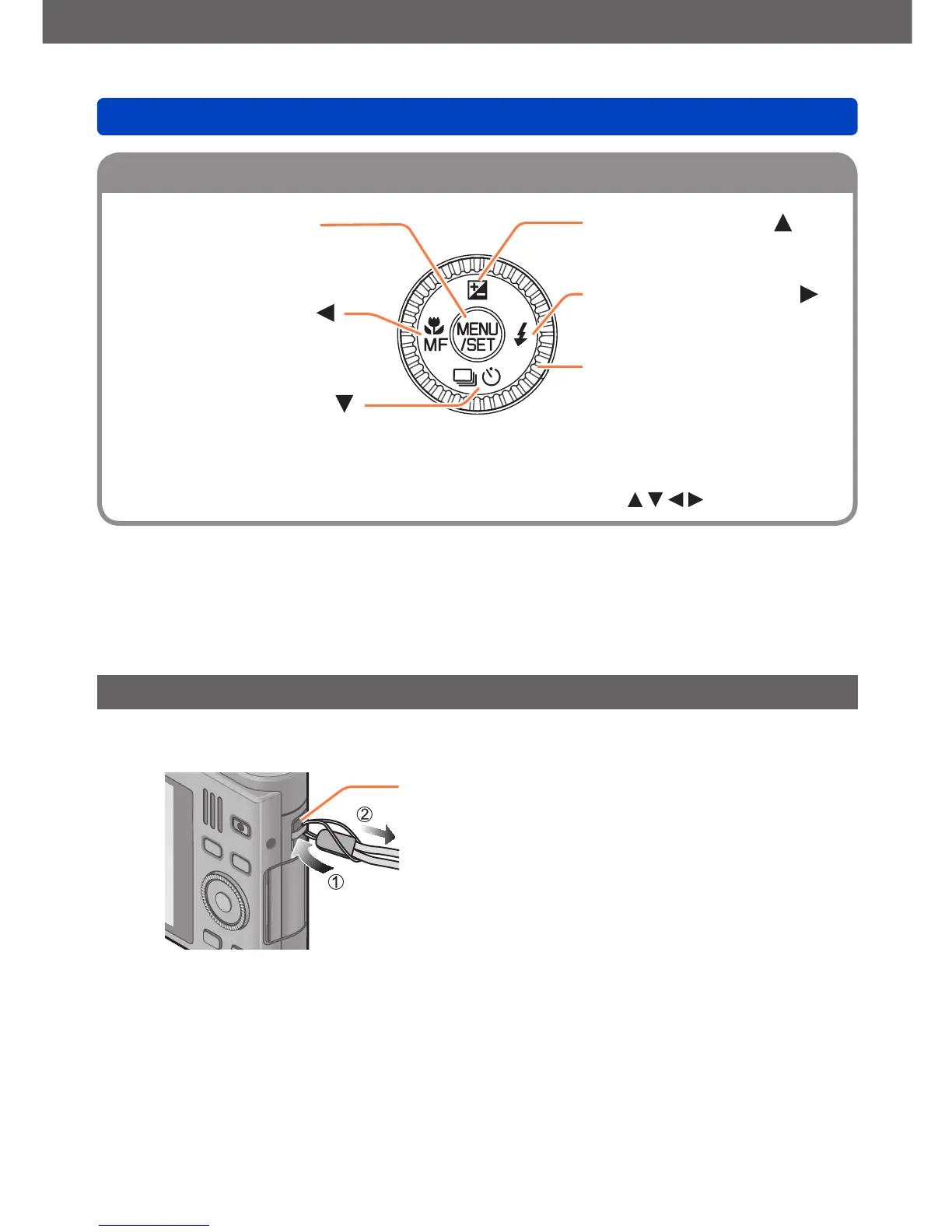
[MENU/SET] button
• Use to display the menus, enter
the settings, etc. (→52)
Left cursor button ( )
• Macro recording (→78, 80),
Manual Focus (→87)
Down cursor button ( )
• Drive Mode (Burst (→119),
Auto Bracket (→91),
Self-timer (→89))
Up cursor button ( )
• Exposure Compensation (→90)
Right cursor button ( )
• Flash mode (→75)
Control dial
• Turn to select setting items and
change setting values.
●
In these instructions, the button to be used is indicated by .
Attaching the wrist strap
We recommend using the supplied wrist strap to avoid dropping the camera.
Strap eyelet



 To Next Page