Preparations
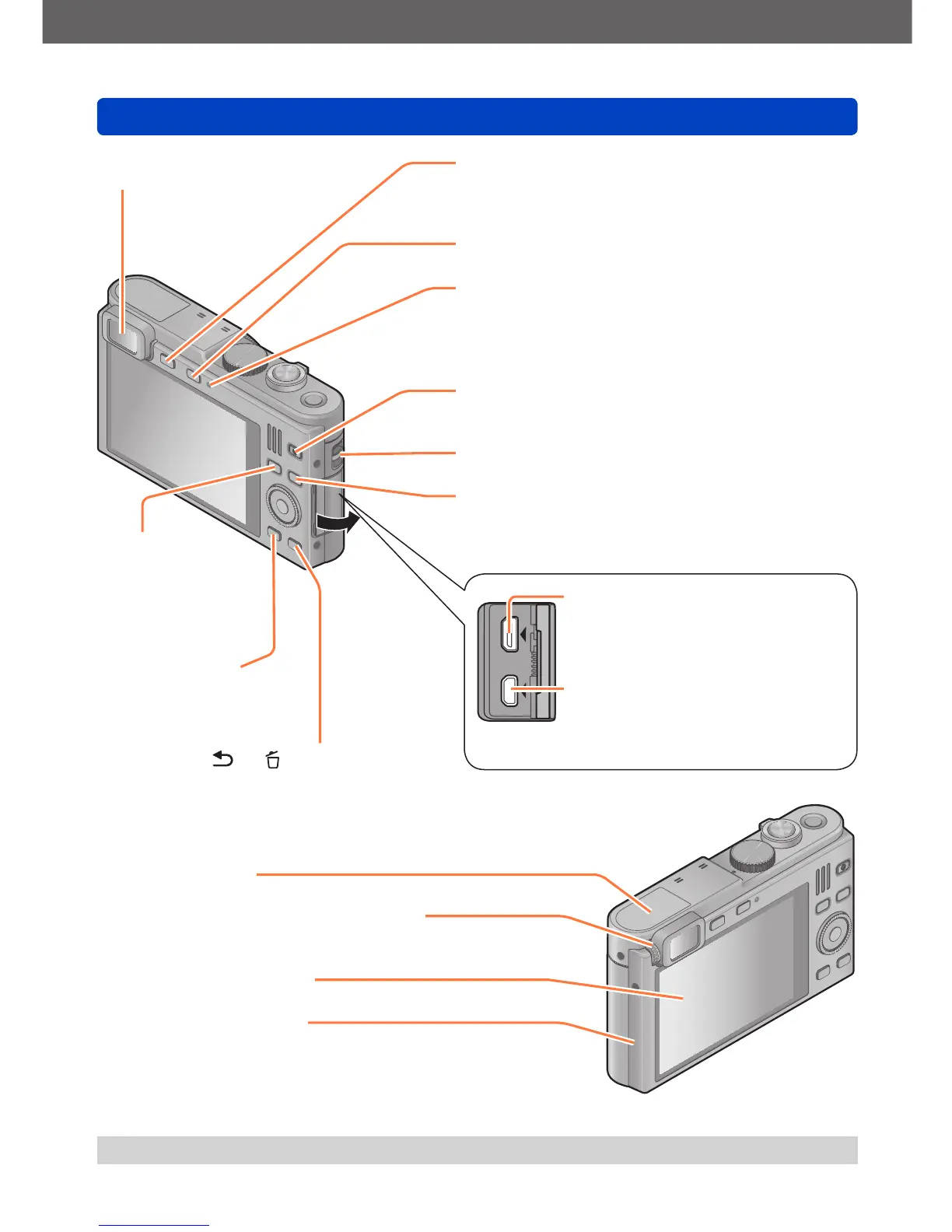
Names of the components
- 11 -
[HDMI] socket (→201, 203)
Do not connect any other cables
except a HDMI micro cable. Doing
so may cause malfunction.
[AV OUT/DIGITAL] socket
(→201, 210, 213)
This socket is also used when
charging the battery. (→15)
[LVF] button (→66)
Use to switch between viewfinder and monitor
display.
[WIFI] button (→171)
Charging lamp (→15) /
Wi-Fi
®
connection lamp (→171)
• Charging in progress: Red
• When the Wi-Fi function is ON: Blue
Motion picture button (→40)
Use to record motion pictures.
Strap eyelet (→12)
Playback button
Use to select recording or playback mode.
●
The illustrations and screens in these instructions may differ from the actual camera.
Viewfinder (→66)
[FN] button
(→117)
Use to call
up registered
functions.
[Q MENU/ ] / [ ] button
Use to display the Quick Menu (→28) and
erase pictures (→50).
[DISP] button
(→67, 142)
Use to change display
sets.
[Wi-Fi] antenna
Diopter adjustment wheel (→66)
Turn to adjust viewfinder image sharpness.
Monitor (→55, 56, 217)
NFC antenna (→177)



 To Next Page