Basics
Taking motion pictures
- 40 -
■
Recording modes:
*
1
*
2
*
1
You cannot take motion pictures in [3D Photo Mode].
*
2
You cannot take motion pictures in [Soft Focus] and [Star Filter].
You can record motion pictures with audio (stereo).
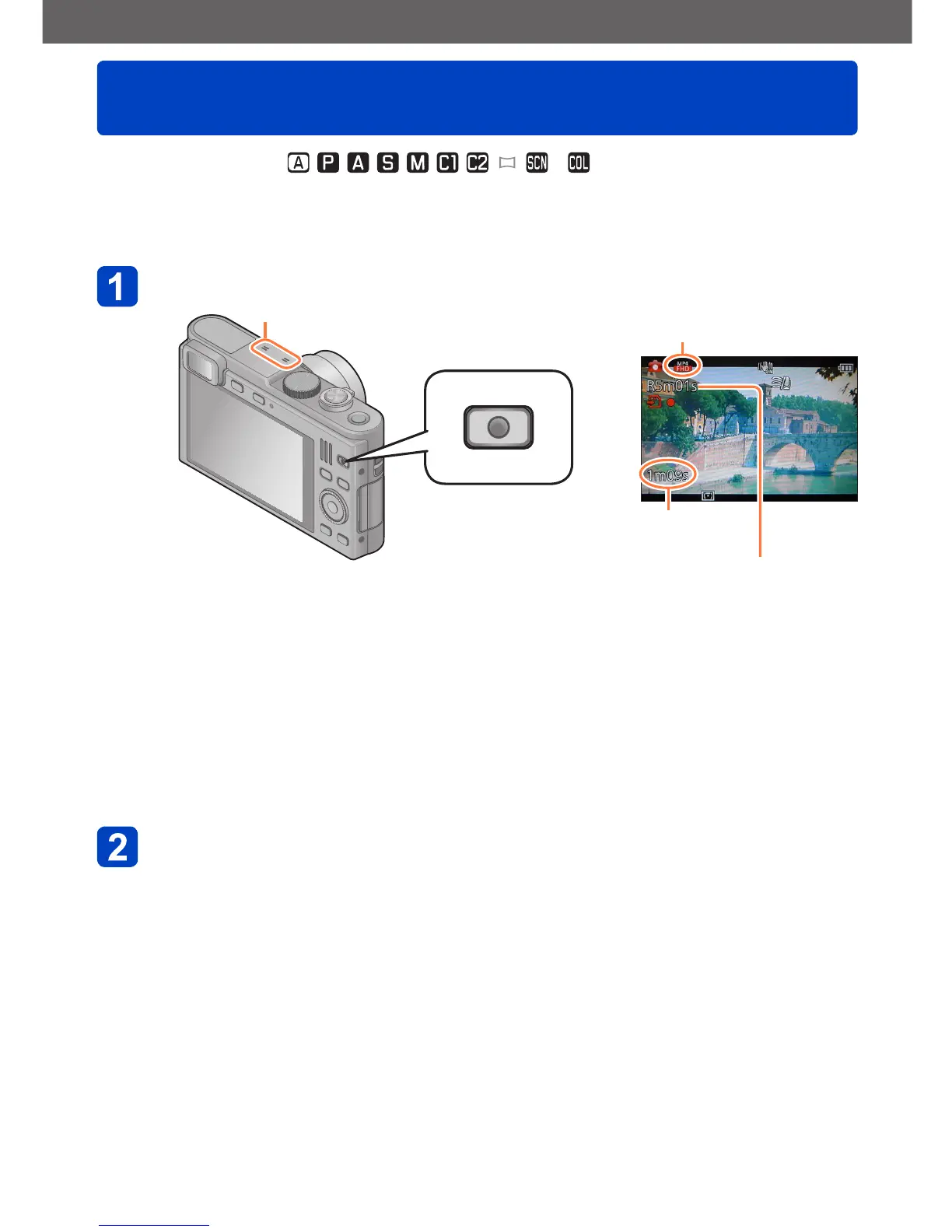
Press the motion picture button to start recording
Microphones [Rec Format] (→139)/
[Rec Quality] (→139)
Elapsed
recording time
Remaining recording time
(approx.)
●
Do not cover the microphones when taking motion
pictures.
●
Release the motion picture button again immediately
after pressing it.
●
You can also change the lens’ focal length, i.e. zoom
while recording motion pictures.
• The zoom speed will be slower than normal.
• The zoom operating sounds may be recorded in
some cases.
●
Still pictures can be taken during motion picture
recording. (→43)
Press the motion picture button again to end recording



 To Next Page