Basics
Basic settings/operation
- 25 -
Basics
1
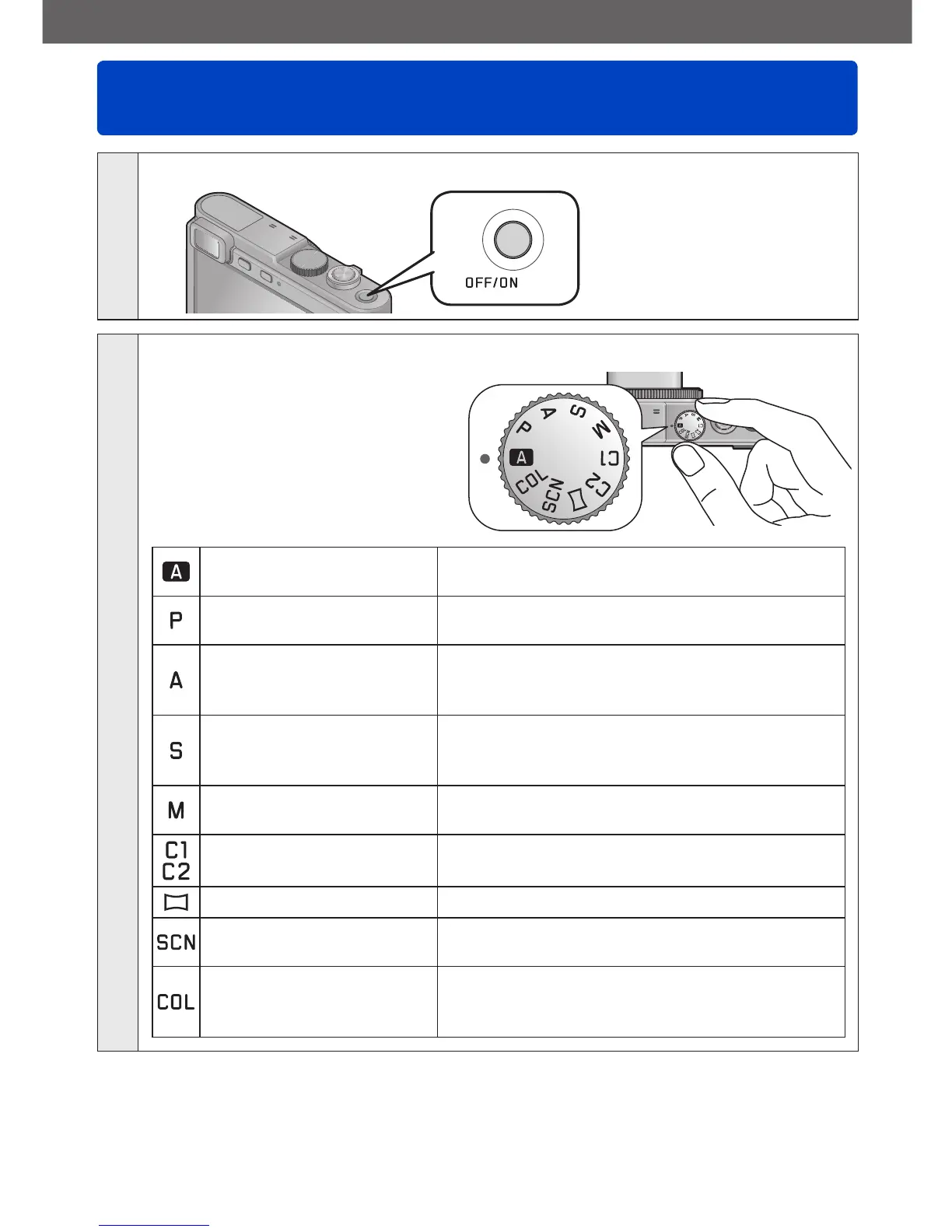
Press the [OFF/ON] button to turn on the camera
2
Set the mode dial to the desired recording mode
Make sure the dial is set exactly
to the click-stop position of the
desired mode
→
[Snapshot Mode]
For taking pictures with extended automatic
settings. (→29)
[Program AE] Mode
For taking pictures with automatic exposure
control. (→38)
[Aperture-Priority] Mode
The exposure is determined by the
automatically controlled shutter speed, based
on the manually set aperture value. (→92)
[Shutter-Priority] Mode
The exposure is determined by the
automatically controlled aperture value, based
on the manually set shutter speed. (→93)
[Manual Exposure]
Mode
The exposure is determined by the manually
set aperture value and shutter speed. (→94)
[Custom] Mode
For taking pictures with previously registered
settings. (→115)
[Panorama Shot] Mode For taking panorama pictures. (→105)
[Scene Mode]
For taking pictures that match the scene being
recorded. (→108)
[Creative Control] Mode
For taking pictures using different picture
effects such as [Dynamic Monochrome] or
[Miniature Effect]. (→96)
(Continued on the next page)



 To Next Page