Basics
Snapshot mode
- 30 -
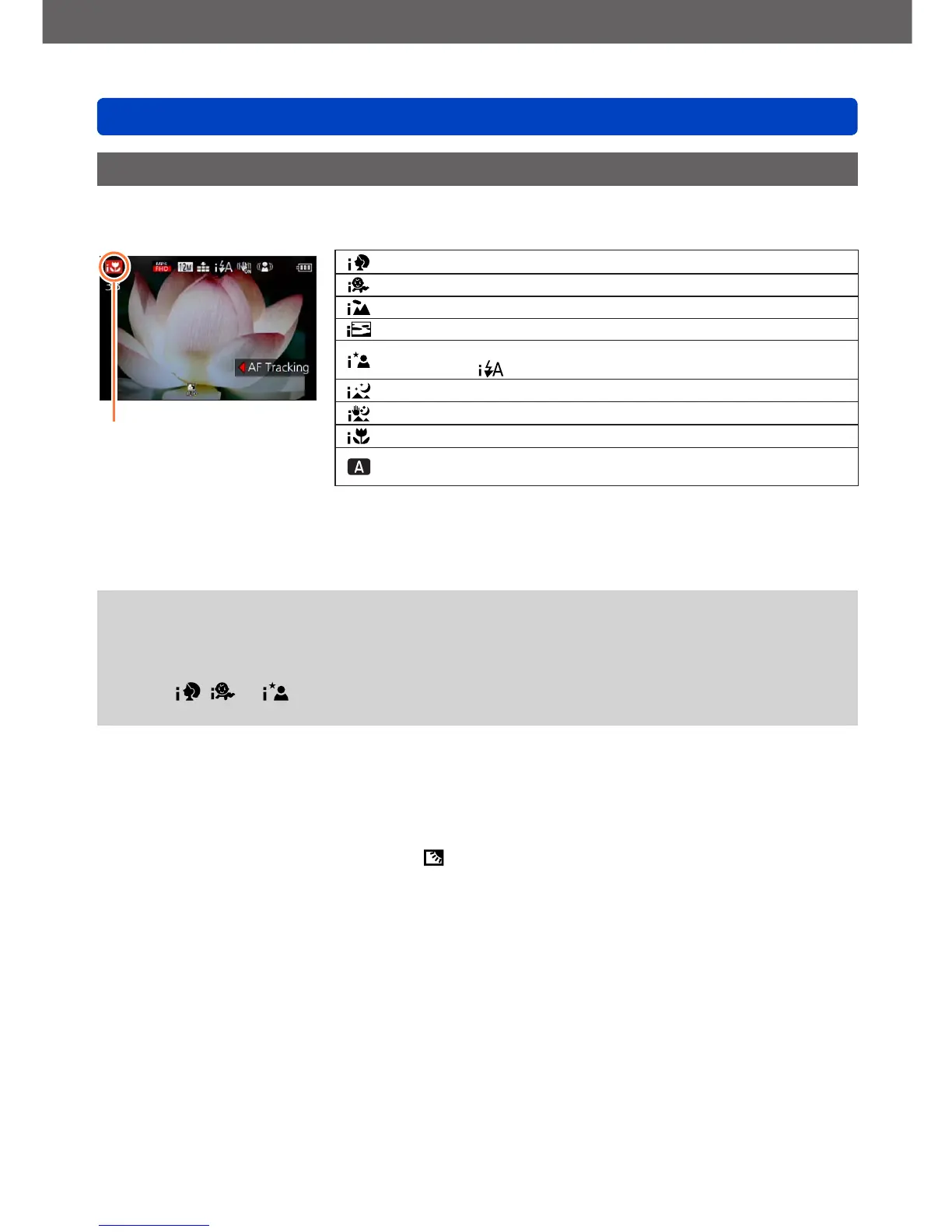
Automatic Scene Detection
When set to this mode, the camera recognizes several typical subjects/scenes, and
makes optimum settings automatically.
The icon of the type of
scene detected
Recognizes people
Recognizes children
*
1
Recognizes landscapes
Recognizes sunsets
Recognizes night scenes and people in them
*
2
(Only when
is selected)
Recognizes night scenes
*
2
Recognizes night scenes to be taken without a tripod.
*
3
Recognizes close-ups
Reads subject movement to avoid blurring when the scene does
not correspond to any of the above.
*
1
When children (registered in the camera with Face Recognition mode) under 3 years old are
recognized.
*
2
We recommend using a tripod and the self-timer.
*
3
When [iHandheld Nite Shot] is [ON].
●
Depending on recording conditions, different scene types may be determined for the
same subject.
●
If the desired scene type is not selected, we recommend manually selecting the
appropriate scene mode.
●
When , or is detected, Face Detection mode is activated, and focus and
exposure are adjusted for the recognized faces.
■
About Backlight Compensation
Backlight compensation is automatically activated in [Snapshot Mode]. Backlight is a
situation in which the main subject is comparatively small and located in front of a bright
background. In such situations a normal exposure would render such subjects too dark.
When the camera detects backlight, is displayed on the monitor. (Depending on the
conditions, backlighting may not be detected correctly.)



 To Next Page