Basics
Deleting pictures
- 51 -
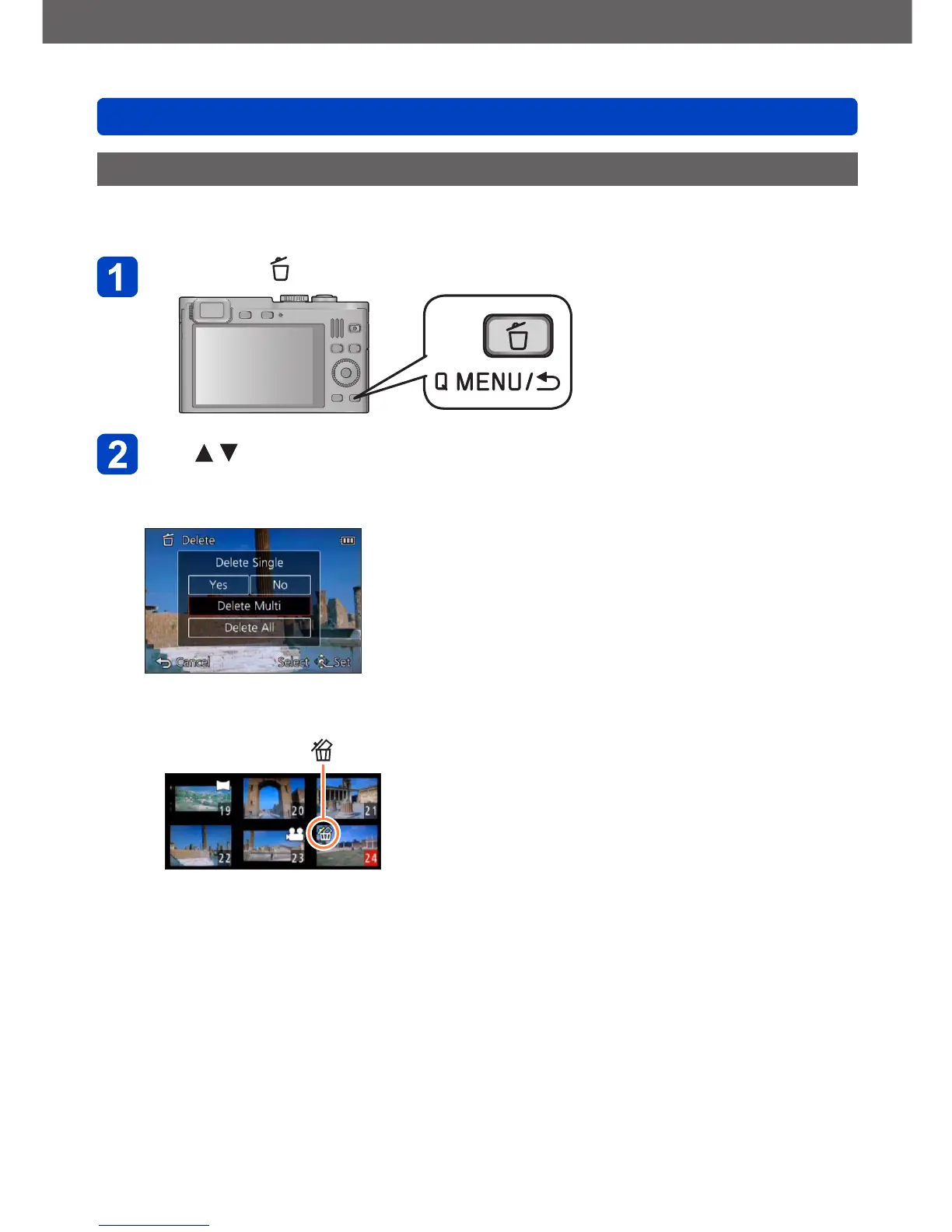
Deleting multiple (up to 100)/all pictures
A picture group (→143) is handled as 1 picture. (All the pictures in the selected picture group
are deleted)
Press the [ ] button while viewing a picture
Use to select [Delete Multi]/[Delete All], and then press
[MENU/SET]
• Items can also be selected by turning the control dial.
●
[Delete Multi]
Use the cursor buttons to select the picture and press the [DISP] button
Picture selected
• To cancel → Press the [DISP] button again.
• To execute → Press [MENU/SET].
• Pictures can also be selected with the control dial.
• You can select [All Delete Except Favorite] in [Delete All] if there are pictures that
have been set as [Favorite] (→165).
• A confirmation screen is displayed. Select [Yes] with the cursor buttons and then
press [MENU/SET].
• The process may take time depending on the number of pictures deleted.



 To Next Page