Inserting
and
removing
the
battery
or
the
memory
card
Make sure the camera is turned off.
!
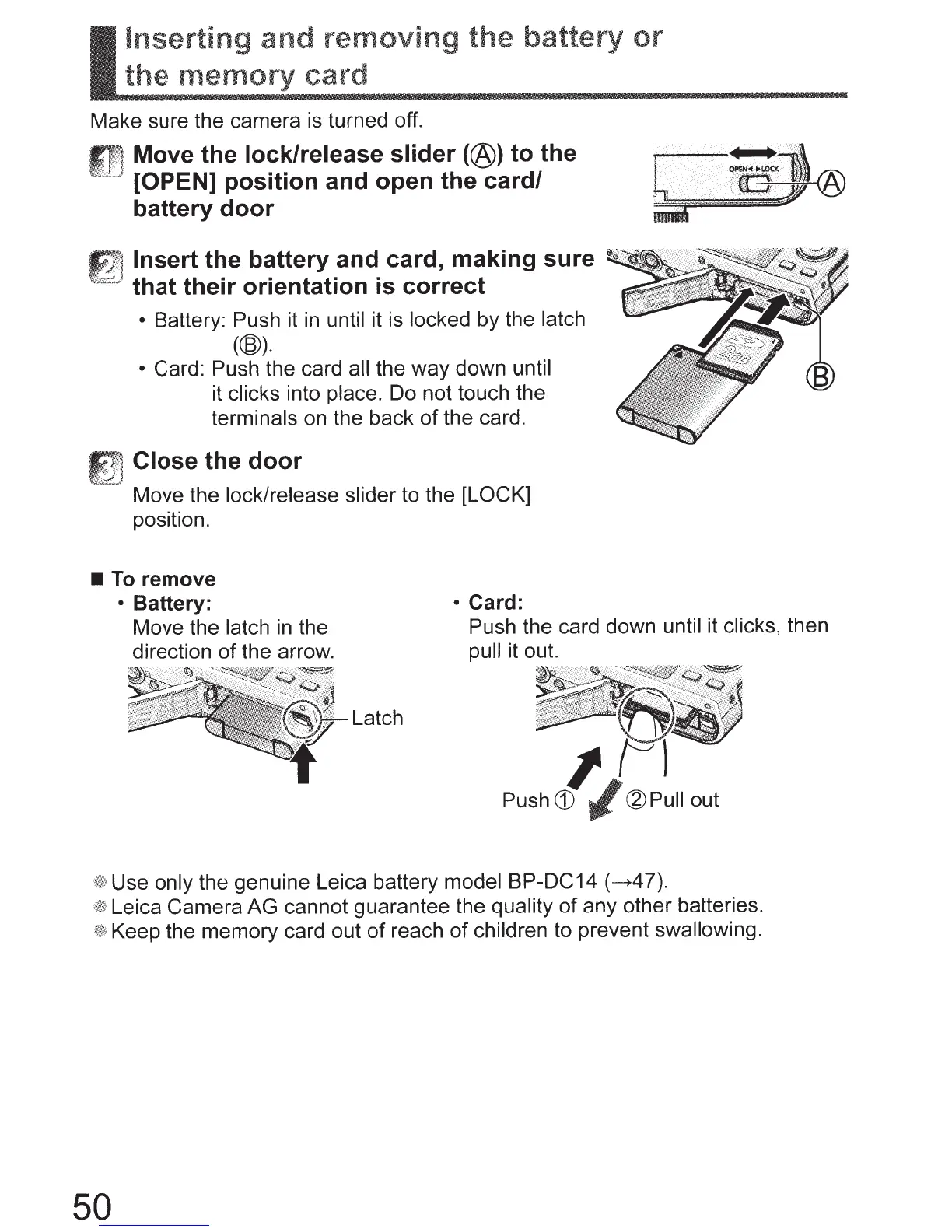
Move the
lock/release slider
(@)
to the
' [OPEN] position and open the card/
battery door
~
~
Insert
the battery and card, making sure
~
~~
..
} that their orientation
is
correct
•
Battery:
Push it
in
until it is locked by the latch
(@).
•
Card: Push the card
all the way down until
it clicks
into place. Do not touch the
terminals
on the back
of
the card.
Close
the door
Move the lock/release slider
to the
[LOCK]
position.
•
To
remove
50
•
Battery:
Move the latch
in
the
direction
of
the arrow.
Latch
•
Card:
Push the card down
until
it
clicks,
then
pull
it out.
1
Push
CD
~
~Pull
out
Use only the
genuine Leica battery model BP-DC14
(~47).
Leica Camera AG cannot guarantee the quality
of
any other batteries.
Keep the memory card out
of
reach
of
children
to prevent
swallowing.



 To Next Page