Connecting to other devices
Using with your computer
- 211 -
■
Copying to your computer without using Adobe
®
Photoshop
®
Lightroom
®
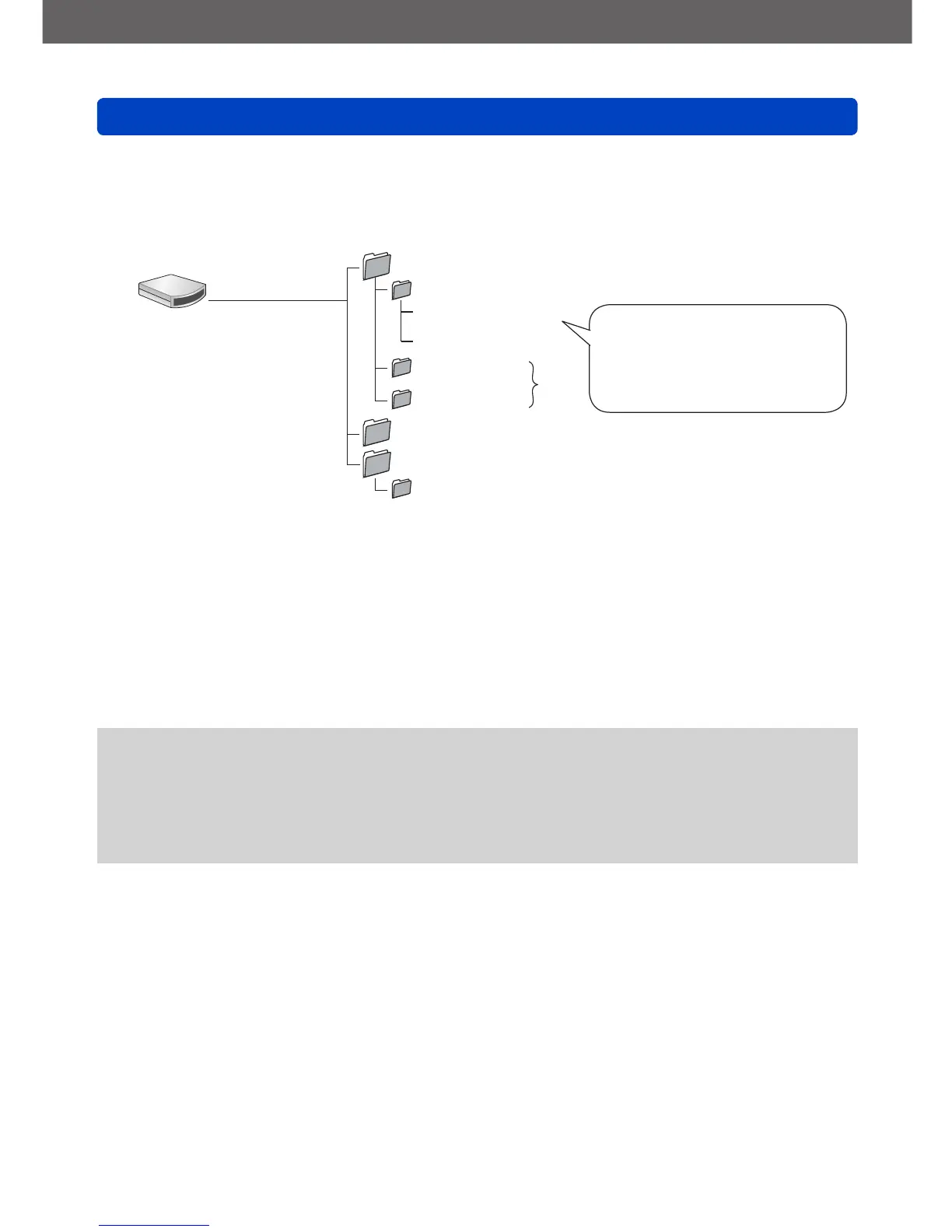
You can save pictures to use on your computer by dragging and dropping folders and
files into separate folders on your computer.
DCIM (Still/motion pictures)
100LEICA (Up to 999 pictures/folder)
L1000001.JPG
:
L1000999.JPG
101LEICA
:
999LEICA
MISC (DPOF files, Favorite)
PRIVATE
*
2
AVCHD (Motion pictures in AVCHD)
*
1
●
Windows
Drives are displayed
in “My Computer” or
“Computer” folder.
●
Mac
Drives are displayed on
the desktop.
(Displayed as “LEICA”,
“NO_NAME”, or
“Untitled”.)
.JPG: Still pictures
.RWL: Still pictures recorded in
RAW file
.MP4: [MP4] Motion Pictures
.MPO: 3D still pictures
*
1
New folders are created in the following cases:
• When the number of files in a folder exceeds 999.
• When using memory cards already containing the same folder number (for example, pictures
taken with other cameras, etc.).
• When recording after performing [No.Reset].
*
2
This folder is not created in the built-in memory.
●
Turn off the camera before inserting or removing memory cards.
●
When the battery begins to run out during communication, a warning beep sounds.
Cancel communication via your computer immediately.
●
Setting the [USB Mode] to [PC] removes the need to make the setting each time the
camera is connected to the computer.
●
For more details, consult your computer’s instructions.



 To Next Page