Doc #: L-2600-1023 Page 44 Rev. 02
3.4 Limit Switch
The System 2600 can optionally support up to 8 programmable limit switch outputs.
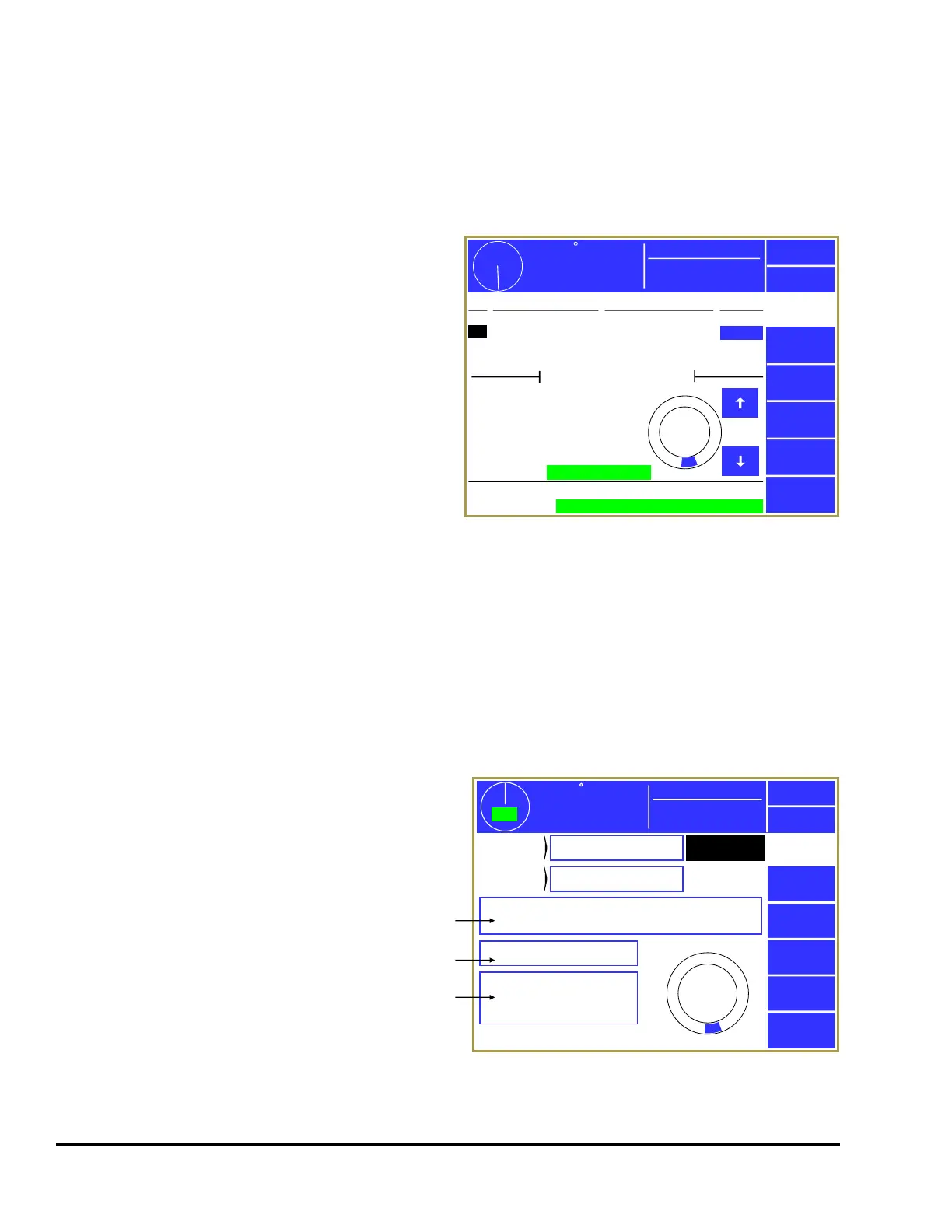
3.4.1 Limit Switch Main Screen
If installed, touching the Limit Switch area of the
main operator screen (see Figure 8 on page 21) will
bring up the screen shown in Figure 32.
This screen gives a “high level” view of the
programmable limit switch system. Four channels
at a time are shown in the top half of the screen.
The channel numbers, modes of operation,
descriptions, and “On” or “Off” states of the
outputs are shown.
Below this area are shown details of the currently
selected channel (the highlighted channel number
which in Figure 32 is channel 2). The currently
selected channel can be changed by using the up
and down arrow keys to the immediate right of the circular angle display. The circular angle display
graphically shows where the limit switch will “fire”. Depending on the Mode of the channel, various
details, such as “On Angles”, “Off Angles”, and “On Times” will be show on the left side of the
channels details area.
At the bottom of the screen is the “Module Status”. This shows the condition of the entire module rather
than just a channel. Module communication errors or other similar failures would be indicated in this
area.
3.4.2 Limit Switch Settings Screen
If the Channel Settings softkey is pressed in the
Limit Switch main screen (see Figure 32), the
display will show a settings screen for the
currently selected channel that should look
similar to Figure 33. The appearance of this
screen will vary somewhat depending on the
“Channel Mode” selected, as some modes do not
use some settings.
The Previous Channel and Next Channel softkeys
can be used page through the channels without
going back to the Limit Switch main screen.
178
Stroke Speed
18
SPM
ACC
Espanol
Exit
Limit
Switch
Channel
Settings
Press Control PLS Channel 2
0
270
180
90
Module Status:
OK
Ch Mode Description State
1
2
3
4
Normal
Normal
Timed Off
Timed Off
Feed Initiate
Pilot Release
Air Blow Off
Stock Oiler
Off
On
Off
Off
On Angle:
Off Angle:
158°
185°
Mode:
Production
Ch. Status:
OK
Figure 32: Limit Switch Main Screen
359
TOP
Stroke Speed
0
SPM
ACC
Espanol
Exit
Limit
Switch
Channel
Mode
PLS Channel 2
Description
Pilot Release
Normal
Counted Outputs: Not Used
0
270
180
90
On at 158°, Off at 185°
Next
Channel
a
Speed Advance
Lead Time:
Trail Time:
15 ms
10 ms
b
c
Mode:
Production
Previous
Channel
Figure 33: Limit Switch Settings Screen



 To Next Page