Doc #: L-2600-1023 Page 47 Rev. 02
3.4.4 Limit Switch Angle and Time Setting Screen
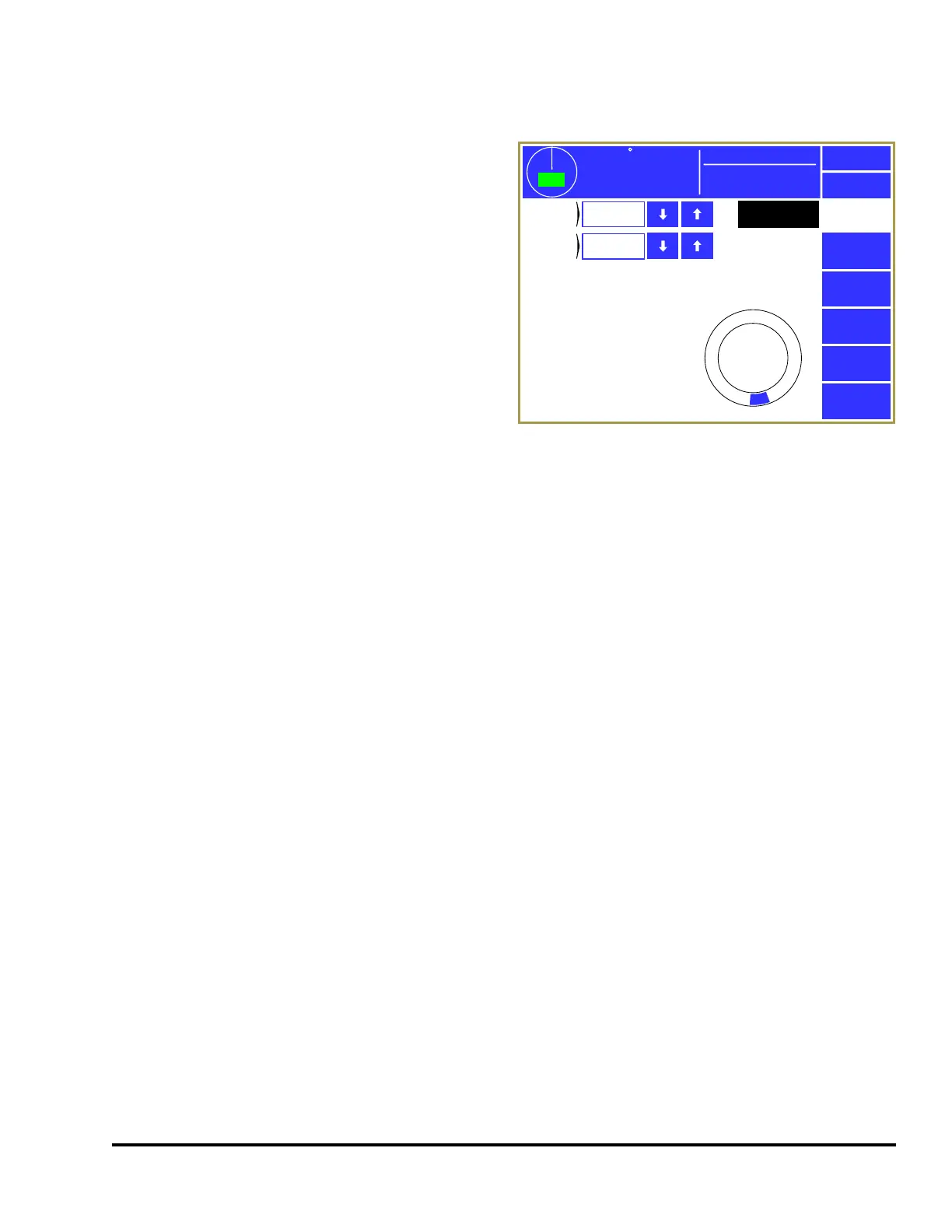
When the channel is in “Normal” or “Toggle”
mode, then the angles where the output will fire
must be set. If the channel is in “Timed Off” mode,
then the angles where the output will fire and the
time the output will stay on must be set. Press
inside the blue bordered angle/time area (see “b” in
Figure 33) and the screen of Figure 35 will be
shown.
At the bottom right of the screen is a graphical
angle display that shows where the Limit Switch
channel will “fire”. For “Normal” mode channels
the blue arcs in this display show the actual angles
where the channel will be “On”. For “Timed Off”
and “Toggle” channels the start of the blue area
shows where the channel will turn “On” for the
programmed time.
3.4.4.1 On Angle
The “On Angle” is the angle in the stroke where the limit switch output should turn “On”. If the
“Channel Mode” is “Normal”, then the “Off Angle” controls where the output will turn “Off”. If the
“Channel Mode” is “Timed Off”, then “On Time” controls how long the output will stay “On”. The up
and down arrow keys to the right of the parameters can be used to increment or decrement the value
without going into the numeric editing screen.
3.4.4.2 Off Angle
The “Off Angle” is only shown if the “Channel Mode” is “Normal”. This is the angle in the stroke
where the Limit Switch output should turn “Off”. The up and down arrow keys to the right of the
parameters can be used to increment or decrement the value without going into the numeric editing
screen.
3.4.4.3 On Time
The “On Time” is only shown if the “Channel Mode” is “Timed Off”. This is the amount of time the
output will remain “On” after it passes the “On Angle”. The up and down arrow keys to the right of the
parameters can be used to increment or decrement the value without going into the numeric editing
screen.
359
TOP
Stroke Speed
0
SPM
ACC
Espanol
Exit
Limit
Switch
On
Angle
PLS Channel 2
Off
Angle
158°
0
270
180
90
185°
Mode:
Production
Figure 35: Limit Switch Angle and Time Setting



 To Next Page