Doc #: L-2600-1023 Page 55 Rev. 02
4 CONFIGURATION
4.1 The Main Configuration Screen
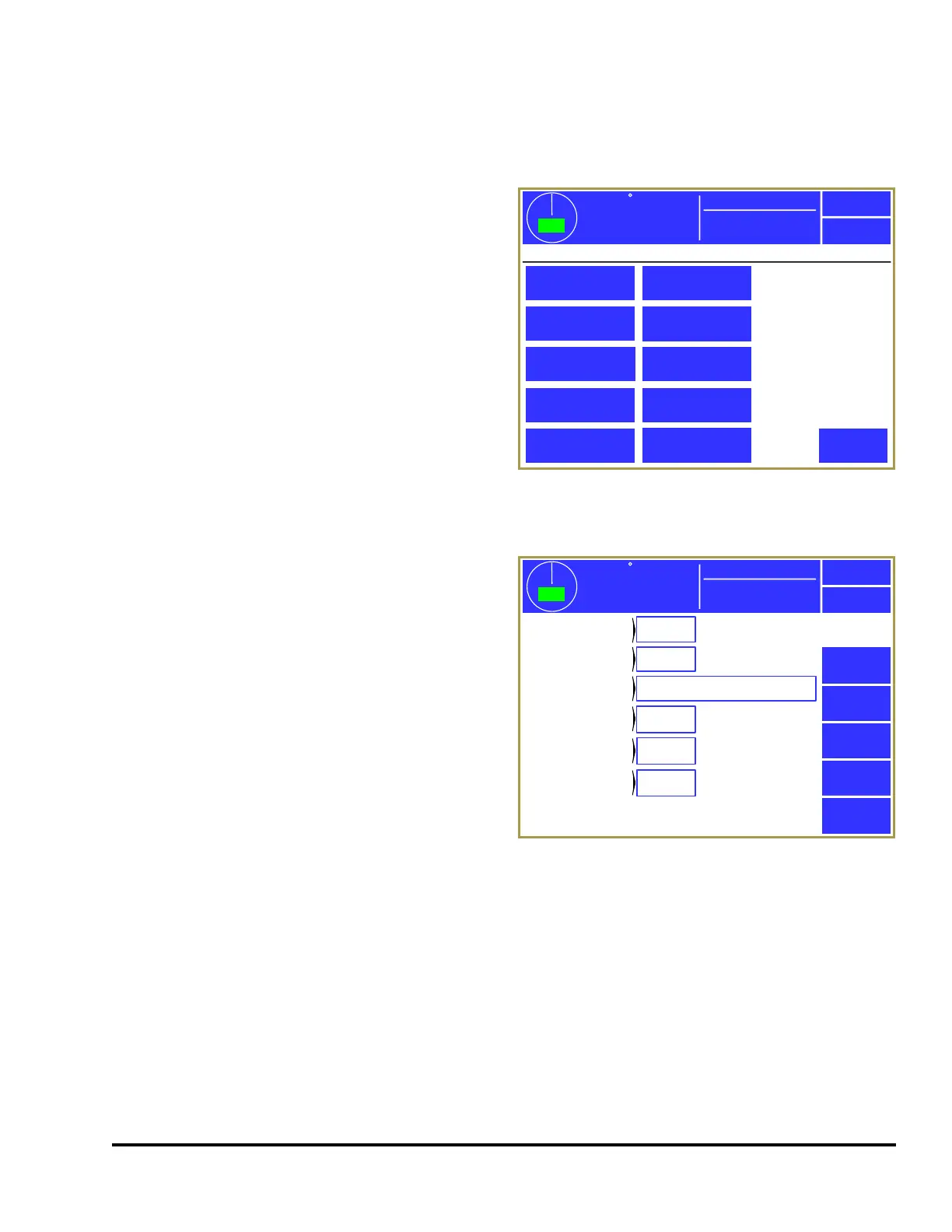
The configuration screens of the System 2600 are
accessed by selecting the Configure System softkey
in the main screen (see Figure 8 on page21) with
the RUN/PROG keyed selector switch in the
PROG position. The operator terminal will request
entry of the configuration access code and upon
correct entry will provide the configuration menu
shown in Figure 43.
This screen provides access to the individual
configuration screens discussed in the following
sections.
4.2 The General Settings Configuration screen
Press the General Settings softkey in the main
configuration screen as shown in Figure 43 to
display the screen shown in Figure 44 at right.
The following sections describe the settings in this
screen.
4.2.1 Allow Speed Advanced Outputs
This parameter determines whether limit switch
outputs can employ speed advance. If speed
advance is not needed then set this to “No” and will
eliminate some settings in the Limit Switch settings
areas.
4.2.2 Machine Running Timeout
This parameter is used by the system to help determine when the press is considered to be running.
When not using the “RUN” input to monitor the Clutch/Brake signal and the crank speed exceeds 3
SPM, the system is considered to be running and changing most settings is prevented. After motion
drops below 3 SPM for longer than this time, the press is considered to no longer be running. In this
case, the parameter should usually be set to 1000ms. If using the “RUN” input, this setting can be set at
100ms. One other use of this parameter whether “RUN” is used or not, is when the press is run in
Single Stroke mode for production. In this case, you can set the parameter to slightly longer than the
delay between strokes to maintain the “Running” status if using data collection software such as
LinkNet or a 3
rd
party software monitoring the machine via Modbus.
359
TOP
Stroke Speed
0
SPM
ACC
Espanol
General Settings
Configure System
Exit
Encoder Settings
Edit Die Protection
Names
Edit Limit Switch
Names
Bypass Settings
Restrict/Unrestrict
Die Protection
Restrict/Unrestrict
Limit Switch
Output Relays
Operator Terminal
General Settings
Mode: Production
RUN (Clutch/Brake)
Input Settings
Figure 43: Main Configuration Screen
0
Exit
359
TOP
Stroke Speed
0
SPM
ACC
Espanol
Yes
1000mS
Hardware Input
Off
Mode: Production
On
Die
Protection
Allow Speed
Advanced Outputs
“Machine
Running” Timeout
“Setup
Mode” Input
Log External
Stops
Inhibit Asserts
Top Stop
0º
Top of
Stroke Angle
Figure 44: General Settings Configuration Screen



 To Next Page