3-61
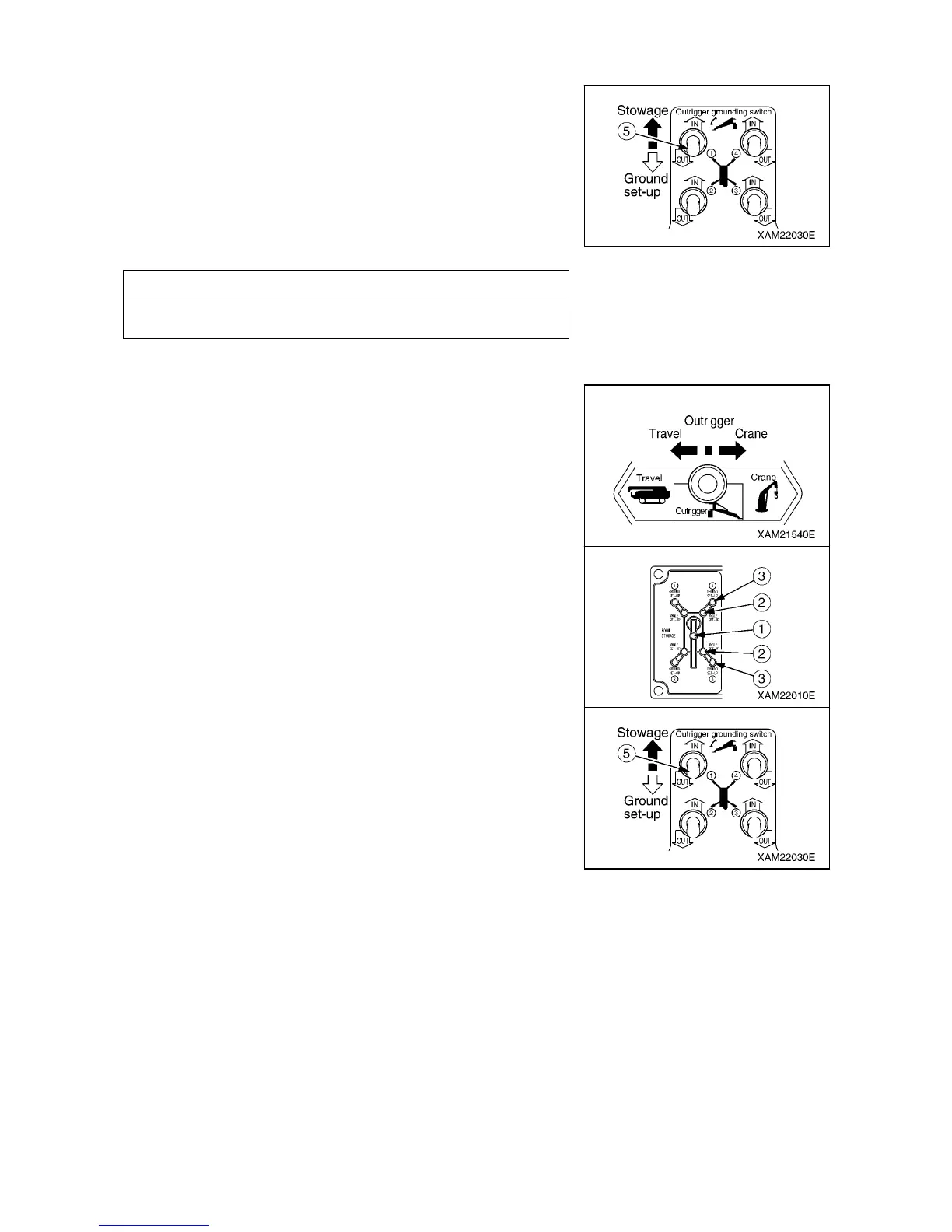
6. Operate one of the four outrigger setting switches (5) to “ON”
position and raise the outrigger tray above the ground.
7. Operate the work selector switch on the outrigger operation
panel to the “CRANE” position.
8. Operate the crane derricking lever to the “”RAISE” side and
verify that the crane does not operate.
NOTES
Perform the tasks described in the step 6 to 8 to all the four
outriggers.
[CHECKING OPERATION OF OUTRIGGER INTERLOCK FUNCTION]
1. Set all the four outriggers.
2. Operate the work selector switch on the outrigger operation
panel to the “CRANE” position.
3. Operate the crane derricking lever to the “RAISE” side and raise
the boom until the boom stowing lamp (1) on the outrigger
display goes off.
4. Operate the work selector switch on the outrigger operation
panel to the ”OUTRIGGER” position.
5. Operate the outrigger setting switch (5) on the outrigger
operation panel to the “ON” position and verify that the
outriggers do not operate.



 To Next Page