6-31
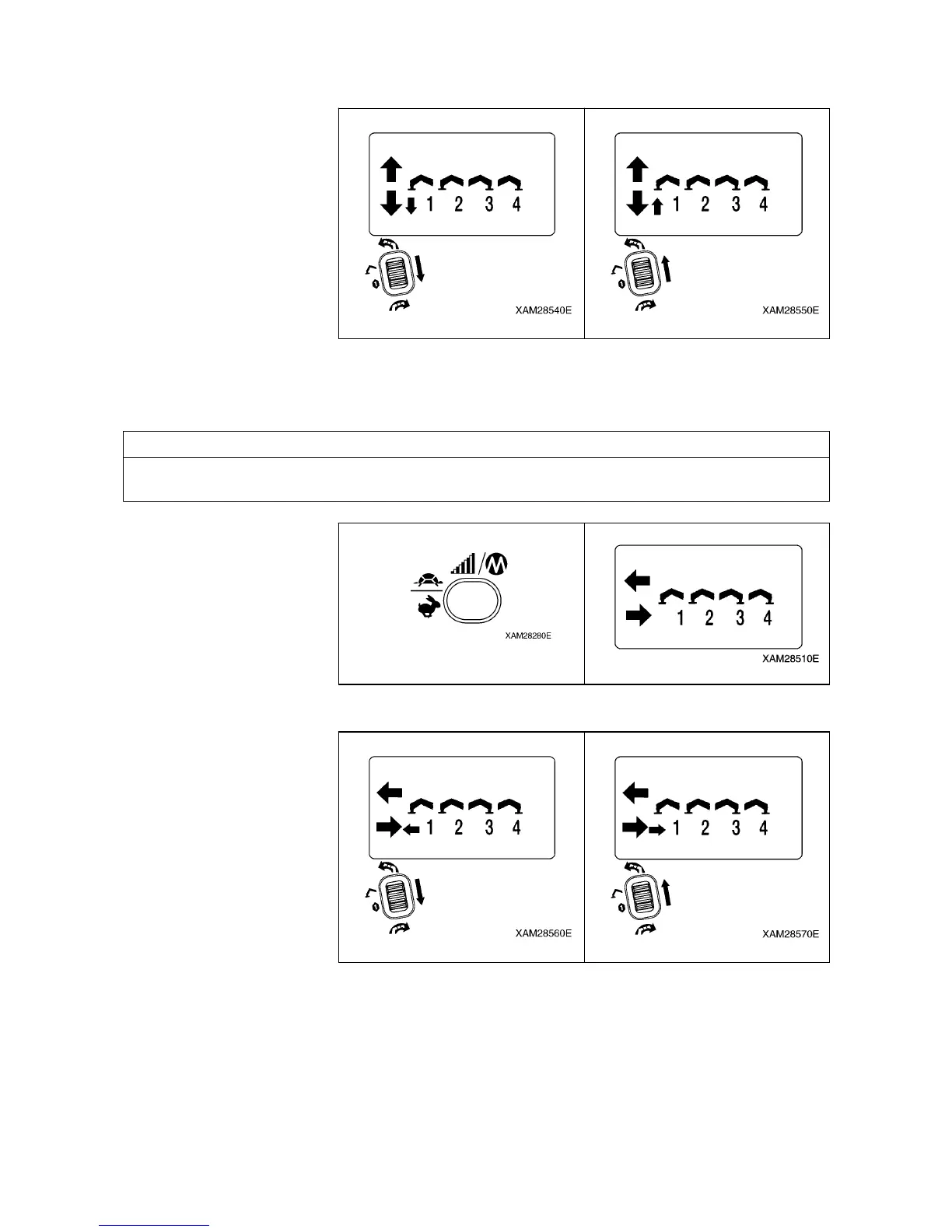
5. Manipulate each operation lever and verify that each indication in the LCD screen is correct.
6. To shift to “Extension mode”, push the Speed/Mode button, while the LCD screen shows the “Ground
setting mode”.
Here, confirm that the “Outrigger Extension mode” is exhibited.
NOTES
Switching between “Outrigger Extension mode” and “Outrigger Ground setting mode” is alternately by
each push of the Speed/Mode button.
7. Manipulate each operation lever and verify that each indication in the LCD screen is correct.


 To Next Page