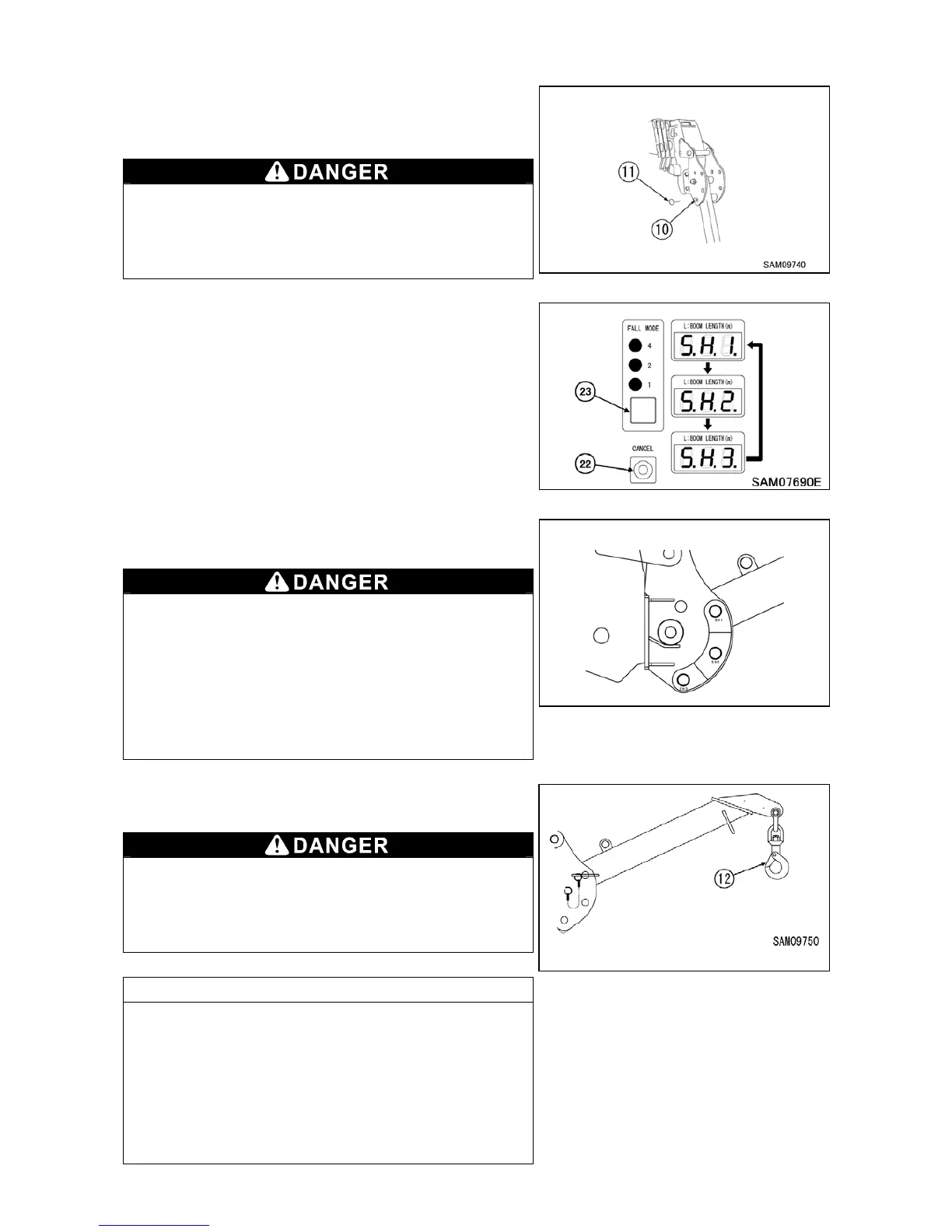
9-12
9. Insert the position pin (10) through the hole of bracket, and
secure with lynch pin (11) to the tip of position pin (10).
Always secure the position pin (10) with the lynch pin (11).
If the position pin falls out during operations, serious injury
or damage to the machine may result.
10. With fall mode set as 850kg searcher hook mode, press fall
mode/option selector switch (23) and cancel switch (22) at the
same time for 2 seconds or more and shift to set actual
searcher hook offset position.
See “Searcher Hook offset position and boom length window
display” on page 9-9 for correct setting.
Pressing fall mode/option selector switch (23) and cancel
switch (22) at the same time for 2 seconds or more shifts
boom length display in order of “SH1 SH2 SH3
SH1 ・・・”
Do not use 850kg searcher hook if actual searcher hook
offset position and display of boom length window do not
match. Without setting moment limiter to the actual
searcher hook offset position, moment limiter may not
work properly and thus may result in crane damage or
machine tipping and could cause a serious accident.
11. Attach the load securely to the hook (12) and start operations.
When hoisting a load in 850kg searcher hook mode, raise
boom to hoist the load off the ground, and stop for a while
to check if the load is safe to hoist.
NOTES
● Characteristic of moment limiter display
・At certain working conditions, moment limiter may
display bigger load value than actual load.
・Sudden lever operation increases error in reading load.
When operating boom derricking lever, move the lever
slowly.



 To Next Page