3-5
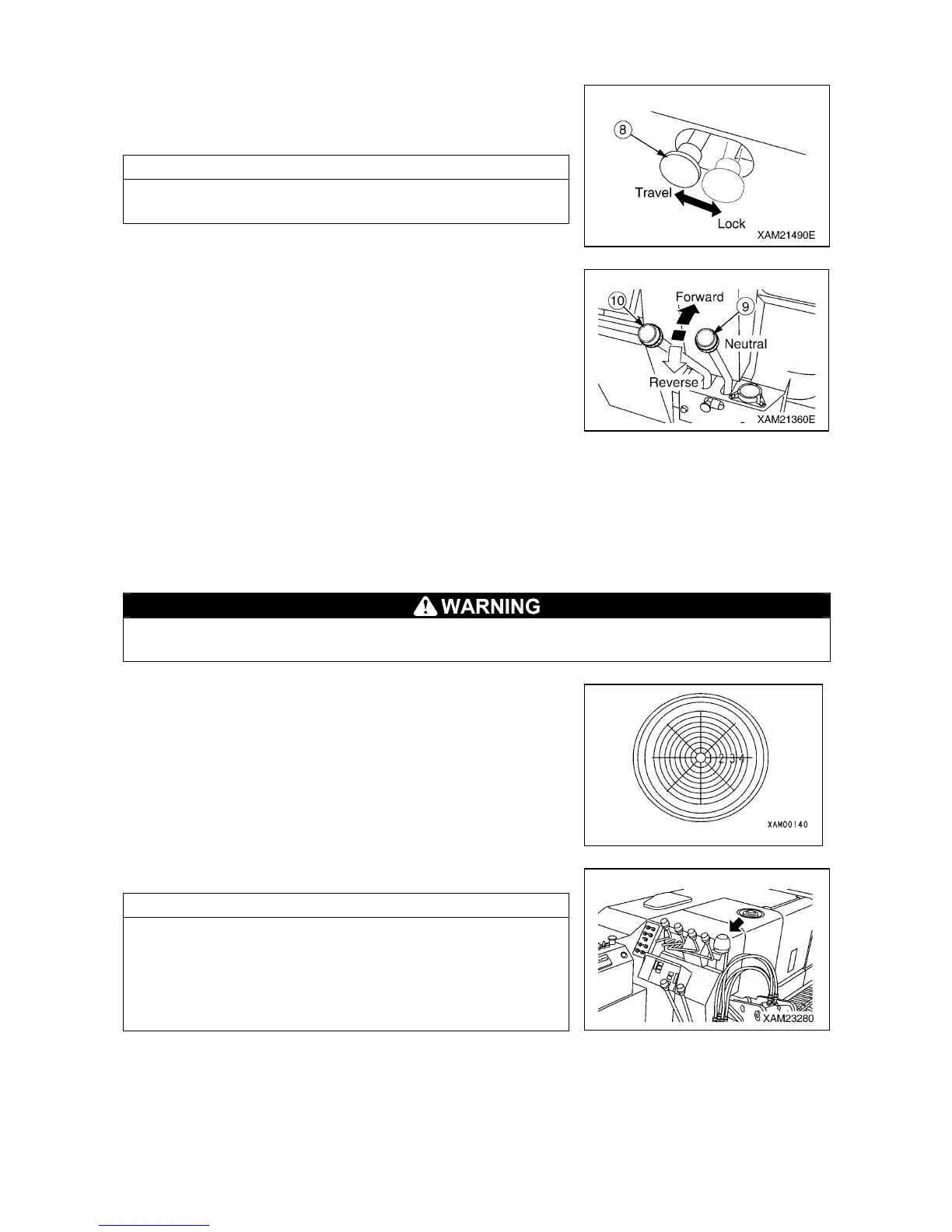
[6] TRAVELING LOCK LEVER (8)
Use this lever to “lock” the traveling levers.
• Lock: Push the lever to the right.
• Travel: Push the lever to the left.
NOTES
Operate the traveling lock lever while the left and right traveling
levers are at the “NEUTRAL” position.
[7] LEFT/RIGHT TRAVELING LEVER (9), (10)
Use these levers to move the machine forward/backward, stop,
slew, and to adjust the traveling speed.
• Forward: Push the left and right levers forward at the same time.
• Neutral: Release your hands from left and right levers at the
same time. The levers return to the “NEUTRAL”
position and the machine automatically brakes and
stops at that position.
• Backward: Pull the left and right levers toward you at the same time.
• Left turn: Release your hand from the left lever and operate the right lever forward or backward.
• Right turn: Release your hand from the right lever and operate the left lever forward or backward.
• Spin turn: Operate the left and right levers to the opposite direction. The left and right crawlers turn to the
opposite direction, allowing you to make the spin turn.
[8] LEVEL
When installing the outrigger, make adjustments while looking at the level so that the machine
body will be leveled. Performing the crane operation with the body tilted will cause overturning.
This device indicates how much the machine body is tilted.
The bubble position shows how much the machine is tilted in
which direction.
Use this device to verify that the machine is leveled when setting
the outriggers.
[9] OUTRIGGER UN-SET WARNING LAMP (Red)
The lamp flashes if one of the four outriggers is not set properly.
NOTES
• If the extension or setting of one of the four outriggers cannot
be detected, the outrigger un-set warning lamp flashes.
• The outrigger un-set warning lamp is linked with the working
status lamp for moment limiter (red). As the outrigger un-set
warning lamp flashes, the working status lamp (red) also
rotates and lights up.



 To Next Page