EasyManua.ls Logo

Mazda 121 - Page 63

Mazda 121
390 pages
Print Icon
To Next Page IconTo Next Page
To Previous Page IconTo Previous Page
Loading...
ON.VEHICLE MAINTENANCE
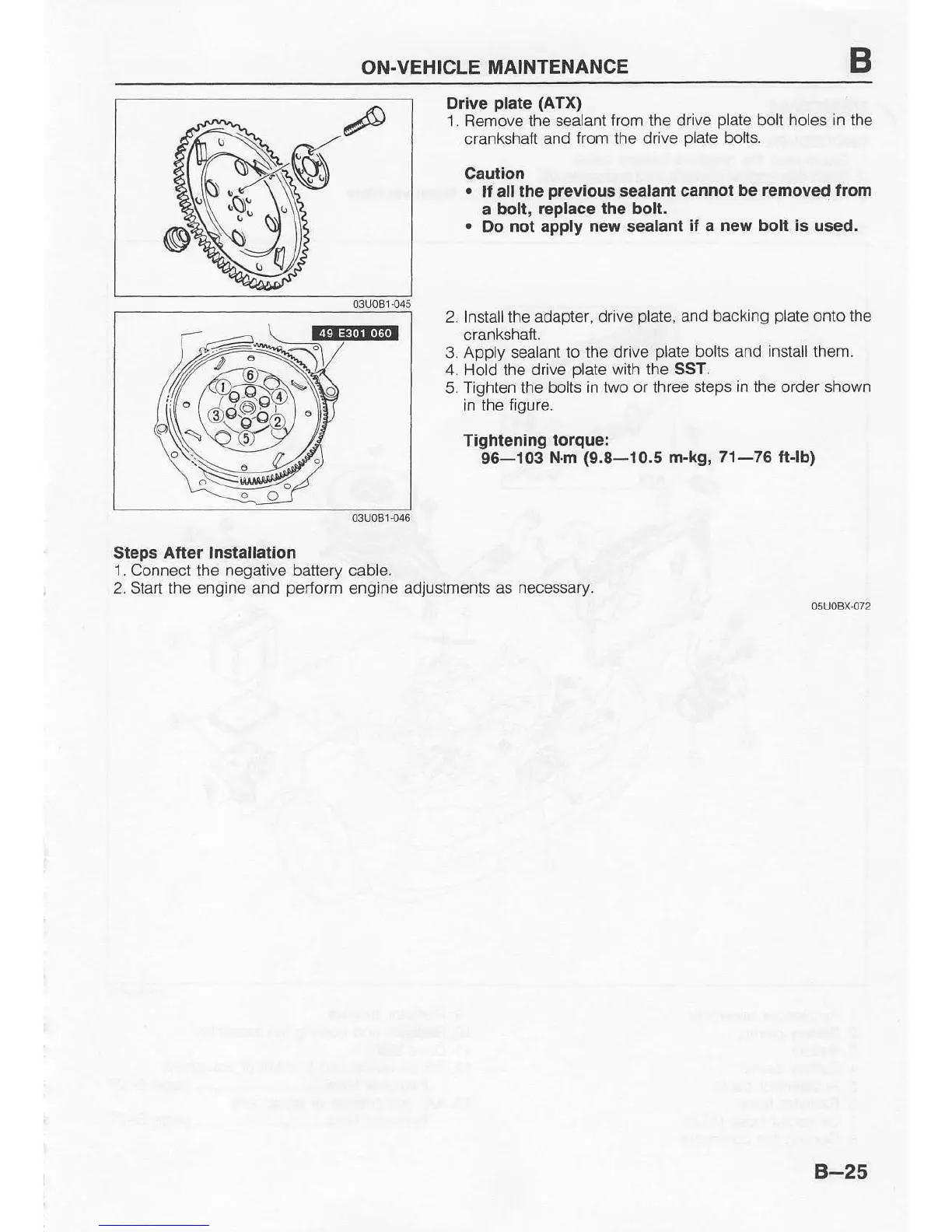
Drive
plate (ATX)
1. Remove the
sealant from the drive
plate
bolt holes in the
crankshaft
and from the drive
plate
bolts.
Caulion
.
It all the
prevlous
sealant cannot
be removed trom
a bolt,
replace lhe bolt.
.
Do
not
apply
new
sealant
if
a
new bolt is
used.
2. Install the adapier,
drive
plate,
and backing
plate
onto the
crankshatt.
3. Apply sealant
to the drive
plate
bolts and install them.
4.
Hold the
drive
plate
with the SST.
5. Tighten the
bohs in tlvo or three steps
in the
order shown
in the
figure.
Tightenlng
torque:
96-103
Nm
(9.8-10.5
m-kg, 71-76 ftlb)
Steps
After lnstallation
1. Connect the negative battery
cable.
2.
Start
the
engine
and
perform
engine
adjustmenis as necessary.
osuoBx
072
@s
B-25

Table of Contents

Related product manuals