McHale Fusion 2 electronic control system section
11- 26
McHale Fusion 2 round baler wrapper technical service manual
Issue 1: 0208
11.6.3: Control box features
Working display
When the control box is first switched on it displays "McHale Fusion" followed by
the programme version number, followed by the selected language.The working
language can be changed at this point if required. The language is changed by
pressing the arrow up or arrow down button to scroll to the desired language when
the default language “English“ is displayed.
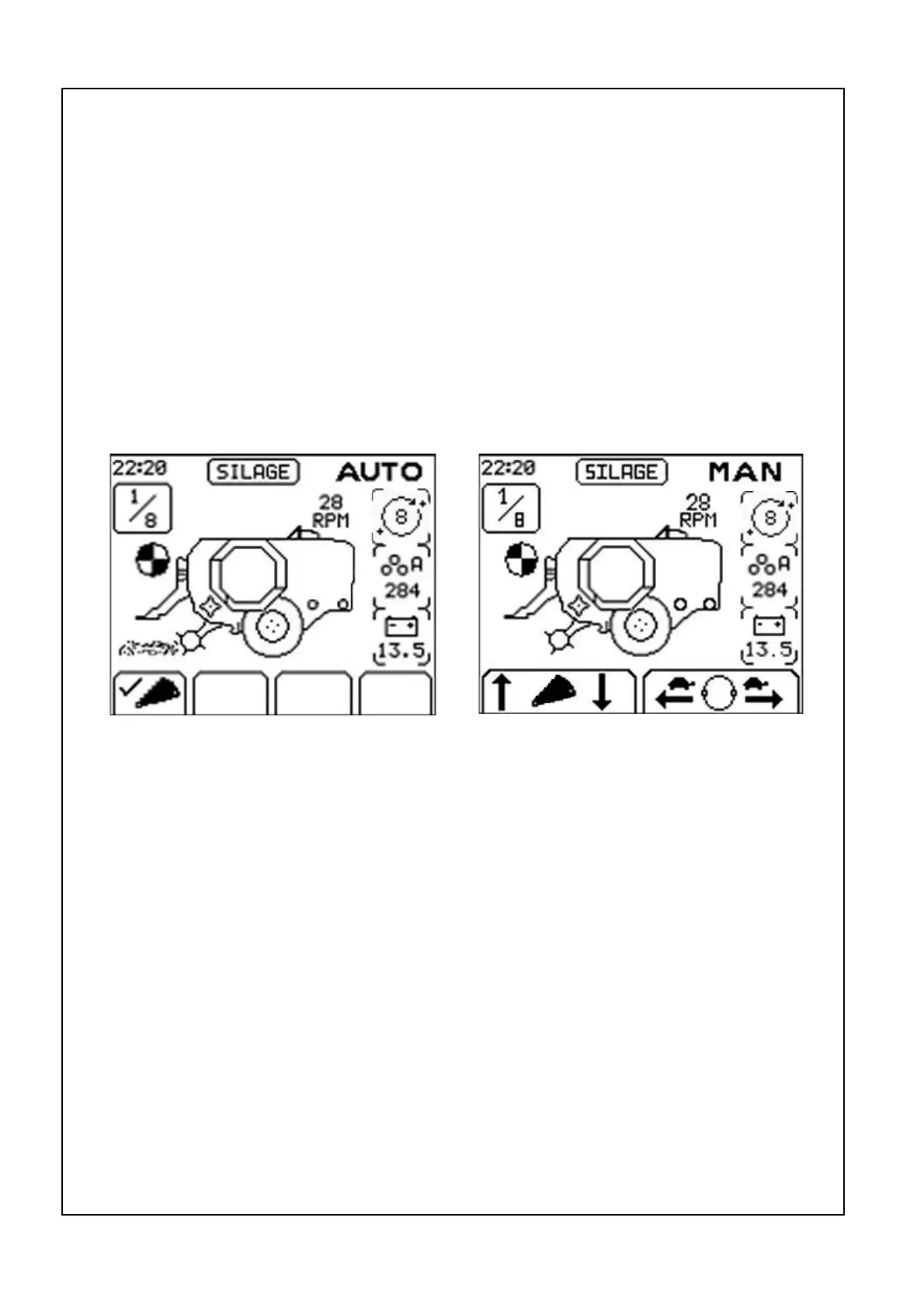
After a short delay the working display appears. The working display features an
image of the fusion which is surrounded by general working information:
Time, Crop type, Man/Auto, Number of rotation vs target, Net indicator, Dispenser
RPM, Selected number of rotations, Bale sub total and Battery voltage. The four soft
key functions are displayed across the bottum of the screen.
Time
The time is displayed in the top left corner of the screen.
Crop type
There are three crop types to choose from in the menu. These are straw, hay and
silage.
Auto/Man
Automatic or Manual control can be selected using the Auto/Man button. The
selected control mode is displayed in the top right corner of the screen.
Auto display Manual display



 To Next Page