McHale Fusion 2 requirements & preparation section
07-5
McHale Fusion 2 round baler wrapper technical service manual
Issue 1: 0208
7.7 Chopper unit knife removal and installation
Warning! Use protective gloves for any manual work in this area!
The number of knives installed determines the cut length of the material. Knife
removal should be carried out in the following way:
1. Switch the control box to manual mode.
2. Switch knives to “on” (knives move into the feeding channel) by pressing the
knives button for 2 seconds.
3. Lower chopper floor half way (control box must be in manual mode).
4. Open the chamber door to the fully up position.
5. Set the pick up reel wheels to working position to make access under the
machine easier.
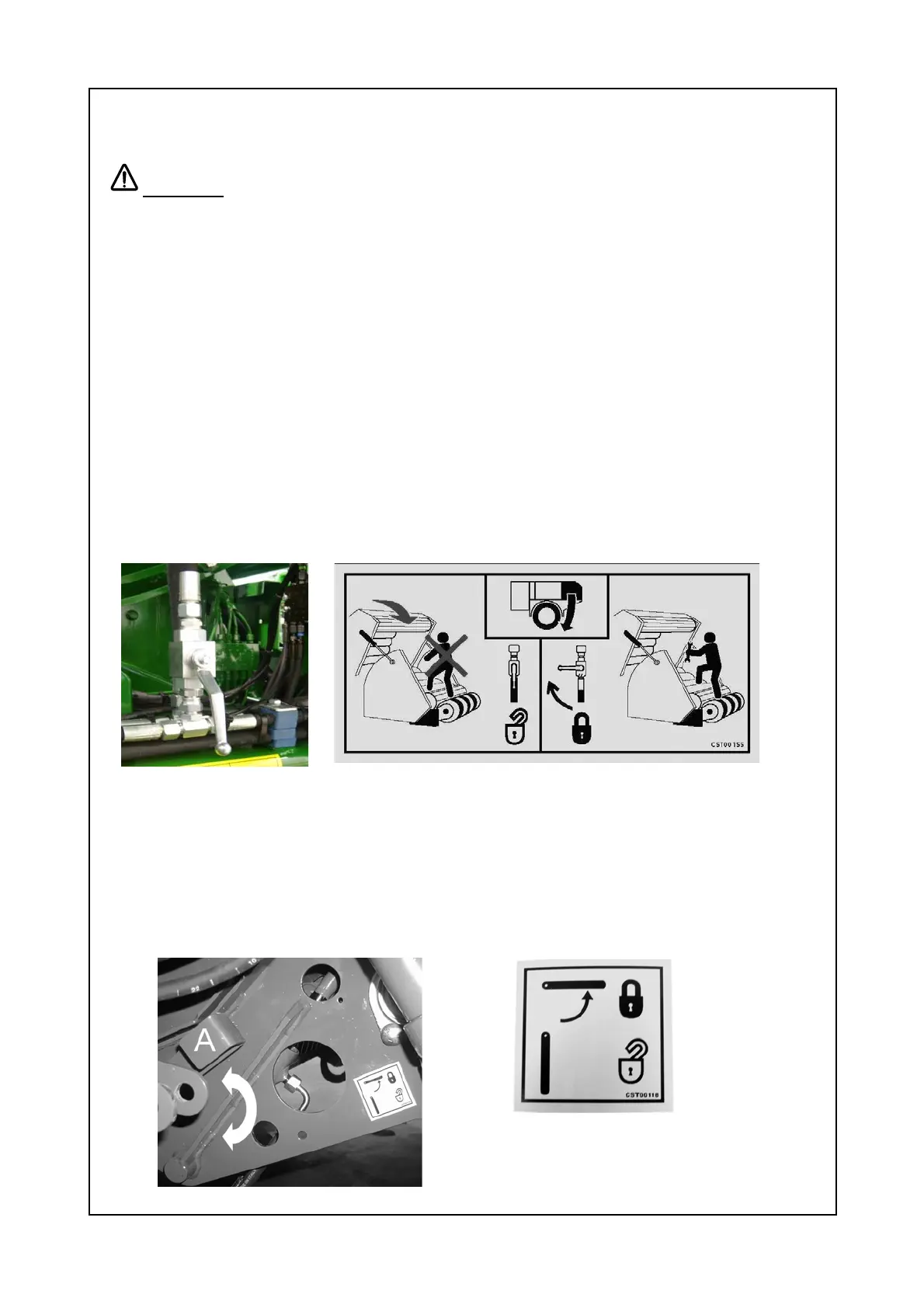
6. Using the lever valve, lock the chamber doors in position.
7. Switch off tractor, remove key, apply parking brake and prevent machine
movement with wheel chocks.
8. Turn the knife lock / unlock lever, located on the left hand side of the pick up
reel, 90° downwards, to the unlock position, as shown in the decal below.



 To Next Page