McHale Fusion 2 requirements & preparation section
07-4
McHale Fusion 2 round baler wrapper technical service manual
Issue 1: 0208
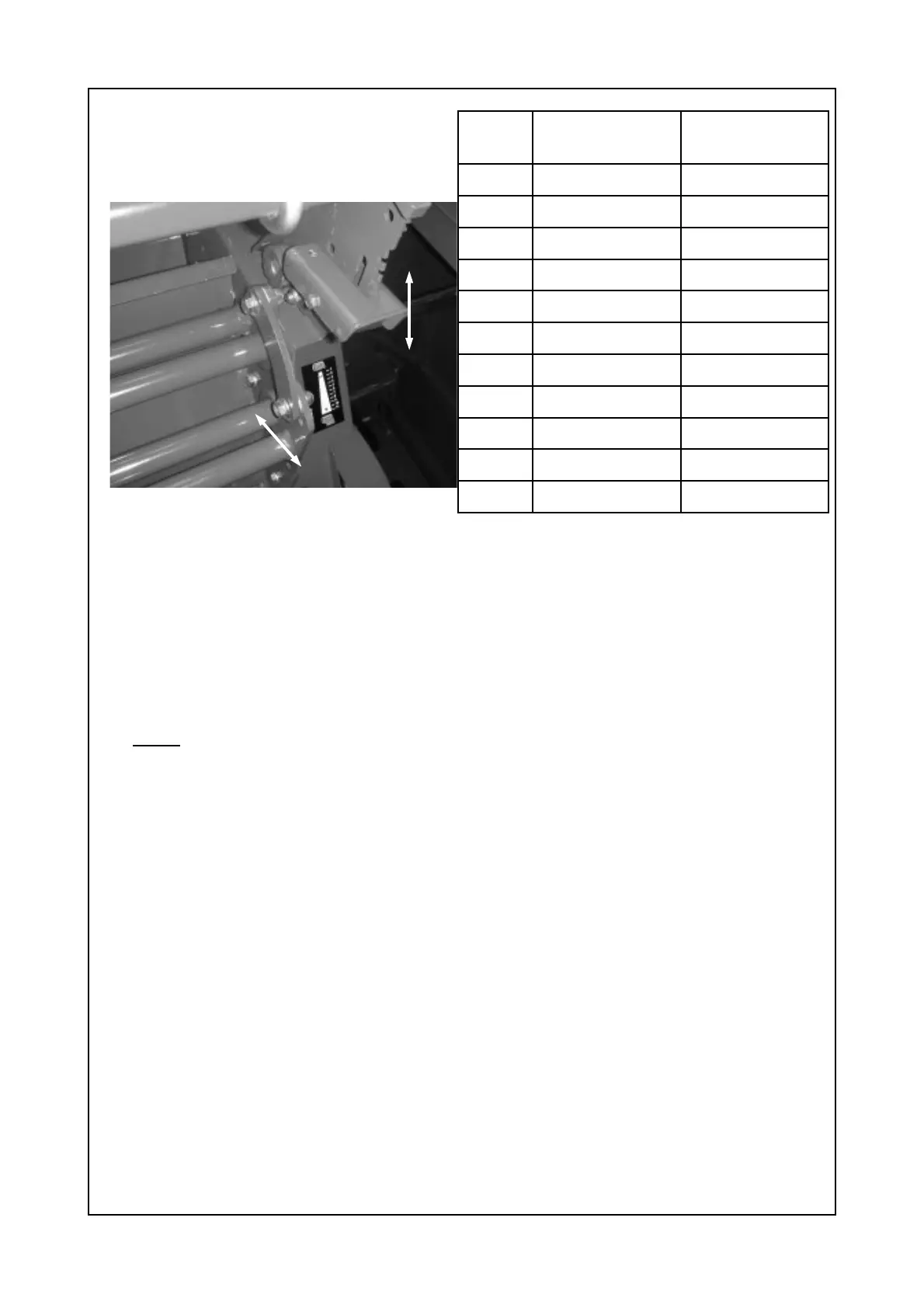
Fig. 7.5.4 Net cutter setting.
Table 7.5.5 Exact net settings*.
Adjustment is achieved by pushing the adjustment lever “A” to the right in order to
release latch from the notches, then choose the desired notch for less or more net
to be applied as shown in figure 7.5.4 above. The notches are sequenced from top
to bottom and are numbered from 1 to 11 respectively. See table 7.5.5 for exact
amount of net applied for each specific notch.
* Note: Figures in table 7.5.5 are calculated assuming a bale circumference of
3.769 m (a bale diameter of 1.2m), i.e. the value of the layers of net and length of
net, will be approximate figures only, due to differing bale diameters, due to varying
crop conditions etc.
7.6 Net tension bar setting
The factory set position for the net tension bar “B”, shown in Fig. 7.5.4, is in the
centre of the adjustment slot. Moving the bar forwards, in direction “2” reduces the
amount of net tension, while moving in the opposite direction “1” increases the
amount of tension applied to the net.
Notch
(#)
Layers of Net*
(#)
Length of Net*
(m)
1 2 7.25
2 2.25 8.37
3 2.5 9.35
4 2.7 10.18
5 3 11.00
6 3.2 12.00
7 3.5 13.11
8 3.75 14.23
9 4 15.21
10 4.3 16.18
11 4.6 17.30
A
Less Net
More Net
B
1
2



 To Next Page