McHale Fusion 2 electronic control system section
11- 32
McHale Fusion 2 round baler wrapper technical service manual
Issue 1: 0208
11.6.4: Error messages and their meaning
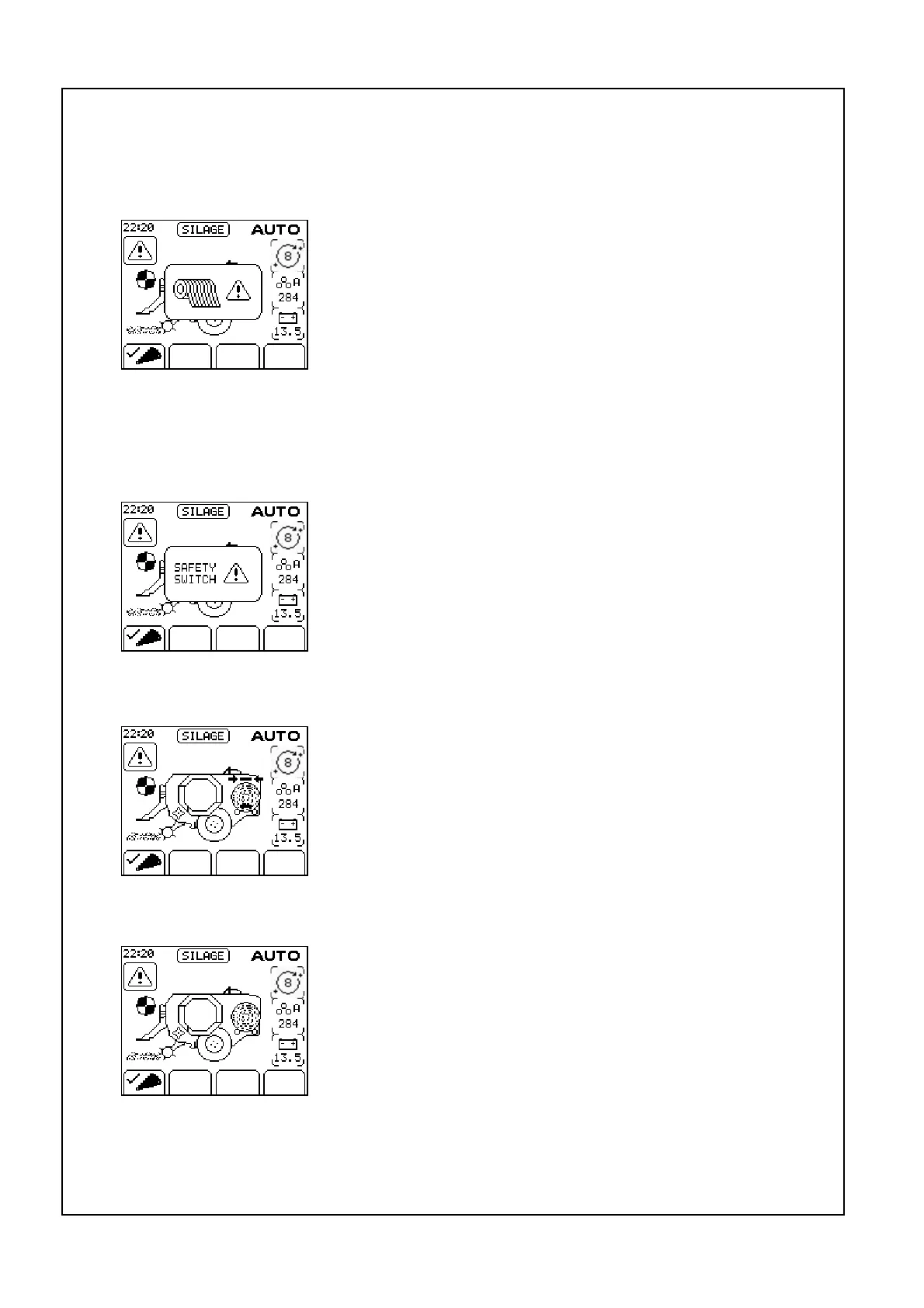
“Net”
The passage of net through the netting unit is monitored; if
the net cutting knife does not trip within 20 seconds of the
netter starting, the Net symbol is displayed, an alarm sounds
and the cycle is halted.
The PTO is first switched off, the roll of net is replaced, PTO
engaged and the net button is pushed, net feeds into the
chamber, netting the bale and the cutting knife trips; the
operator then checks that netting is complete and advances
the cycle by pushing the ‘chamber door open’ button for one second, work can then
continue as normal.
“Safety switch!”
Safety switches on the dispenser access door and the rear
tip roller prevent the dispenser ring rotating if everything is
not in a safe position. If the rear tip roller is not in the fully
raised position, or the rear door is not correctly fastened
rotation is prevented and Safety switch! is displayed. The
cycle can be advanced by pressing ‘resume’ when the error
is corrected.
“Dispenser position”
If the dispenser ring is not in the home position after netting,
transfer of the bale is prevented and Dispenser Position
symbol is displayed (as in picture). This can be corrected
without leaving an ‘Auto’ cycle by pushing either forward or
reverse rotate as appropriate, when the dispenser ring is
correctly positioned transfer will continue.
“Tip bale”
This message prompts the operator to tip off the previous
bale on the wrapping table which is preventing transfer of the
netted bale. If Auto tip is selected the wrapped bale is
automatically tipped during netting of the next bale.
If the red stop button is pushed while a wrapped bale is sitting
on the wrapping rollers this error is also displayed when the
control box is next switched to ‘Auto’. To correct the error ‘Tip
Bale’ button is pushed to complete the tipping cycle.



 To Next Page