McHale Fusion 2 electronic control system section
11- 31
McHale Fusion 2 round baler wrapper technical service manual
Issue 1: 0208
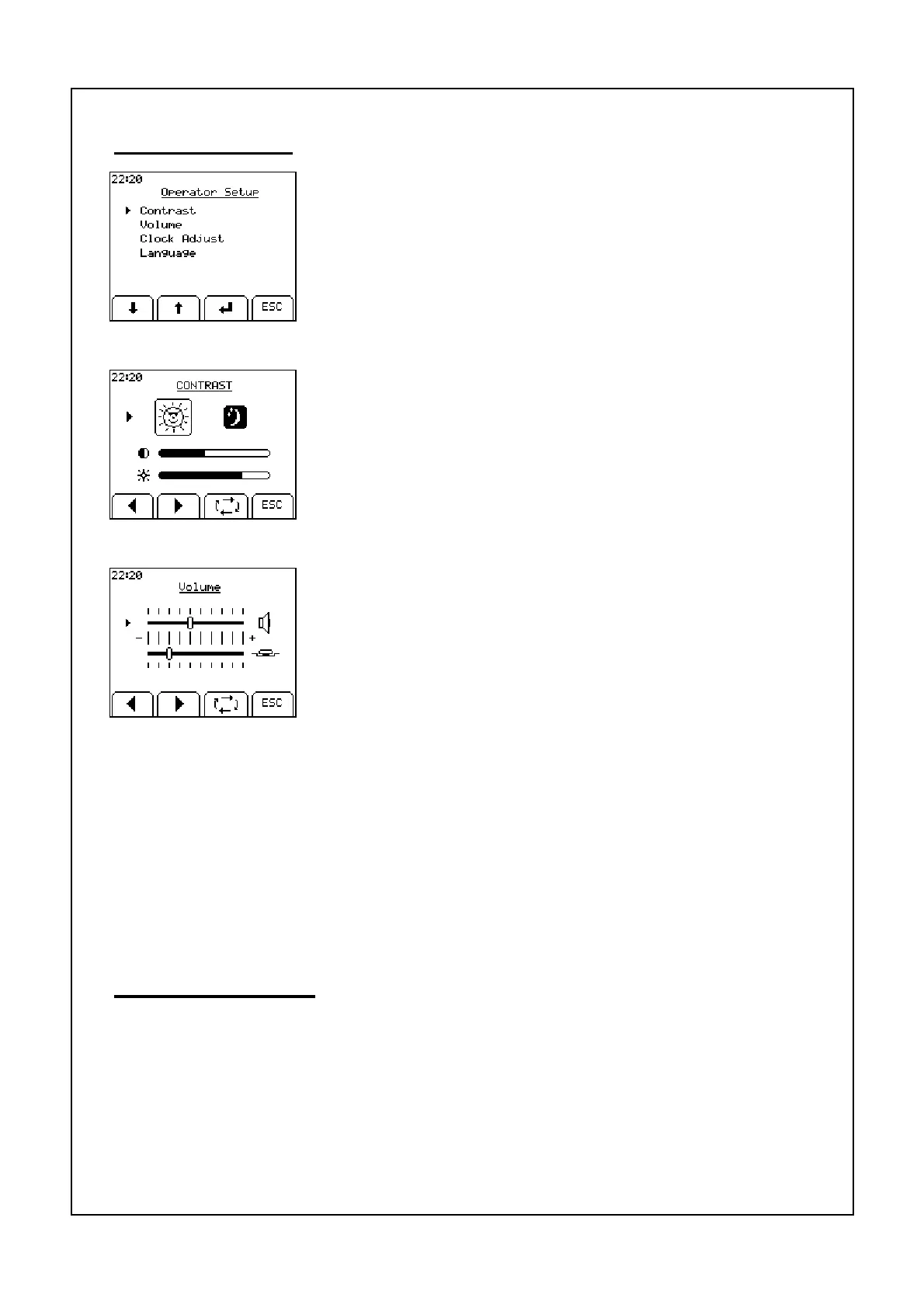
Operator setup
The four parameters in this menu are: Contrast, Volume,
Clock Adjust and Language. Use the toggle key to move
the arrow head to each of the parameters and the + and -
Keys to change the value of the selected parameter.
ESC will return to the machine menu
Contrast
Extremes of temperature may affect the contrast of the
display which is adjustable from the contrast menu. Day and
night options are also selectable. The brightness can also be
adjusted.
Volume
The volume of the beeper and the button tone can be ad-
justed. Use the left arrow head soft key to decrease the
volume and the right arrow head soft key to increase the
volume.
Clock
Use the left and right arrow head soft keys to set the time. The toggle soft key
moves from line to line in the menu.
Language
Use the arrow soft keys to move up or down to the required language and press
the enter soft key to the select the language.
Technician menu
This menu is reserved for McHale factory technicans only.



 To Next Page