McHale Fusion 2 hydraulic systems overview section
12-12
McHale Fusion 2 round baler wrapper technical service manual
Issue 1: 0208
12.7.3: Chamber holding pressure
The density valve should hold the pre-charge pressure at what ever it is set to on
the adjustable screw. If this does not happen there can be a number of reasons.
The first step is to ensure there are no external leaks from fittings or rams.
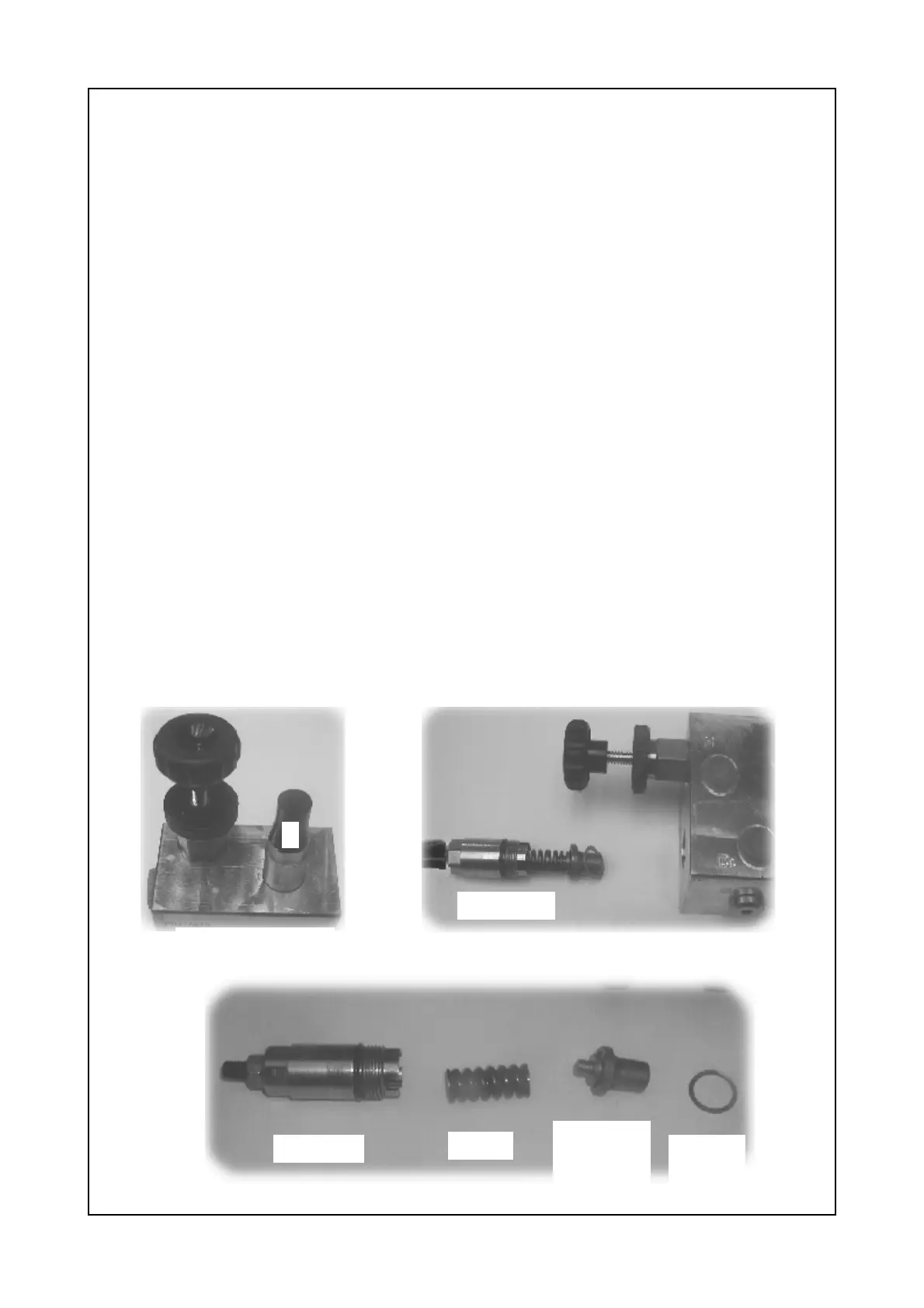
Once this has been eliminated the next component to check is the relief valve (A)
on the density valve. Ensure it has not come loose, get a 19 mm spanner to check
its torque.
The ideal torque for this part is 64Nm.
If this does not stop the density dropping on the gauge there is a copper washer
Inside this valve which may be damaged or not sealing properly.
Warning!
When removing this valve ensure that the pressure reading on the density
clock is at O bar.
Procedure:
1: Drop the pressure on the density clock by opening the chamber door a little,
turning the tractor off and pulling the tractor spool lever again. The chamber
door should close under its own weight and pressure should be zero
2: Remove the relief valve cartridge (A) from the block.
3: Remove the spring plunger housing and plunger carefully.
4: Under the plunger is a copper washer, if it is not damaged it can be annealed.
This can be done by heating until blue/green in colour and cooling quickly. If
damaged replace.
5: Re-assemble and tighten to correct torque.
Density valve
Cartridge
Spring
Plunger
Housing
& Plunger
Copper
Washer
Cartridge
A



 To Next Page