Operator Maintenance 181
_______________________________________________________________________________________________
_______________________________________________________________________________________________
MICROPLEX Operator’s Manual logiJET T4-2 /T6-2 /RFID Edition 2.2
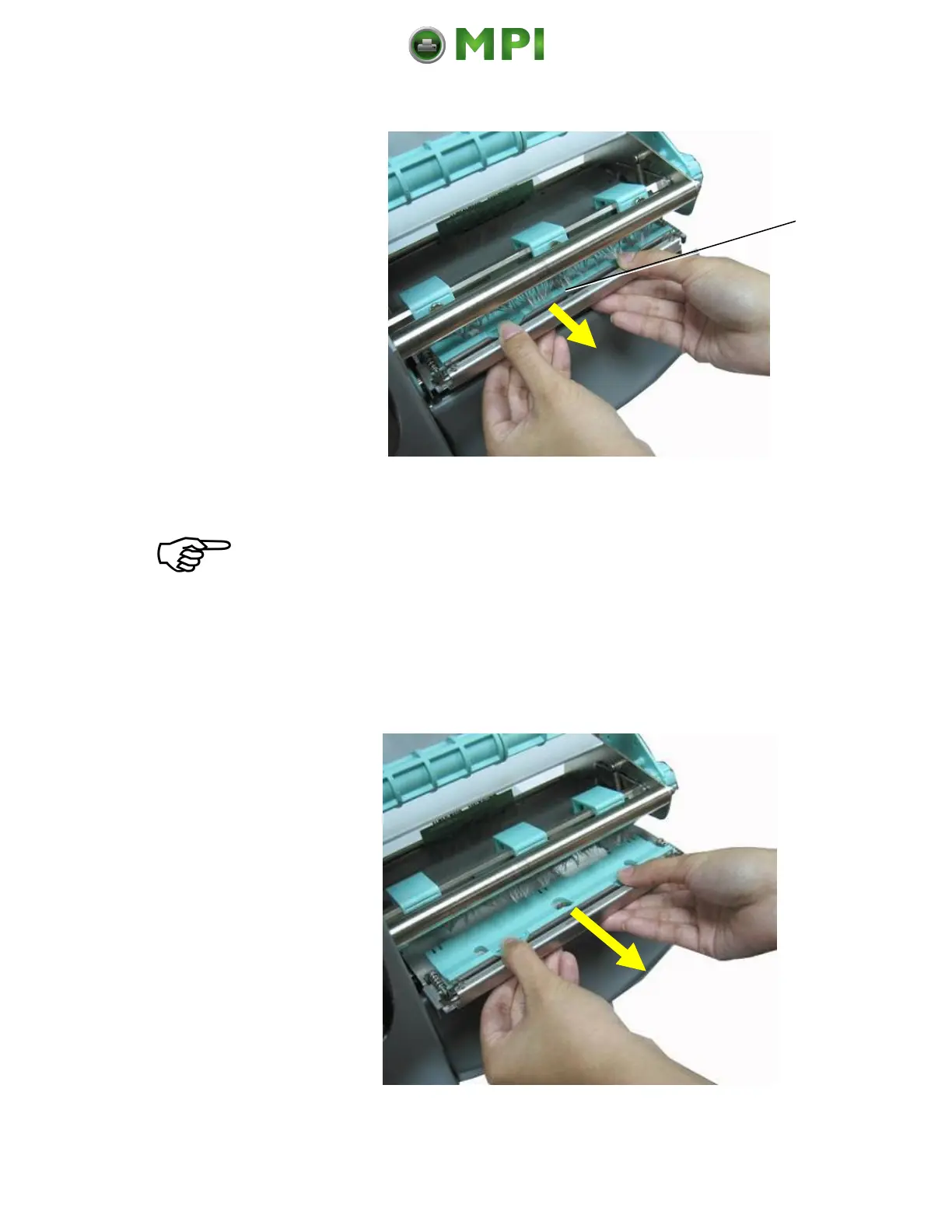
Fig. 11.2.1.b Gently pull the printheada little bit towards you
Tip: Have a look at the printhead’s position in the side guides of
the printer. Later on the new printhead has to be assembled
just in the same way.
7. Now gently pull the old printhead assembly completely out of
the device.
Fig. 11.2.1.c Removing the printhead
Mantenimiento Periféricos Informáticos C/Canteras, 15 28860 Paracuellos de Jarama (Madrid) Tel: 00 34 917481604 Web: https://mpi.com.es/



 To Next Page