182 Operator Maintenance
_______________________________________________________________________________________________
_______________________________________________________________________________________________
MICROPLEX Operator’s Manual logiJET T4-2 /T6-2 /RFID Edition 2.2
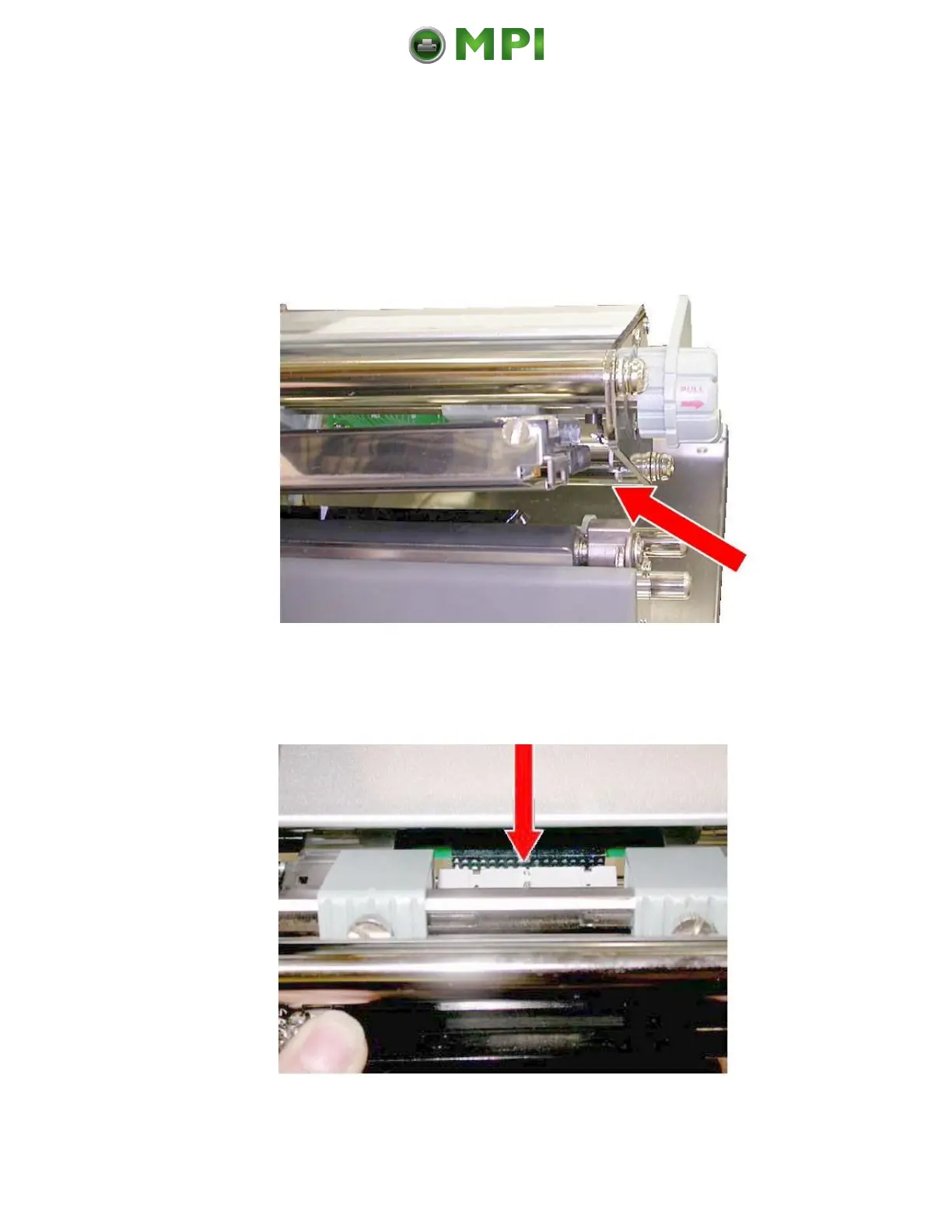
8. Take the new printhead.
9. Gently insert the new printhead assembly into the side
guides of the printer. (In the same way the old printhead
was positioned there.)
Fig. 11.2.1.d Insert the printhead into the side guides
10. Pay attention to the connectors of the printhead: line up the
plug.
Fig. 11.2.1.e Line up the printhead plug
Mantenimiento Periféricos Informáticos C/Canteras, 15 28860 Paracuellos de Jarama (Madrid) Tel: 00 34 917481604 Web: https://mpi.com.es/



 To Next Page