30 Handling of Consumables
_______________________________________________________________________________________________
_______________________________________________________________________________________________
MICROPLEX Operator’s Manual logiJET T4-2 /T6-2 /RFID Edition 2.2
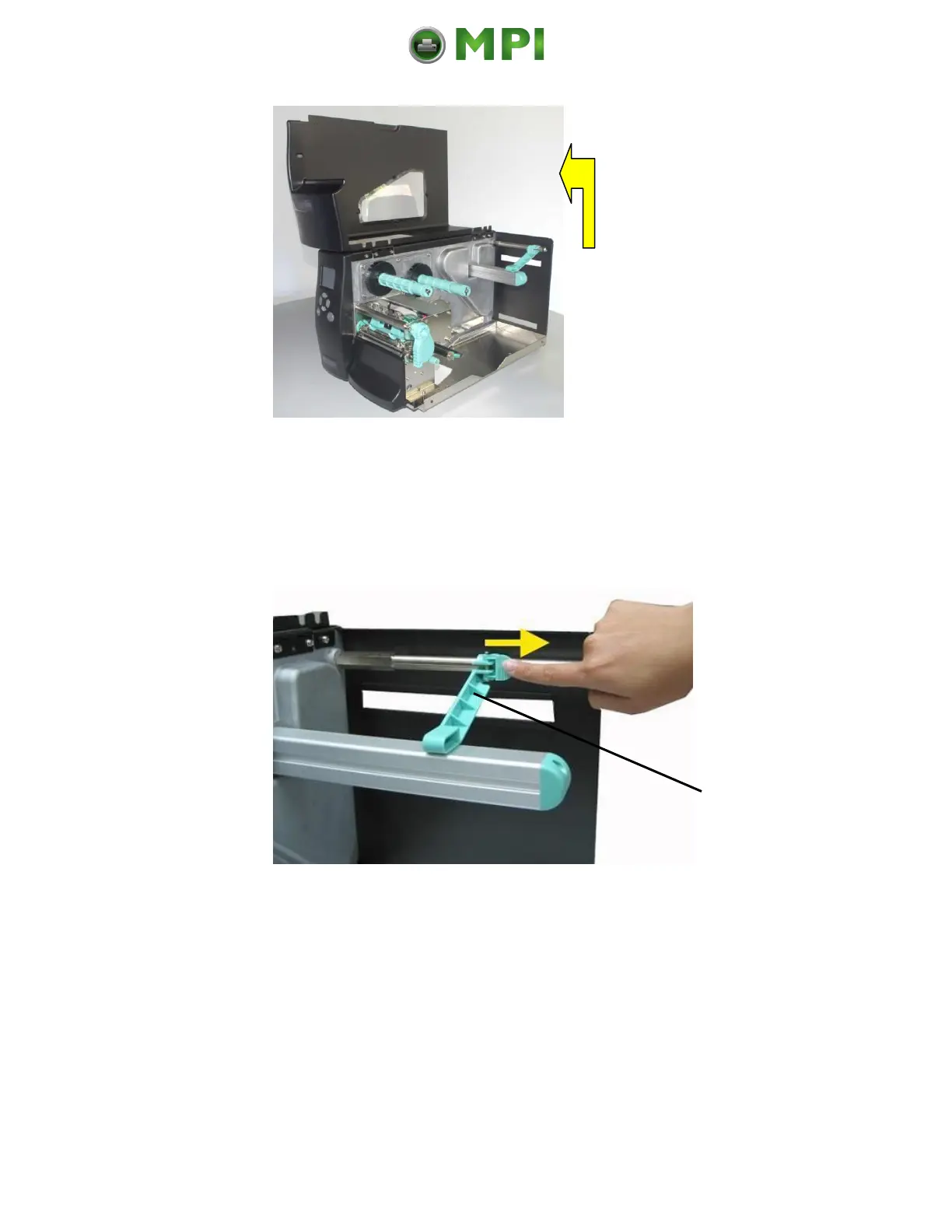
Fig. 5.2.1.b Opening the printer hood
3. Unlock the label supply guide (the small locking lever has to
be “opened” by flipping this lever in the direction shown in
figure 5.2.1.c by the yellow arrow). Then pull the label
supply guide rightward.
Fig. 5.2.1.c Pulling the label supply guide rightward.
4. Swivel the label supply guide upward.
Mantenimiento Periféricos Informáticos C/Canteras, 15 28860 Paracuellos de Jarama (Madrid) Tel: 00 34 917481604 Web: https://mpi.com.es/



 To Next Page