Handling of Consumables 31
_______________________________________________________________________________________________
_______________________________________________________________________________________________
MICROPLEX Operator’s Manual logiJET T4-2 /T6-2 /RFID Edition 2.2
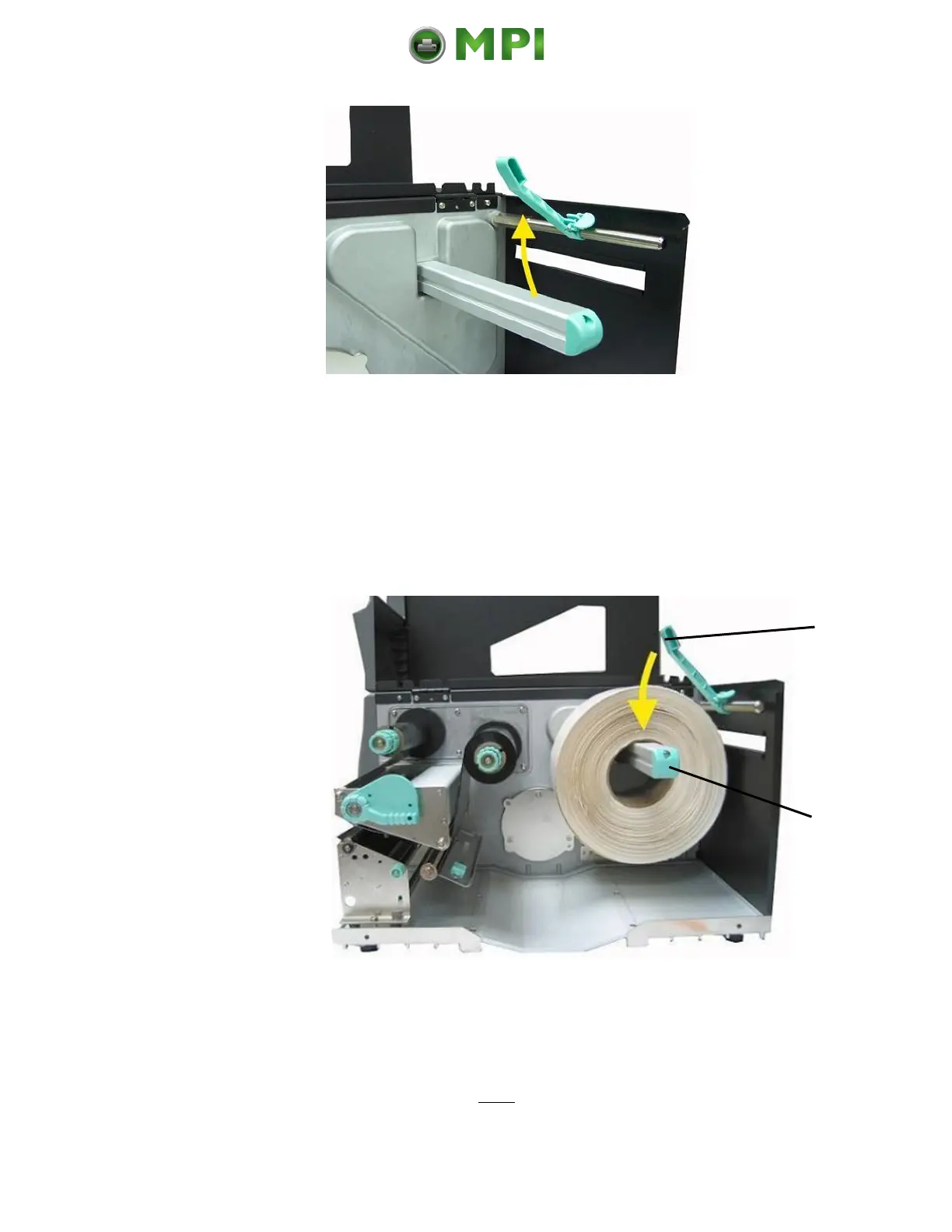
Fig. 5.2.1.d Swiveling the label supply guide upward
5. The media roll must turn counterclockwise when unwinding.
Take the Tear off roll-fed media and hold it in the
corresponding way.
6. Slide the media roll onto the label roll bar all the way back
to the printer’s inner wall.
Fig. 5.2.1.e Inserting the media roll
7. Swivel the label supply guide downward.
8. Slide the label supply guide in towards the label roll (as
shown in the right figure below).
Mantenimiento Periféricos Informáticos C/Canteras, 15 28860 Paracuellos de Jarama (Madrid) Tel: 00 34 917481604 Web: https://mpi.com.es/



 To Next Page