32 Handling of Consumables
_______________________________________________________________________________________________
_______________________________________________________________________________________________
MICROPLEX Operator’s Manual logiJET T4-2 /T6-2 /RFID Edition 2.2
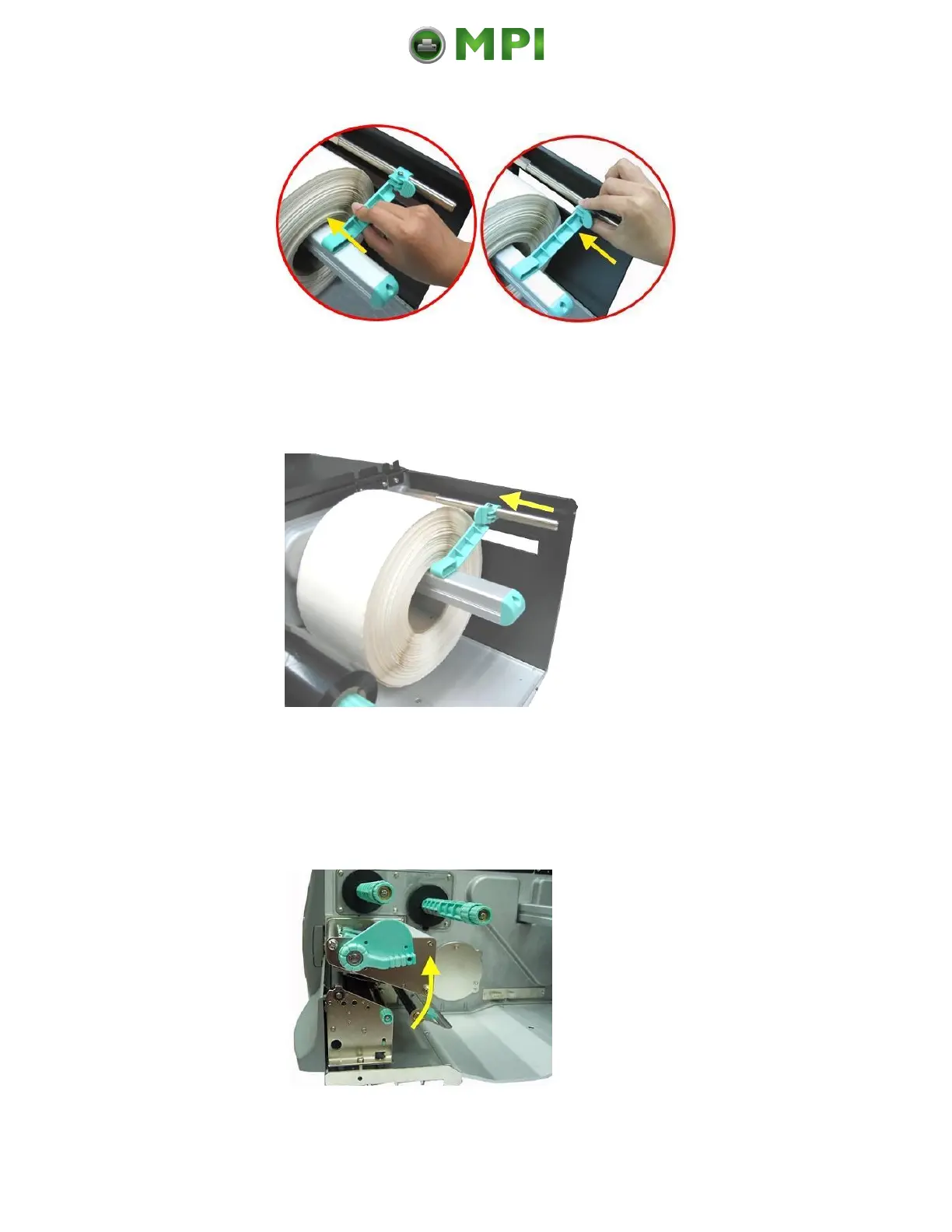
Fig. 5.2.1.f Please refer to the right photo!
9. Avoid pushing the label supply guide in too far or you will
damage the edge of the label stock.
Fig. 5.2.1.g Setting the label supply guide to the right position
10. Lock the label supply guide (the small locking lever has to
be “closed” by flipping this lever in the direction shown in
figure 5.2.1.g by the yellow arrow).
11. Release the printhead pressure lever to lift the pressure rollers.
Fig. 5.2.1.h Swivel the printhead pressure lever upward (counterclockwise).
Mantenimiento Periféricos Informáticos C/Canteras, 15 28860 Paracuellos de Jarama (Madrid) Tel: 00 34 917481604 Web: https://mpi.com.es/



 To Next Page