38 Handling of Consumables
_______________________________________________________________________________________________
_______________________________________________________________________________________________
MICROPLEX Operator’s Manual logiJET T4-2 /T6-2 /RFID Edition 2.2
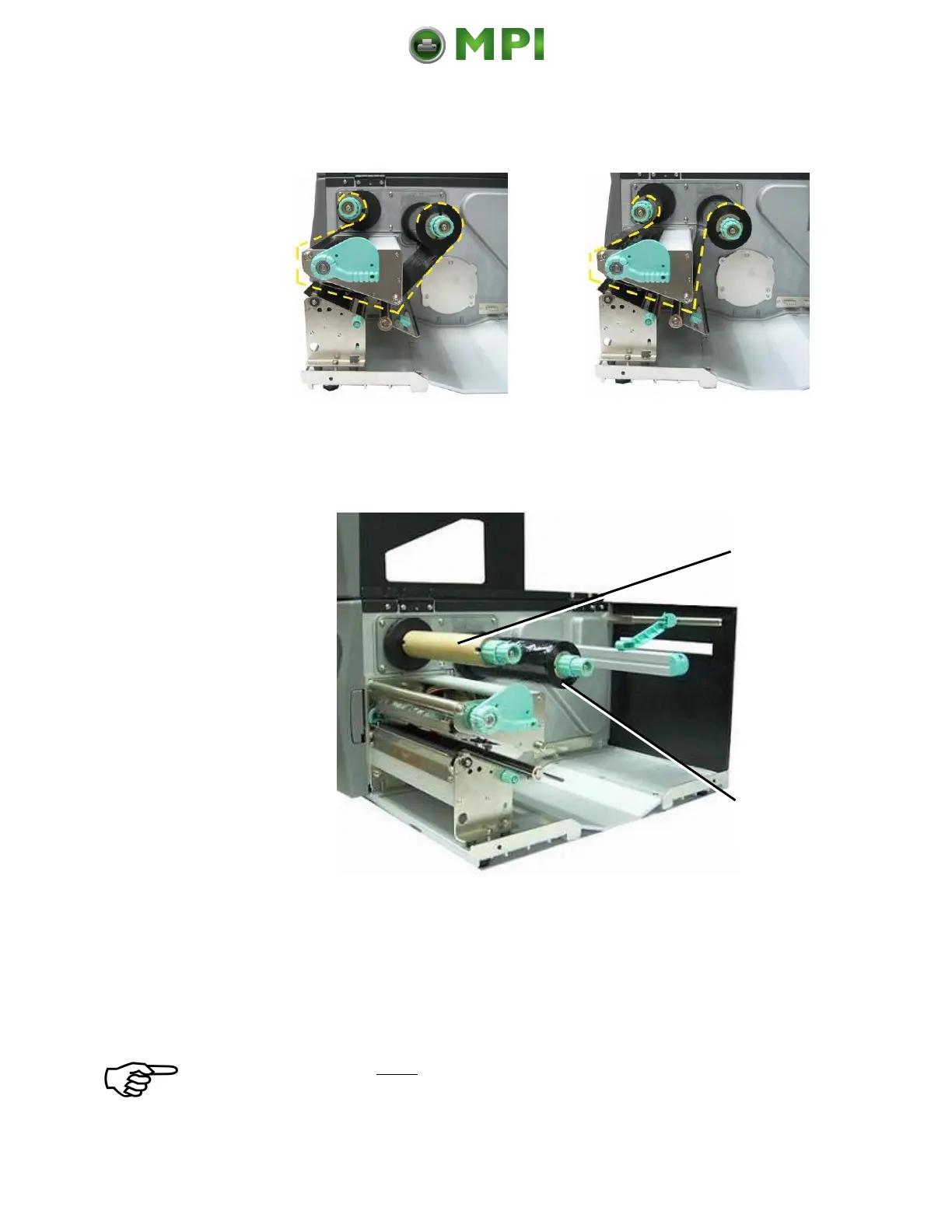
Ribbon outside
(Ink outside the roll).
Ribbon inside
(Ink inside the roll).
Fig. 5.3.1.b Different ribbon roll winding directions
6. Slide the ribbon roll onto the ribbon supply shaft all the way
back to the printer’s inner wall.
Fig. 5.3.1.c Inserting the ribbon roll and the empty ribbon sleeve
7. Slide the empty ribbon sleeve (ribbon core) onto the ribbon
rewind shaft.
8. Route the ribbon around the printhead without folds.
Be sure you don’t feed the ribbon underneath the moveable sensor.
Mantenimiento Periféricos Informáticos C/Canteras, 15 28860 Paracuellos de Jarama (Madrid) Tel: 00 34 917481604 Web: https://mpi.com.es/



 To Next Page