Handling of Consumables 39
_______________________________________________________________________________________________
_______________________________________________________________________________________________
MICROPLEX Operator’s Manual logiJET T4-2 /T6-2 /RFID Edition 2.2
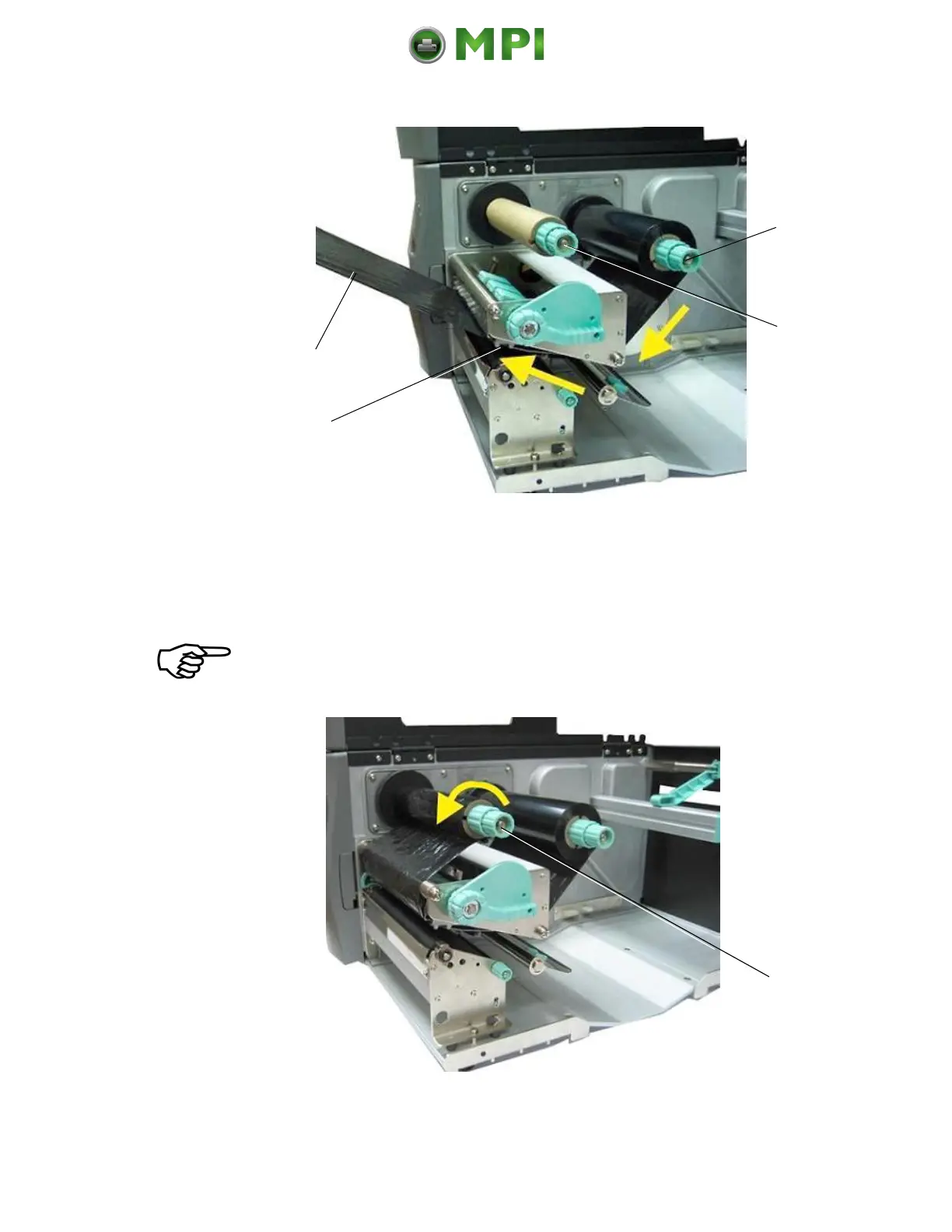
Fig. 5.3.1.d Feeding through the ribbon below the printhead
9. Route the ribbon to the rewinding mandrel and fasten it to
the ribbon sleeve (turn up the ribbon once so that the
adhesive part at the beginning of the ribbon can be used).
Make sure that the ribbon rewind direction is correct. (Compare
figure 5.3.1.b.)
Fig. 5.3.1.e Tautening the ribbon by turning the ribbon rewind shaft
Mantenimiento Periféricos Informáticos C/Canteras, 15 28860 Paracuellos de Jarama (Madrid) Tel: 00 34 917481604 Web: https://mpi.com.es/



 To Next Page