Operating Front Panel Controls
98
OM-296747A | 4/15/24
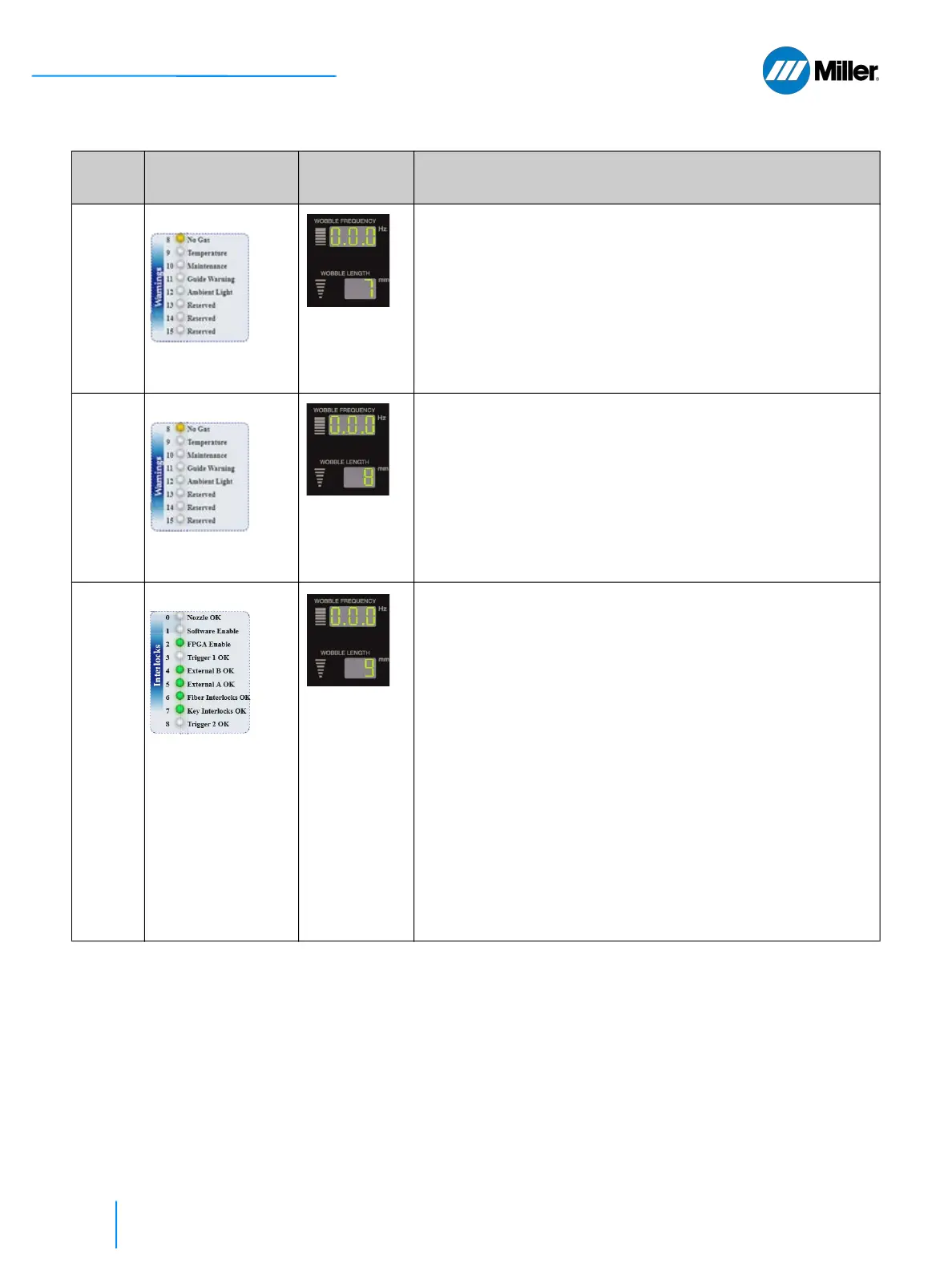
7 Warning Group 1
See Table 31
[▶133].
1
See NOTE
Displays first group of 3 Warning states.
1. Turn Wobble Length knob to Code 7.
2. Wobble Frequency display shows warning state. In this example,
“.0.0” or “0.0.0” (depending on display revision) indicates that there
are no warnings.
0= NO WARNING and 1= WARNING
Result format, left to right, is specified below.
3rd Digit . 2nd Digit . 1st Digit
(Guide Warning).(Temperature).(No Gas)
8 Warning Group 2
See Table 31
[▶133].
1
See NOTE
Displays second group of 3 Warning states.
1. Turn Wobble Length knob to Code 8.
2. Wobble Frequency display shows warning state. In this example,
“.0.0” or “0.0.0” (depending on display revision) indicates that there
are no warnings.
0= NO WARNING and 1= WARNING
Result format, left to right, is specified below.
3rd Digit . 2nd Digit . 1st Digit
(Reserved).(Maintenance).(Ambient Light)
9 Interlock Group 1
See Table 31
[▶133].
1
See NOTE
Displays first group of 3 Interlock states. This is primarily used
to test or troubleshoot the torch.
1. Turn Wobble Length knob to Code 9.
2. Wobble Frequency display shows interlock state. In this example,
“.0.0” or “0.0.0” (depending on display revision) means that all 3 are
NOT ACTIVE.
0= NOT ACTIVE and 1= ACTIVE
Result format, left to right, is specified below.
3rd Digit . 2nd Digit . 1st Digit
(Trigger 2 OK).(Trigger 1 OK).(Nozzle OK)
Torch Diagnostic Examples:
When operator presses Trigger 1 (or 2) switch on torch - it
turns to 1. When operator releases Trigger 1 (or 2) switch -
it turns to 0.
Touch nozzle to workpiece - it turns to 1. Lift nozzle from
workpiece - it turns to 0.
▼Table 25. Y0 Setup State Program Mode (Continued)
Code # Parameter Front Panel
Displays
Explanation
User Must First Set Program Mode to Y0















 To Next Page