MOOR INSTRUMENTS moorLDI2 RESEARCH USER MANUAL
95
16 REPEAT IMAGE ANALYSIS
16.1 INTRODUCTION
The analyses available for single image processing are also available for repeat scan images.
All repeat images are processed and analysed simultaneously.
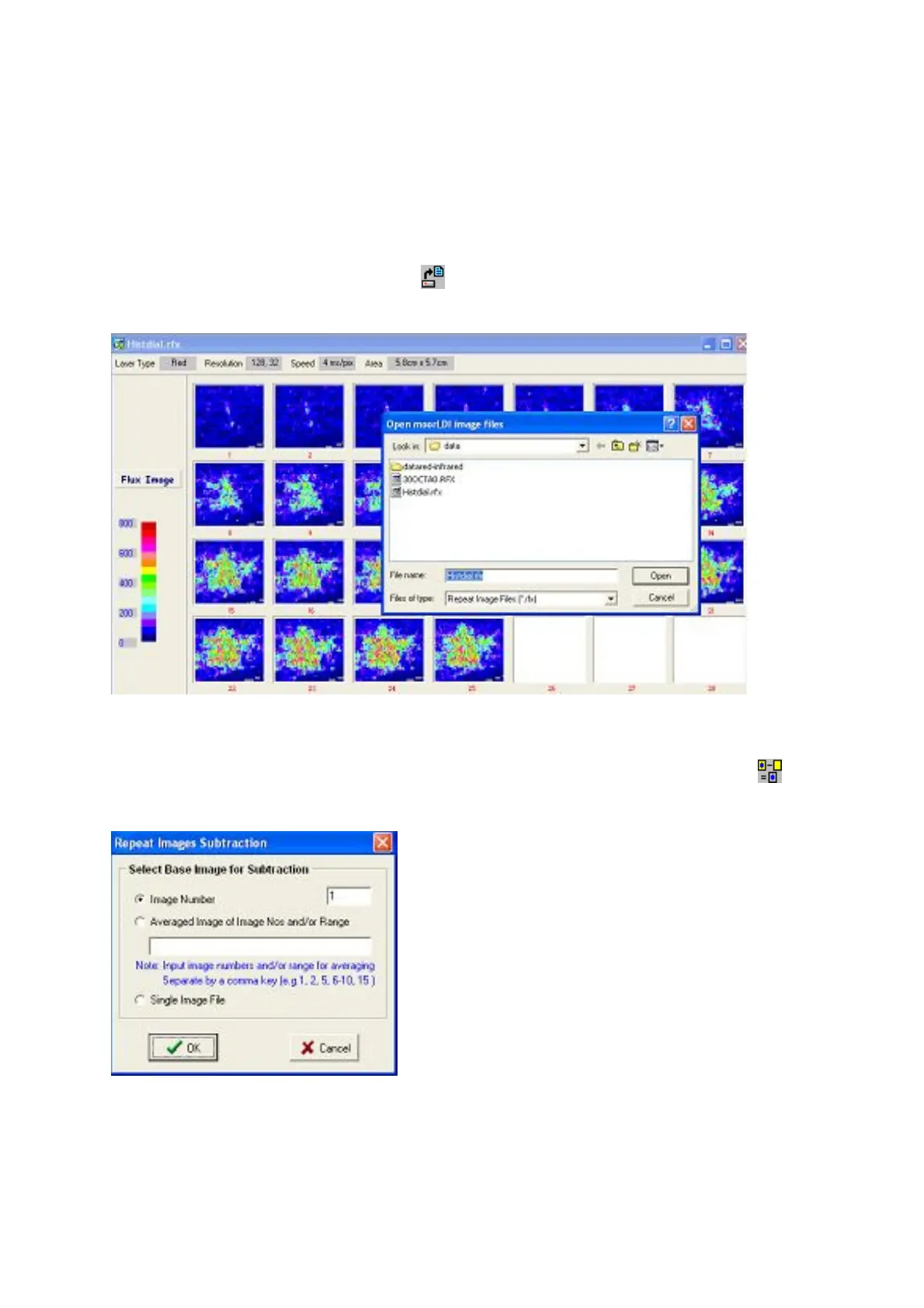
To open a repeat image file click on icon and select from ‘files of type’ Repeat Image Files
(*.rfx)
16.1.1 IMAGE SUBTRACTION
To subtract any one image from all other images select image subtraction: click on the icon or
select:
Image Processing
,
Subtract.
The following image subtraction box will appear:-



 To Next Page