MOOR INSTRUMENTS moorLDI2 RESEARCH USER MANUAL
46
This is particularly important for applications where regular changes of distance are made (e.g. burn
assessments). Note that should the wrong distance be used during measurement it is possible to
change the distance at the data review stage.
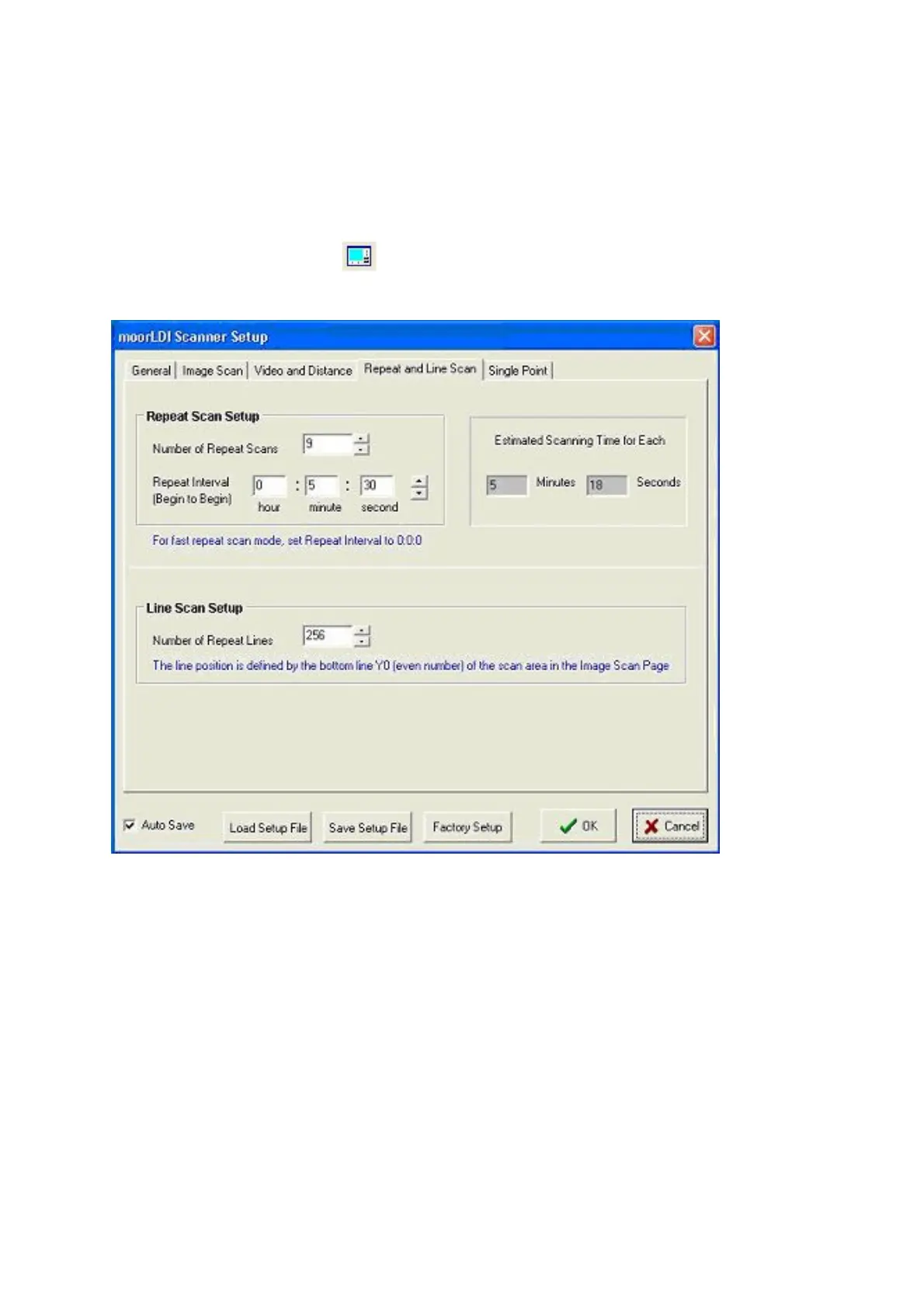
6.3.3 REPEAT AND LINE SCAN SETUP
To open this window, click on to open the scanner Setup window, then select the forth tab
button named
Repeat and Line Scan
(see below).
6.3.3.1 Repeat Scan Setup
This windows allows you to setup the repeat scan mode.
The characteristics of the scan window and system set up are the same as for single Image Scan. It is
also necessary for these features to be set up prior to Repeat Scan. The E
stimated Scanning Time
for a single scan is displayed. This time depends on the scan size and resolution, and on the scan
speed eg 4ms/pixel etc.
Enter the number of scans you require in the
Number of Repeat Scans
box. This will determine the
number of repeat scans in the series. Note the maximum possible is 105.
Repeat Interval
: This sets the time between the starts of successive measurements.



 To Next Page