MOOR INSTRUMENTS moorLDI2 RESEARCH USER MANUAL
108
19 CALIBRATION AND STABILITY
There are two versions of calibration software, depending on when the LDI system was purchased
•
V1.x calibration uses a single tubed calibration block and requires the calibration block to be
setup at the right position and distance manually (See 19.1 for calibration information).
•
V2.0 calibration uses the calibration kit with a dual tubed calibration block, this allows easier
calibration when required (see 19.2 for calibration information)
19.1 moorLDI V1.0 CALIBRATION GUIDE
The calibration software needed for this procedure is
calibration.exe
. It is loaded by clicking on the
desktop icon if displayed or loading from the installation CD ROM for the moorLDI software.
Calibration checks should be performed weekly.
19.1.1 Set-up
1.
Avoid bright lighting.
2.
Avoid vibration.
3.
Flux standard is equilibrated to room temperature for 60 minutes.
4.
Warm up LDI for 30 minutes.
5.
Gently shake calibration block for 10 seconds
- allow to settle for 2 minutes before
calibrating.
6.
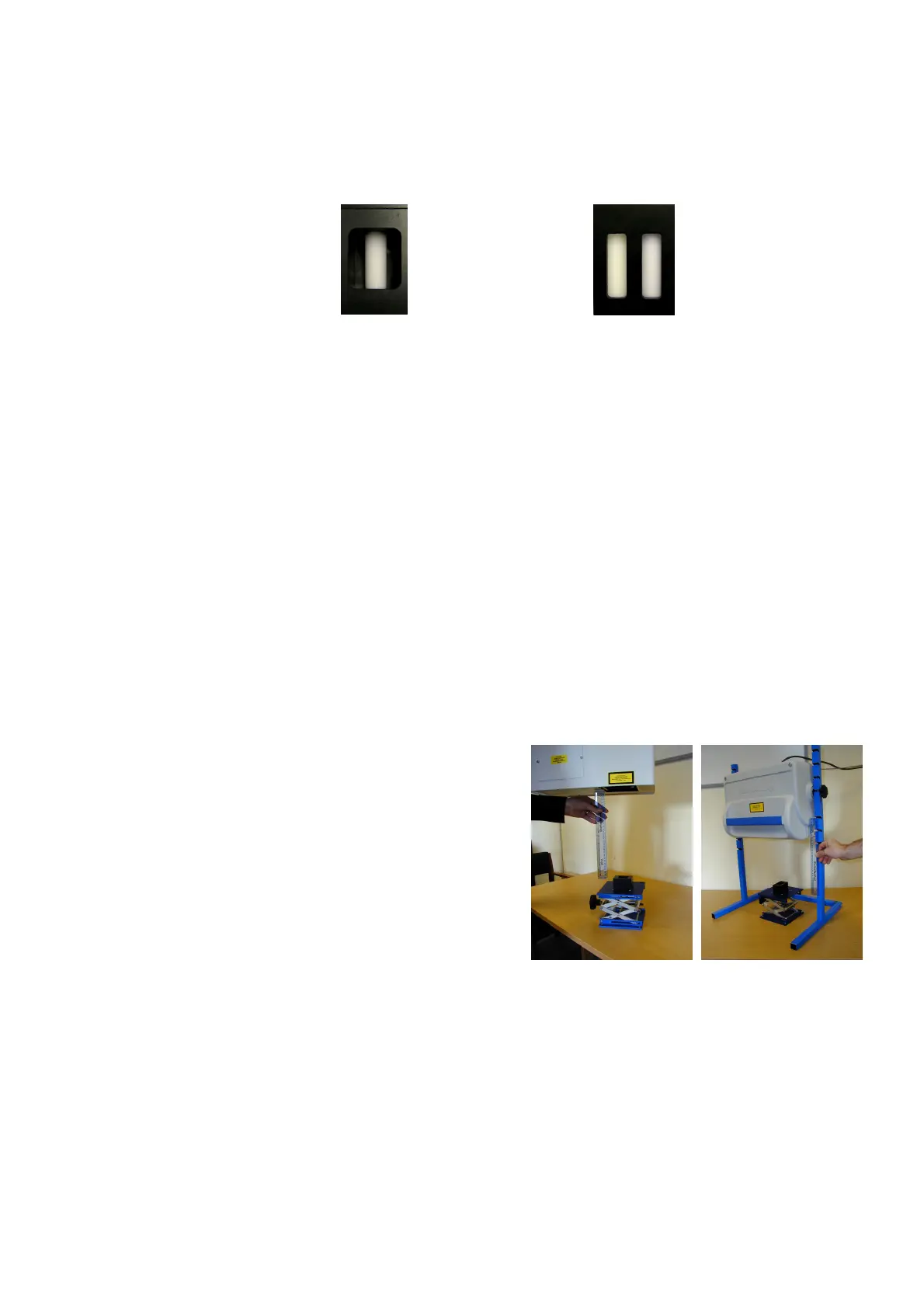
Set up calibration block 30cm from the front
panel of LDI-1(
Figure 19.1.1(a)
), 30cm from
the indicated mark* on LDI-2(
Figure
19.1.1(b)
). Adjust the position of the block so
the centre of the bottle is illuminated.
*For early MoorLDI2 without a distance mark,
the mark position is 10cm in front of the axis
of the support bearings.
19.1.2 Calibration
1.
Load Moor Calibration utility
(exit any other MoorLDI measurement software
beforehand)
.
2.
Check set up conditions on start-up screen and click the NEXT button. Note you will not be
able to progress to check and calibrate unless these conditions have been satisfied.
3.
The Measurement screen appears next. This allows the user to check actual measurements
from the motility standard with normal values. Click Measurement to proceed.
Figure 19.1.1(a). Figure 19.1.1(b).
Version 1.x calibration block Version 2.0 calibration block



 To Next Page